Data Entry Project: Automated E-Commerce Validation & Search Dashboard

Data Entry Project: Automated E-Commerce Validation & Search Dashboard
Project Description:
This project showcases my ability to design and maintain high-quality data
systems that prioritize accuracy, seamless organization, and operational
efficiency. Utilizing my proficiency in Google Workspace and advanced data
management techniques, I developed a structured workflow that handles a high
volume of e-commerce records while strictly preserving data integrity. By
replacing chaotic, raw inputs with automated formatting, real-time error
checks, and a secure search interface, this project highlights how I deliver
clean, reliable datasets that streamline daily business tracking and support
informed decision-making.
For this project, I transformed a disorganized, unformatted Google Forms response sheet into an automated, highly efficient, and secure dashboard. This system eliminates repetitive manual data entry, prevents formatting errors, and ensures that vital business information is completely protected from accidental modification or data loss.
Core Skills & Solutions Demonstrated
1. Maintaining Exceptional Data Accuracy & Formatting
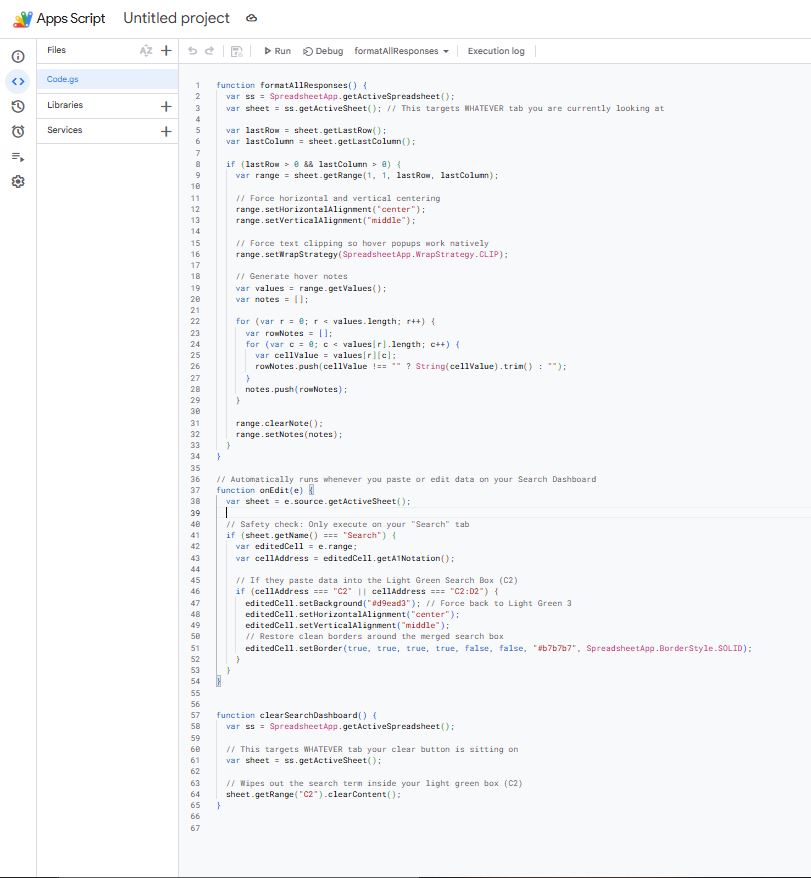
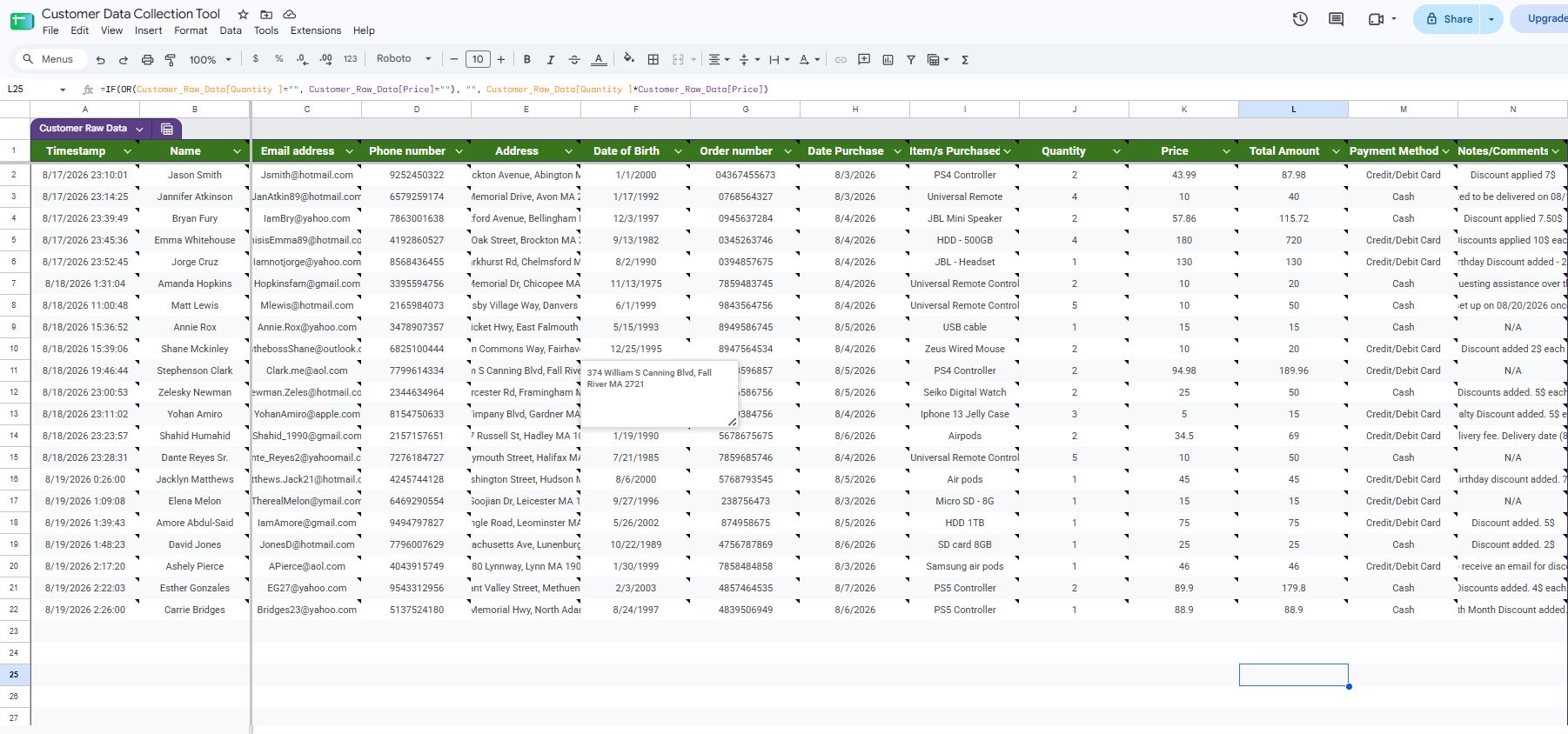
- The Problem: Default Google Form entries ignore pre-set cell formatting when new rows are logged. This results in messy text alignments and text spilling over, making crucial information difficult to scan quickly.
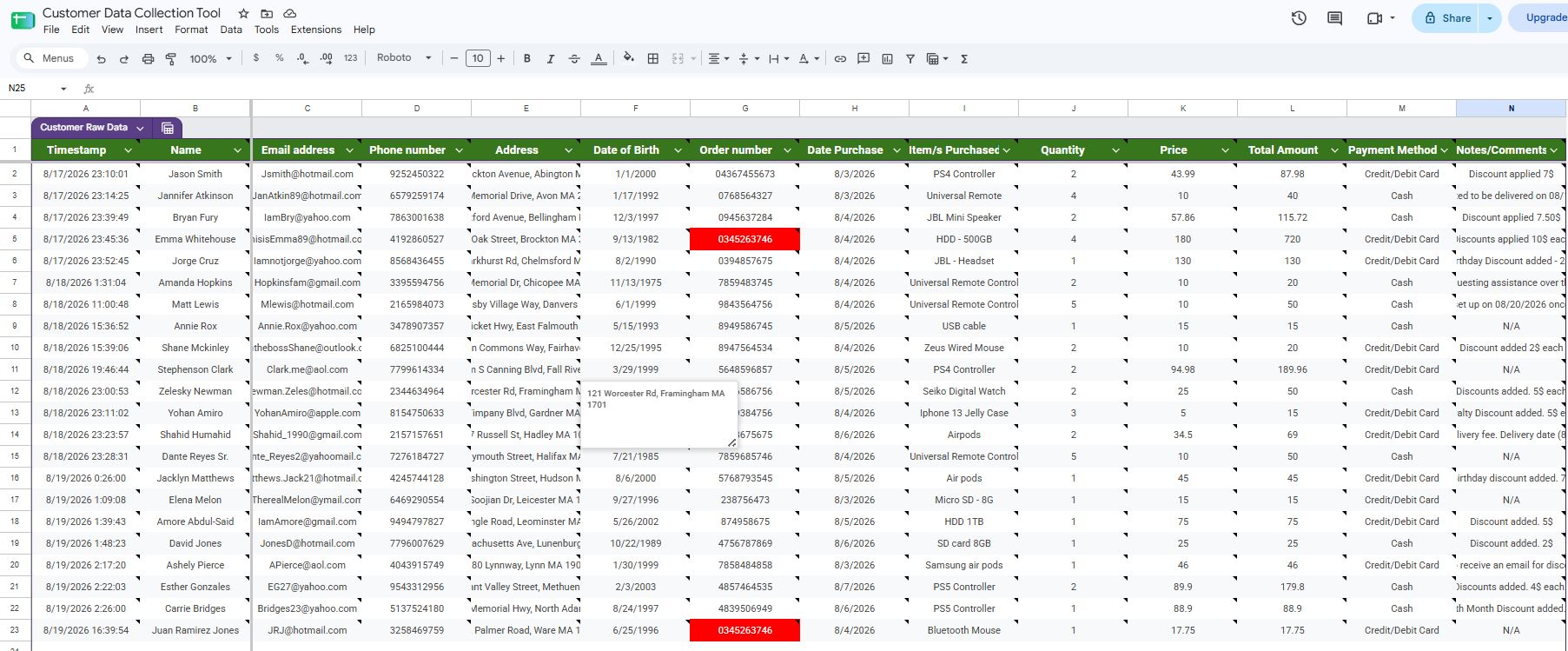
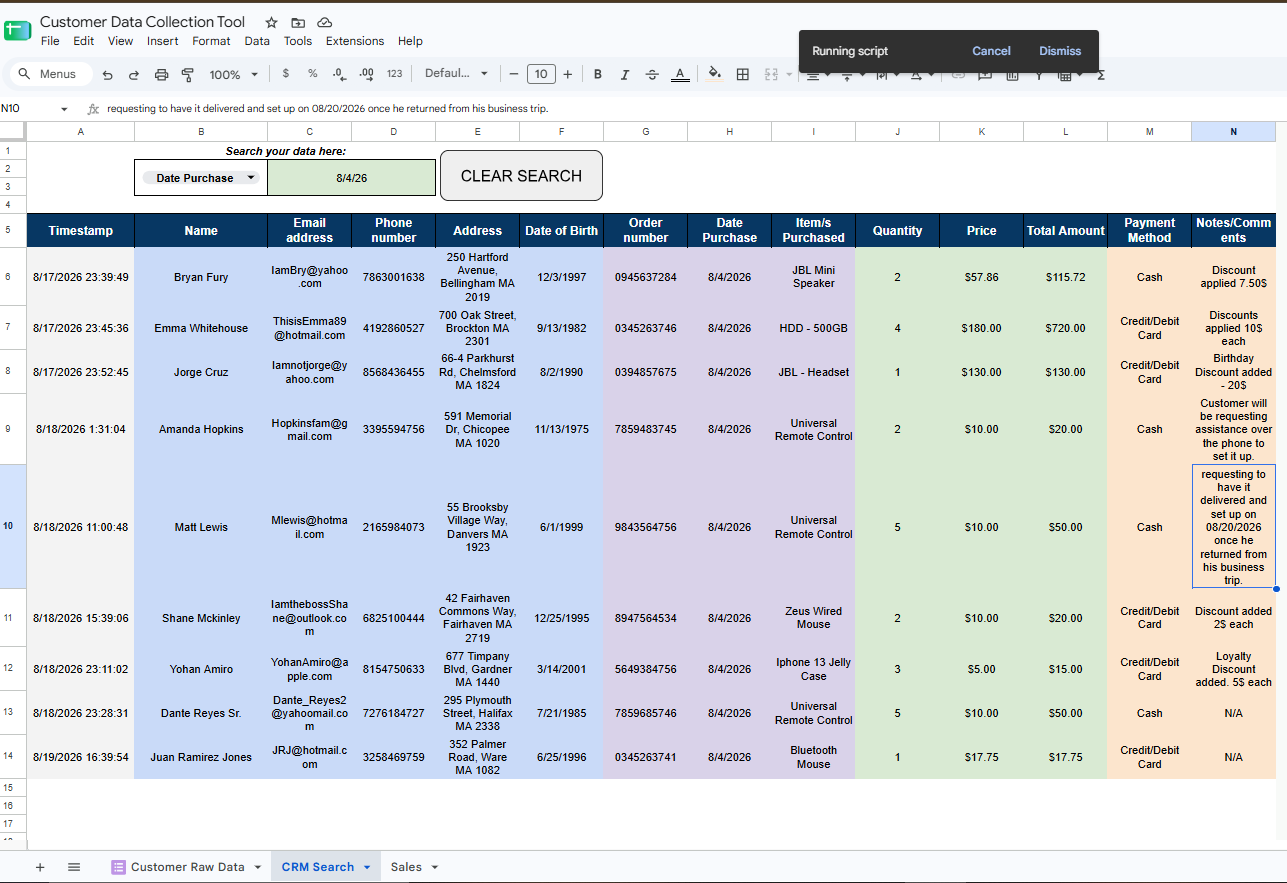
- My Solution: I wrote a custom Google Apps Script automation. The moment a new submission lands, the script automatically center-aligns the text, clips text overflow, and generates neat, hover-over preview boxes. This keeps the entire database beautifully uniform and readable without requiring any ongoing manual adjustments.
2. Advanced Data Organization & Fast Multi-Criteria Lookup
- The Problem: Standard search formulas easily break down when handling columns with mixed data types (like phone numbers, dates, and order numbers), resulting in broken lookup cells and confusing error codes.
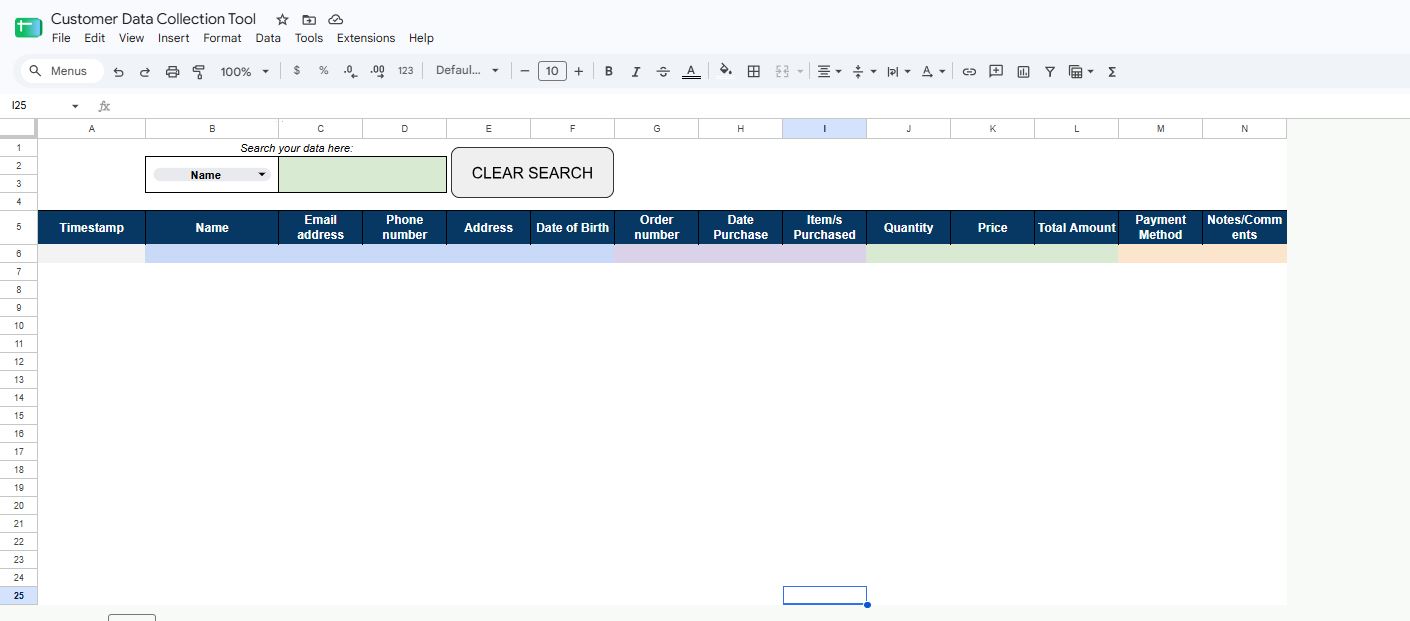
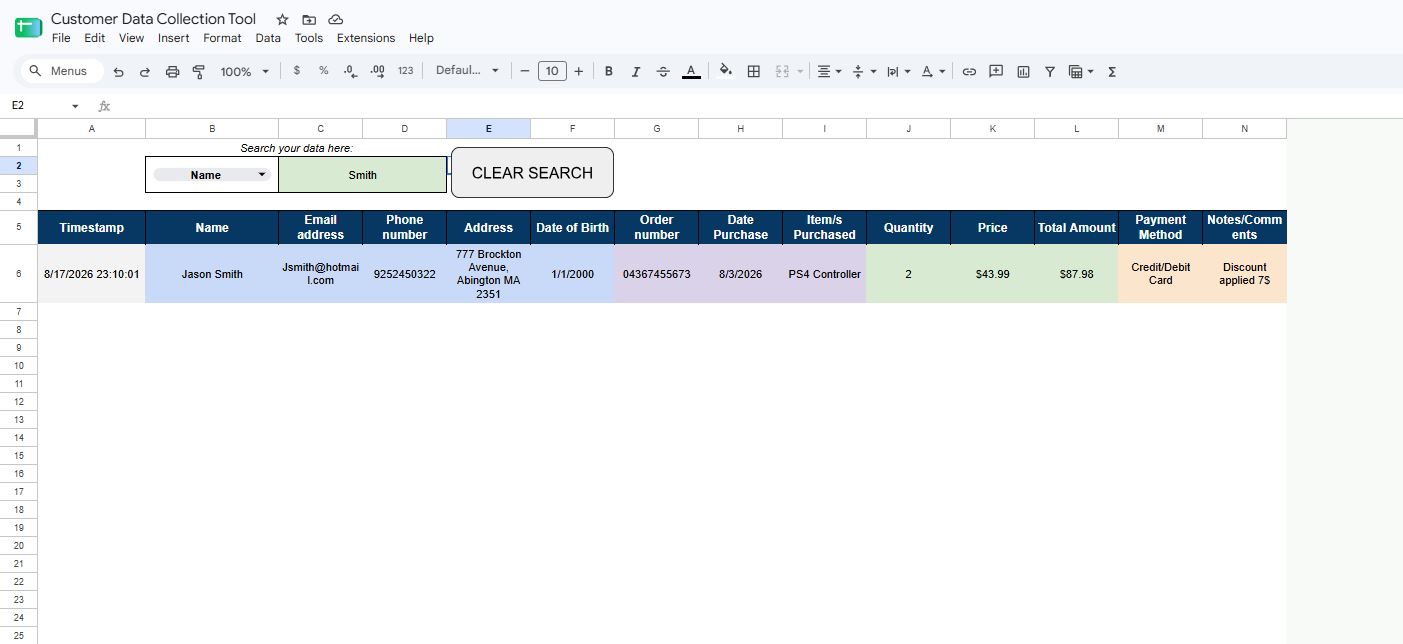
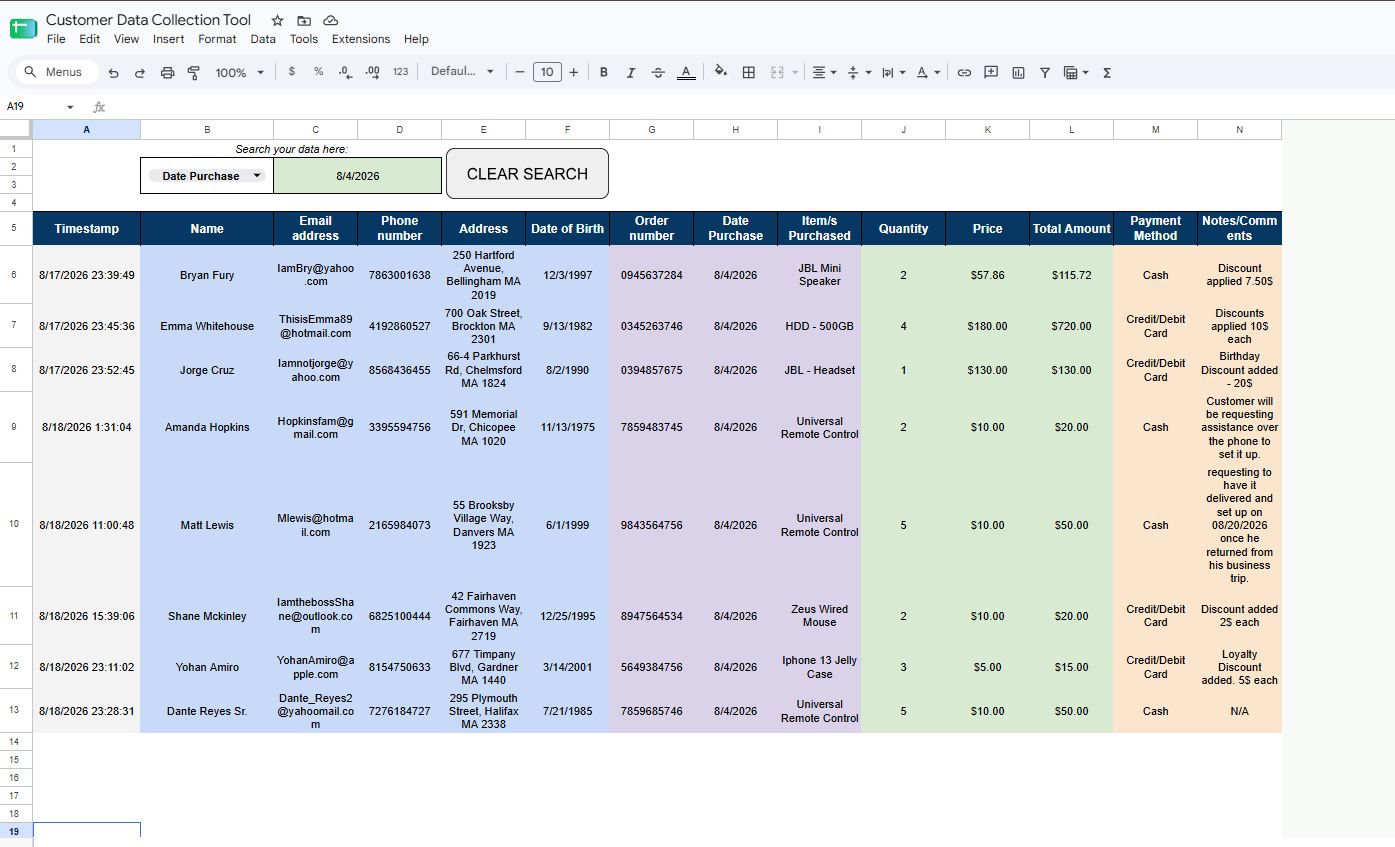
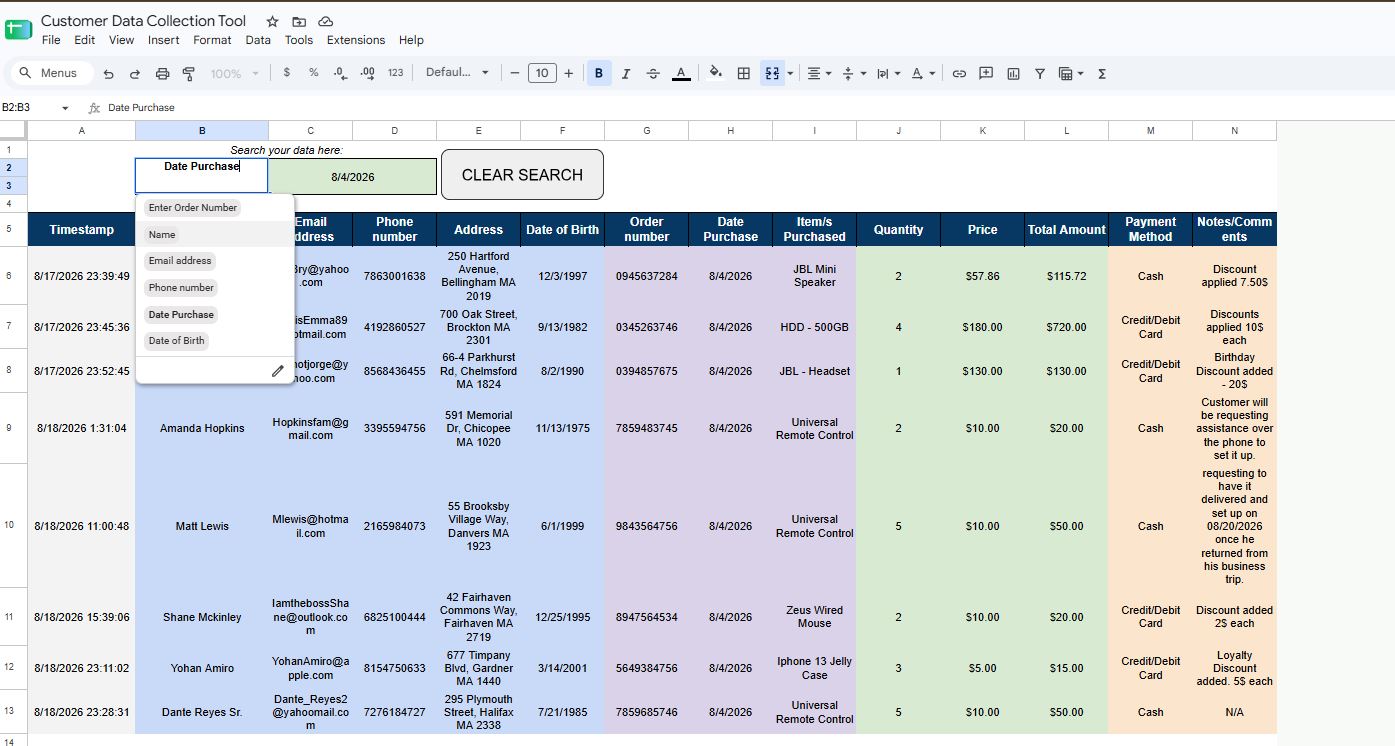
- My Solution: I built a Universal Search Box controlled by an interactive dropdown menu. Users can dynamically choose how they want to query the database (by Order Number, Name, Email, or Phone Number). I deployed an advanced formula matrix (FILTER and MAP) that scans the data and instantly pulls up every single historical transaction associated with that specific criterion. It ignores typos and capitalization mismatches, ensuring record retrieval takes only a split second.
3. Data Integrity & Layout Protection
- The Problem: Exposing complex formulas and raw entries to daily sheet users increases the risk of critical company data being accidentally overwritten or deleted.
- My Solution: I locked down the workspace by applying strict sheet permissions to protect all administrative equations, headers, and results. I left only the search input boxes open for user interaction. Furthermore, I programmed a "style shield" script: if a user copies and pastes a messy, colored cell from another sheet into the search box, the sheet instantly scrubs away the formatting and forces the cell back to its clean, professional layout.
4. Duplicate Entry Monitoring & Risk Management
- The Problem: Form submission glitches or manual logging mistakes can introduce duplicate rows, which corrupts database organization and skews sales calculations.
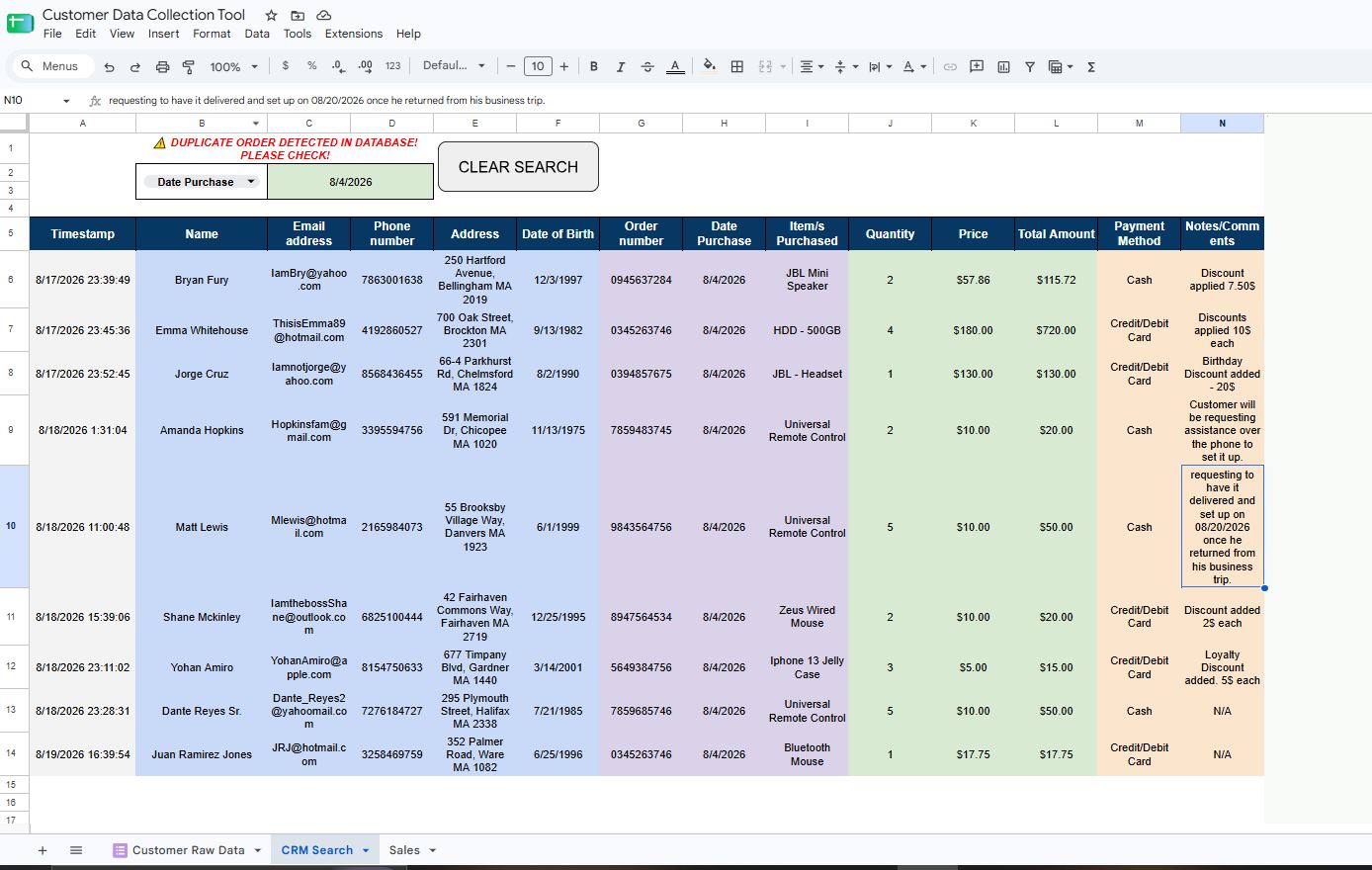
- My Solution: I set up an automated duplicate alert system using precise counting formulas (COUNTIF). The absolute second a duplicate order number hits the sheet; the raw data cells instantly flash red to notify the operator. I also created a dynamic notice directly on the main dashboard that changes from a clean green ✅ Database Clear to a bold red ⚠️ DUPLICATE DETECTED, guaranteeing total data validation.
6. Automated Dashboard Cleanup Interface
- The Problem: Manually deleting search terms and resetting large rows of data slows down daily workflows and leaves confusing information on the screen for the next user.
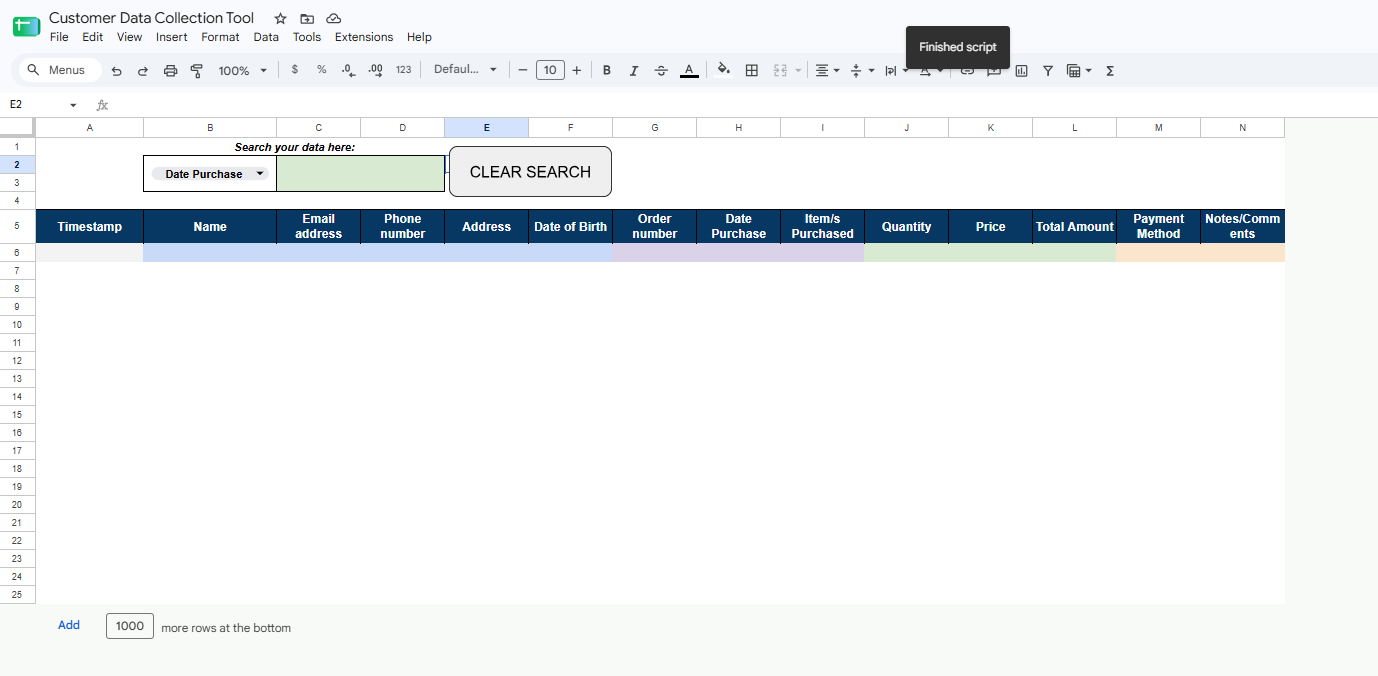
- My Solution: I designed and programmed an interactive CLEAR SEARCH Macro Button directly onto the dashboard. By linking a dedicated Google Apps Script function to a custom graphic shape, users can instantly wipe the input boxes clean and reset the entire 14-column layout to its pristine, original blank state with a single click.
6. Efficient Reporting & Visual Analytics
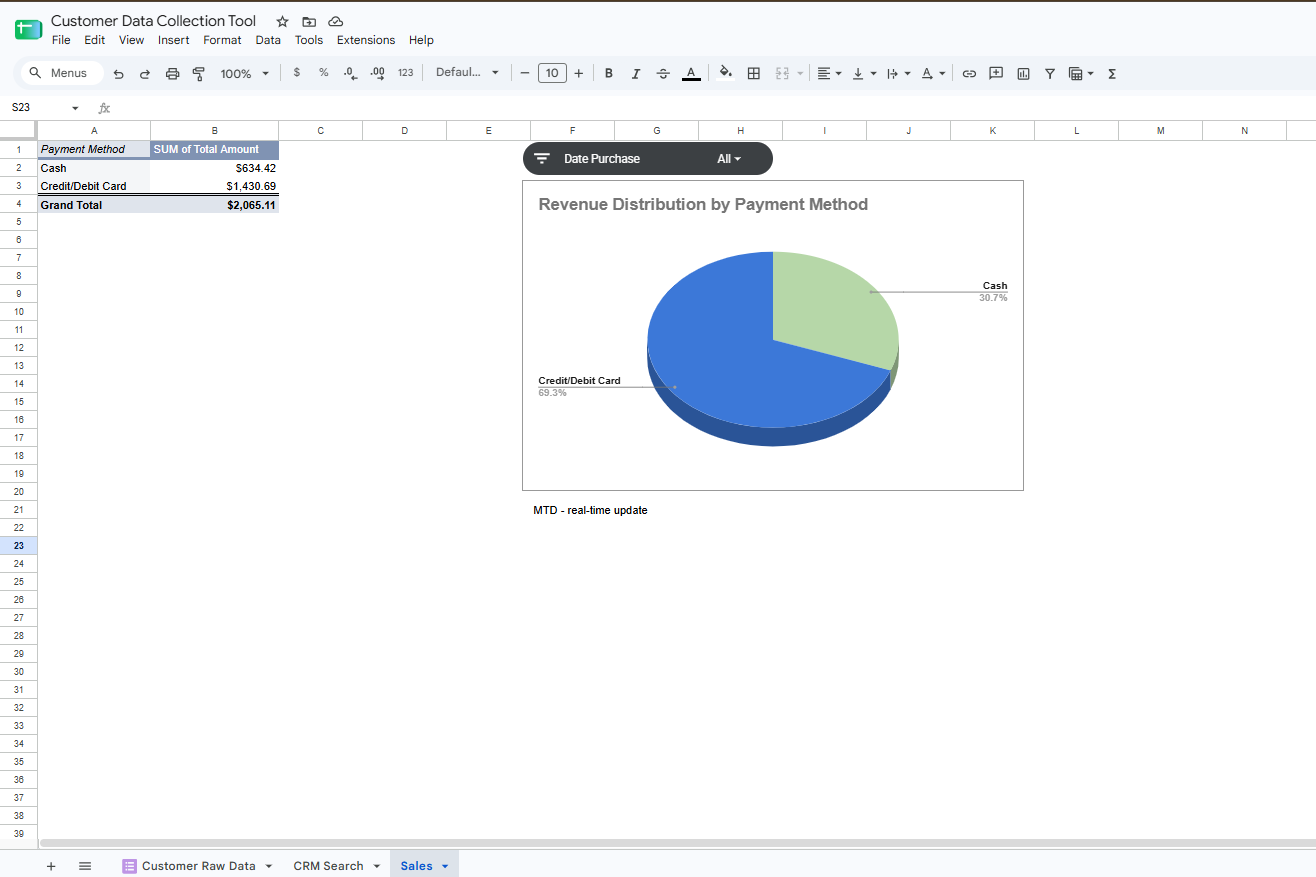
- The Problem: Scrolling through hundreds of text logs makes it difficult for management to track overall monthly income or quickly evaluate which payment methods are most popular.
- My Solution: I built an executive financial summary tab powered by Pivot Tables and a streamlined Pie Chart. I integrated an interactive, custom-styled Slicer filter widget at the top. This allows non-technical stakeholders to change the date or month on the fly, instantly recalculating revenue figures and updating the charts automatically to assist in rapid business decisions.
Technical Toolkit Used in This Project
- Google Workspace Proficiency: Google Sheets, Google Forms, and Google Apps Script integration.
- Data Processing & Cleansing: FILTER, ARRAYFORMULA, MAP, LAMBDA, COUNTIF, and Data Validation dropdowns.
- Automation UI/UX: Drawing-to-Script macros, Event-Driven Triggers (onEdit), Custom Reset scripts.
- Information Design: Professional color-coding, Conditional Formatting, Gridline removal, Custom Canvas layouts, and Dashboard Protection.
- Business Intelligence: Pivot Table Summaries, Visual Slicer Filters, and Interactive Revenue Charts.