DATA ENTRY

This portfolio sample in Data Entry demonstrates my strong accuracy, attention to detail, and ability to manage and organize large sets of information efficiently. I am proficient in using Microsoft Office tools such as Excel and Word, as well as Google Workspace tools including Sheets, Docs, and Drive for data processing and file management. I ensure data integrity, meet deadlines consistently, and deliver well-structured outputs that support smooth business operations and informed decision-making.
SAMPLE WORK #1: SCHOOL REGISTRY
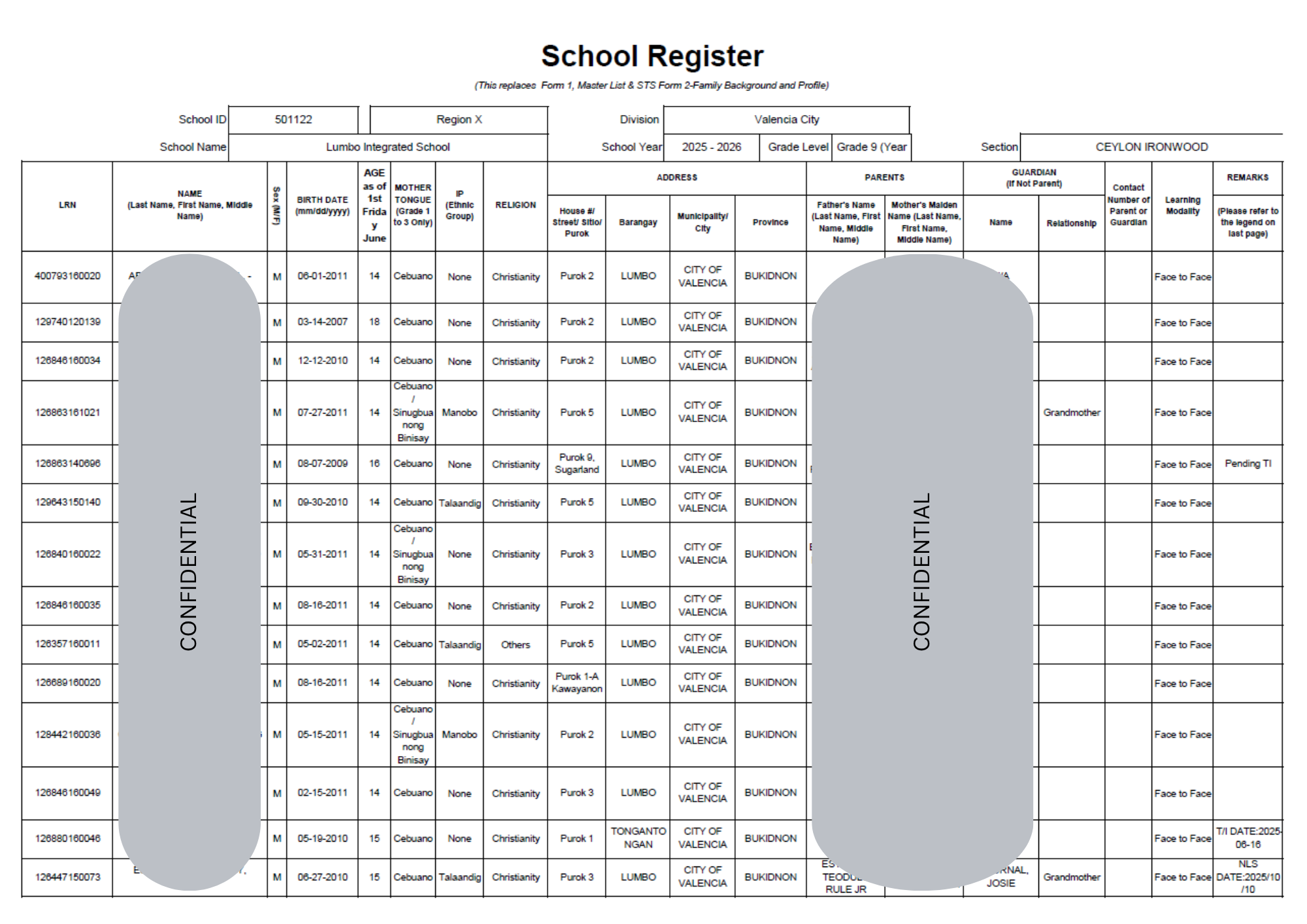
The School Register is an official record used to systematically track and manage student information, which supports essential teaching responsibilities such as monitoring learner profiles, verifying enrollment details, and coordinating with parents or guardians. Encoded and organized using Microsoft Excel, it reflects how accurate data entry and record-keeping are integral to a teacher’s administrative tasks, ensuring organized documentation and efficient classroom management while maintaining confidentiality.
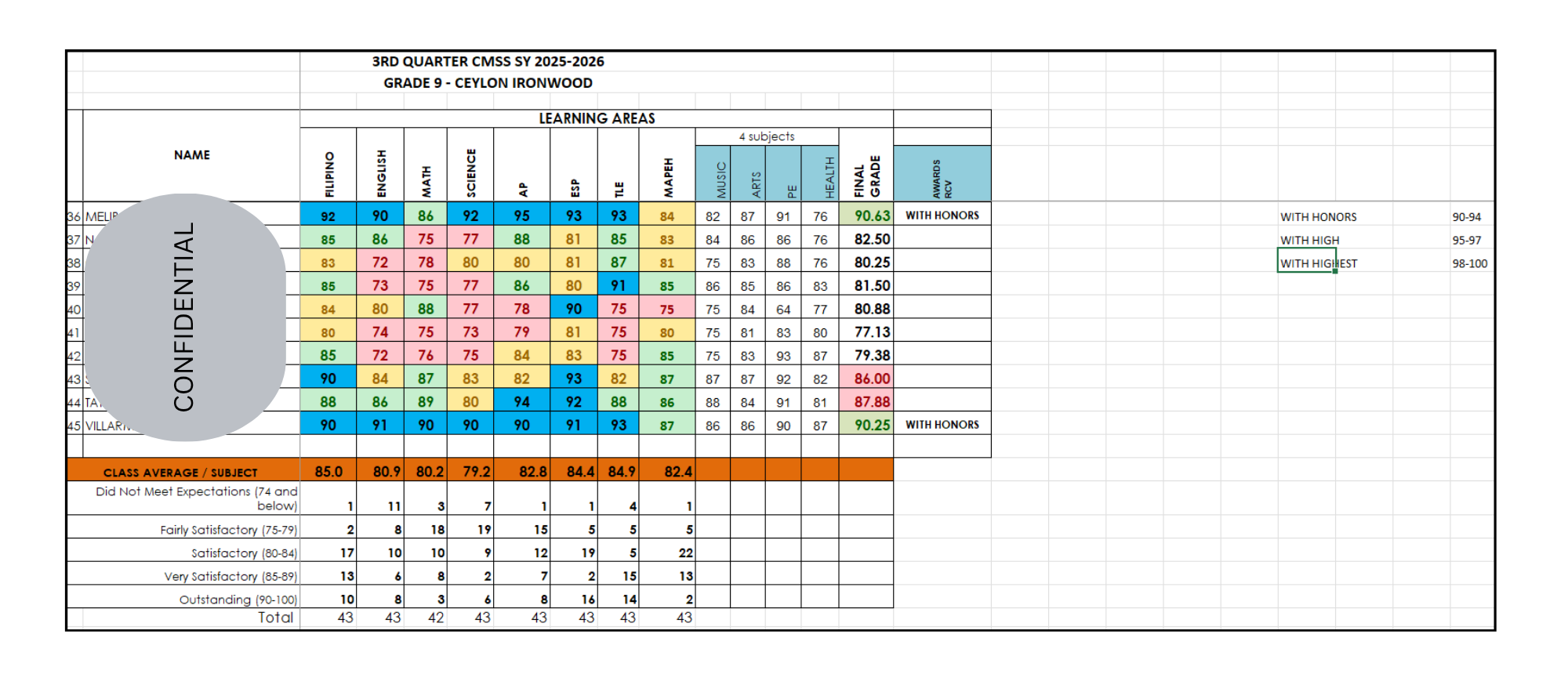
This Class Record file is used to track and evaluate student academic performance across different learning areas, supporting teaching responsibilities such as grading, performance monitoring, and identifying learners’ strengths and needs. Created using Microsoft Excel, it utilizes features like conditional formatting to color-code grades based on achievement levels (e.g., Did Not Meet Expectations to Outstanding) and formulas to automatically compute averages and determine honor classifications (e.g., With Honors, With High Honors). This reflects efficient data management, accurate computation, and organized reporting—essential for both classroom assessment and administrative tasks.
SAMPLE WORK #3: MICROSOFT WORD USING MAIL MERGE
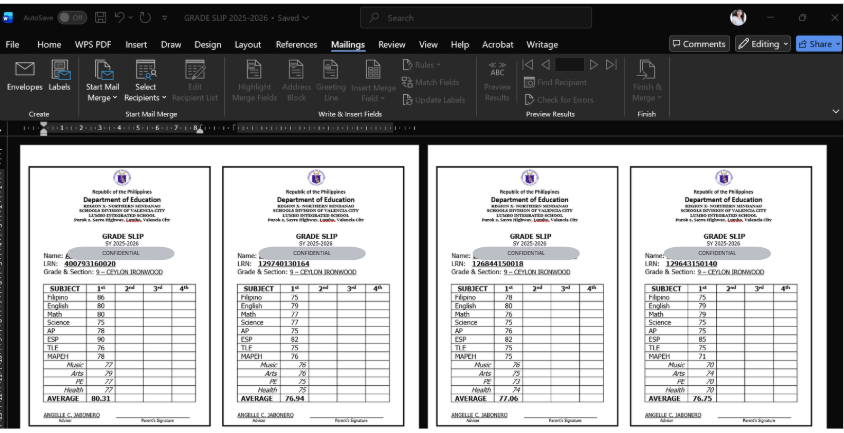
This file is a structured Grade Slip document prepared in Microsoft Word, containing student details, subject grades, and computed averages for the school year 2025–2026. The data was first organized in Excel, where formulas were used to calculate averages and ensure accuracy. Word was then used to design a clean, standardized template with tables and placeholders for student-specific information, ensuring professional formatting suitable for official school records.
To efficiently generate multiple grade slips, I applied Mail Merge by linking the Word template to the Excel dataset. Each student’s information was automatically populated into the template, producing individualized grade slips without manual retyping. This process highlights my ability to combine data entry accuracy with automation tools, saving time, reducing errors, and delivering professional outputs for academic record management.
SAMPLE WORK #4: LIST OF CUSTOMER'S MORTGAGE
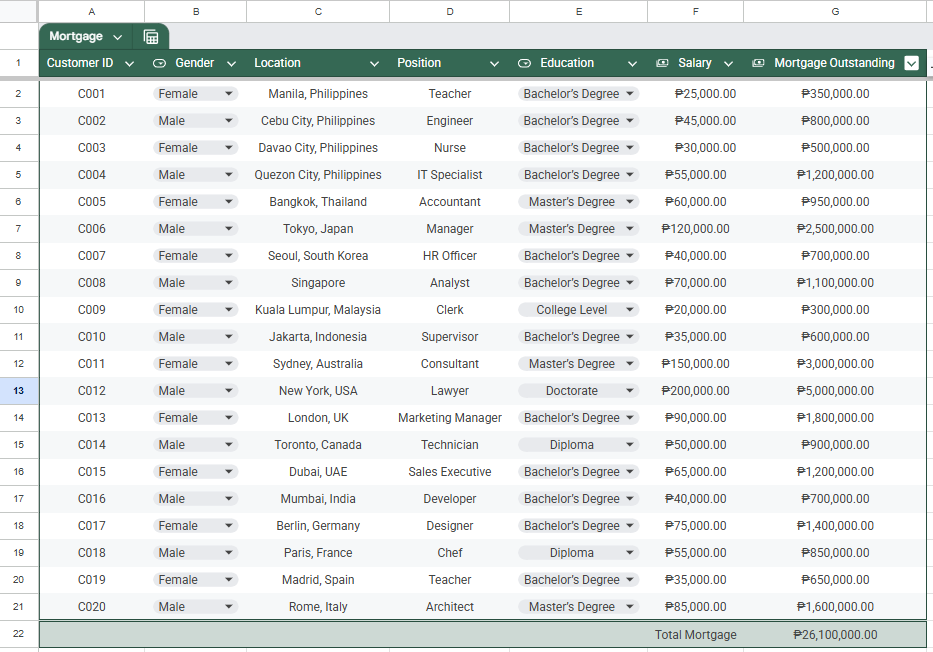
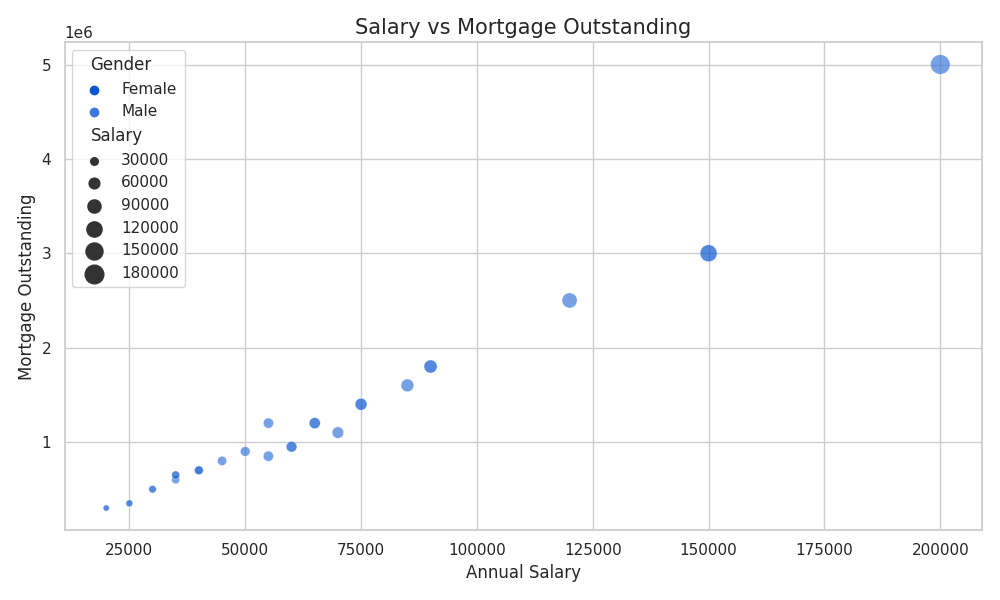
This Customer Mortgage dataset demonstrates structured data entry and organization using Google Sheets, where client information such as ID, demographics, location, position, education, salary, and mortgage balances are accurately encoded in a clean, tabular format. The file highlights the use of data validation (dropdown selections), consistent currency formatting, and automated calculations (e.g., total mortgage), ensuring accuracy and efficiency in handling financial records.
In addition, integrated summary charts—showing the comparison of salary versus mortgage outstanding demonstrate the ability to transform raw data into meaningful insights.
SAMPLE WORK #5: LIST OF TOP 30 CEO IN ANY COUNTRY OR CITY
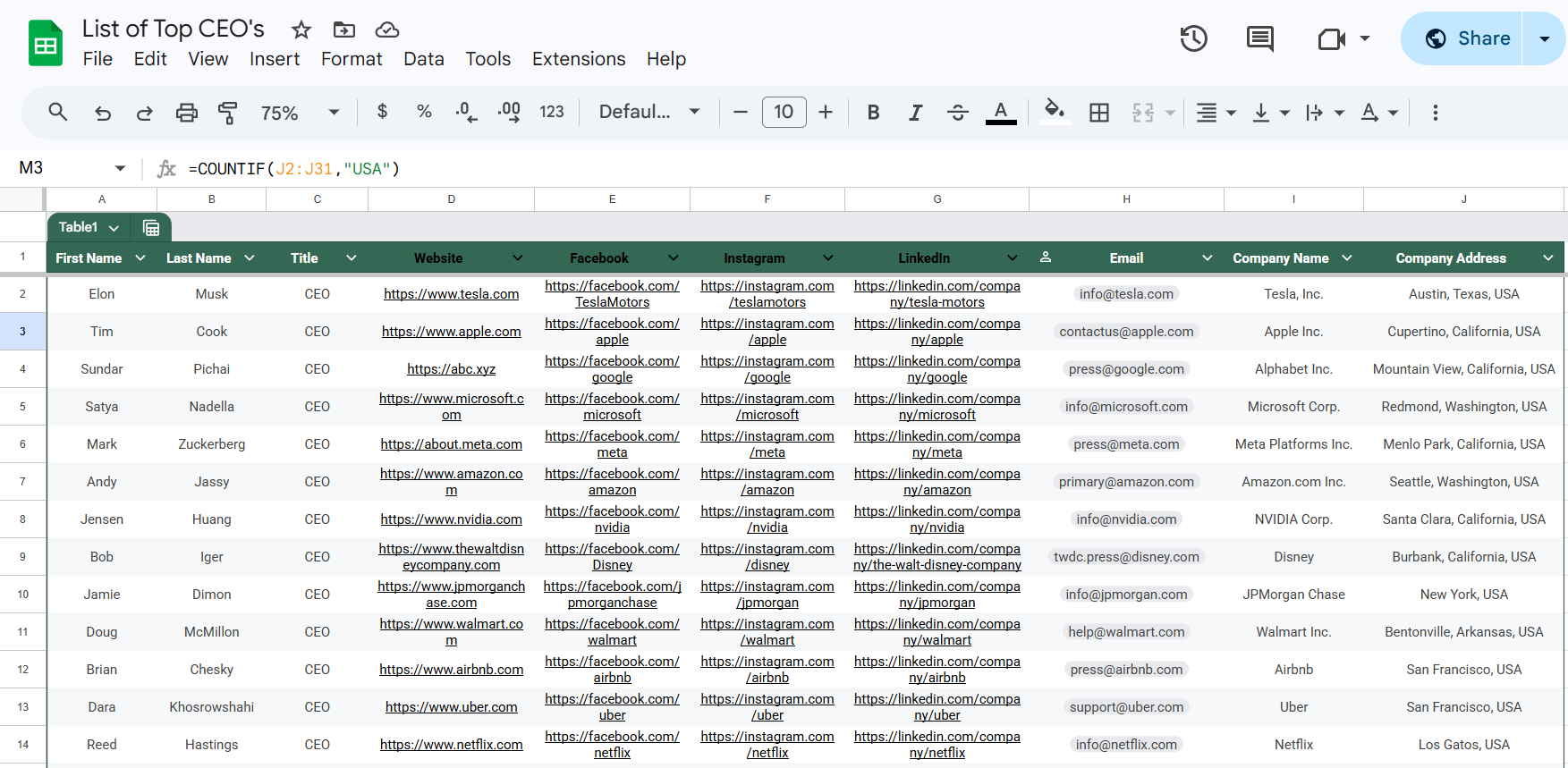
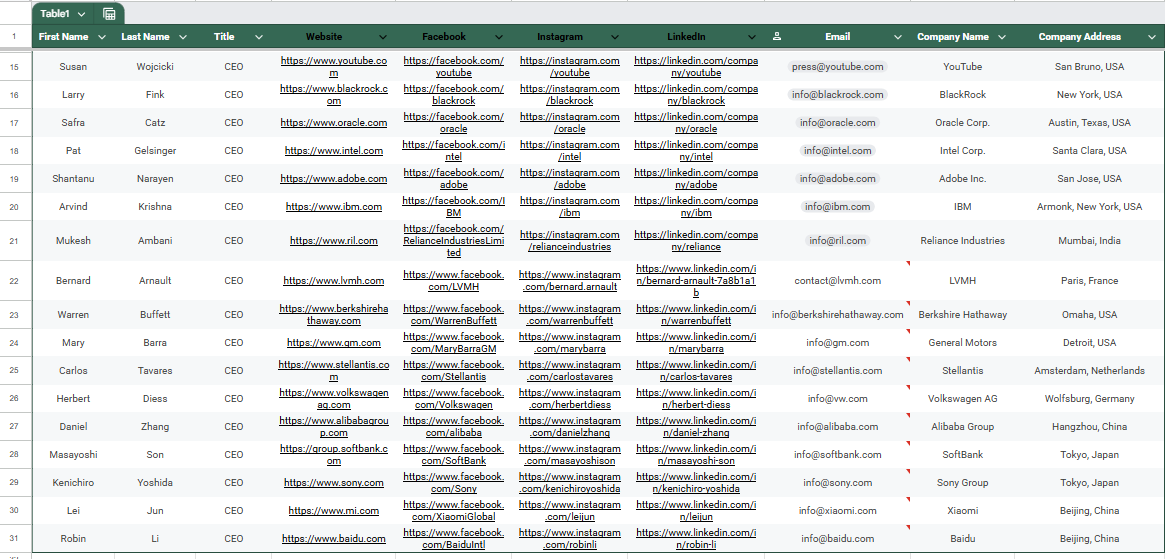
This Google Sheets file organizes CEO information into a structured dataset with columns for names, company details, emails, and social media links. Beyond simple data entry, I can apply formulas and features to analyze and manage the dataset more effectively. For example, COUNTIF can track how many CEOs are based in a specific country, while FILTER can display only entries that meet certain criteria (e.g., CEOs from the USA). Using SORT and UNIQUE, I can arrange the data alphabetically or identify distinct company locations.
Other useful functions include VLOOKUP or INDEX-MATCH to quickly retrieve a CEO’s details based on their name, and HYPERLINK to make company websites or social media links clickable directly from the sheet. Conditional formatting can highlight CEOs from specific regions or companies, while DATA VALIDATION ensures consistent entries (e.g., country names). These features show how Google Sheets is not only a tool for data entry but also for data analysis, error prevention, and professional presentation.