Email Management

I am an email management specialist who helps busy entrepreneurs and business owners take back control of their inbox. From setting up Gmail filters and labels that keep everything automatically organised, to providing a complete set of professional email templates for every common communication situation, I make sure no message gets missed, no opportunity gets lost, and every response goes out sounding polished and professional. Here's a look at my work and let me show you how a well-managed inbox can completely change the way a business communicates.
Template For Email Response:
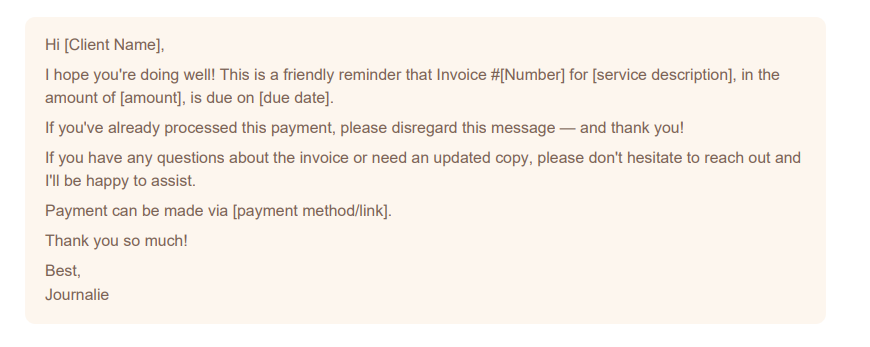
5.Payment Reminder
7. Client Tasks Update
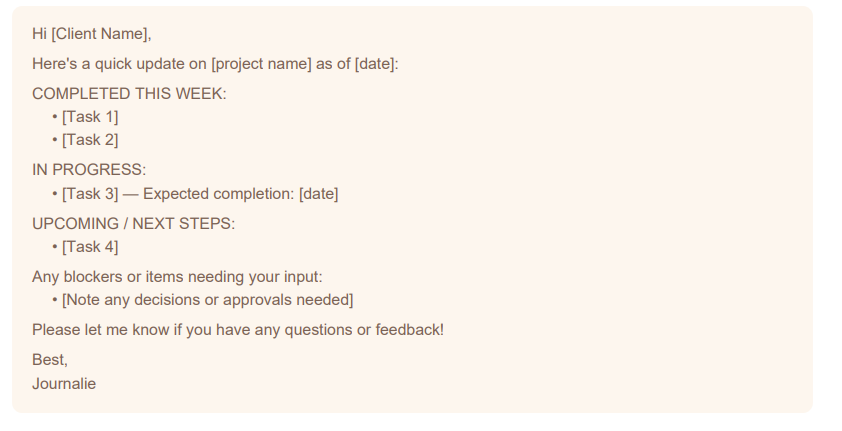
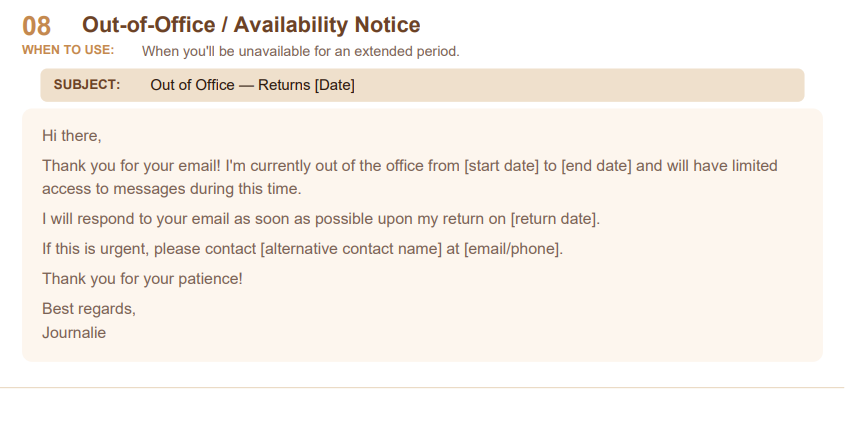
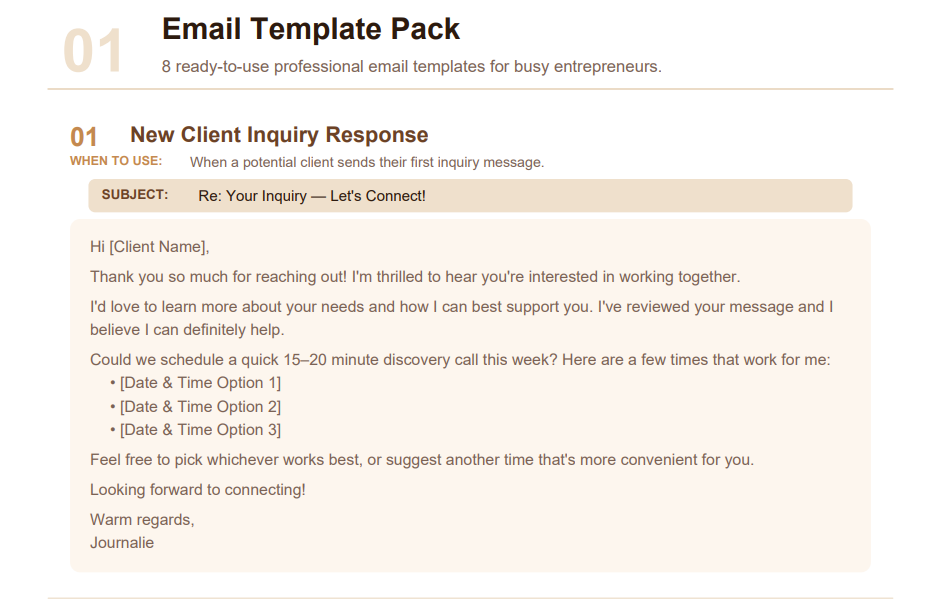
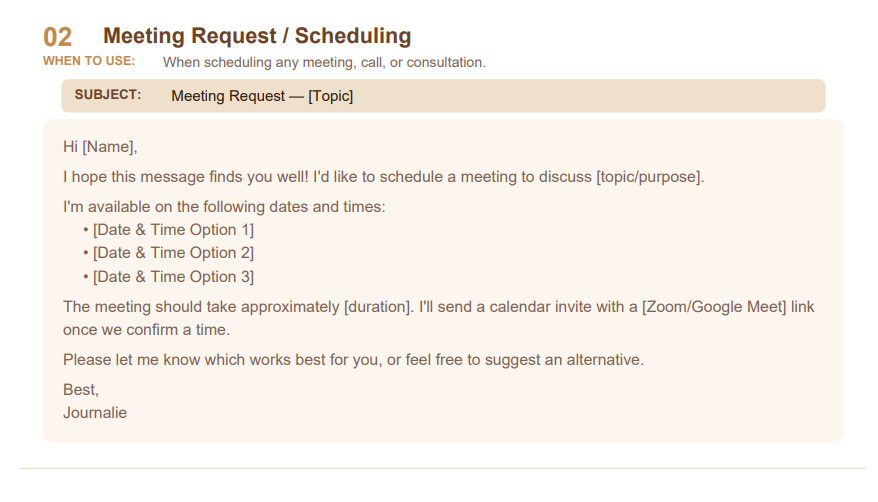
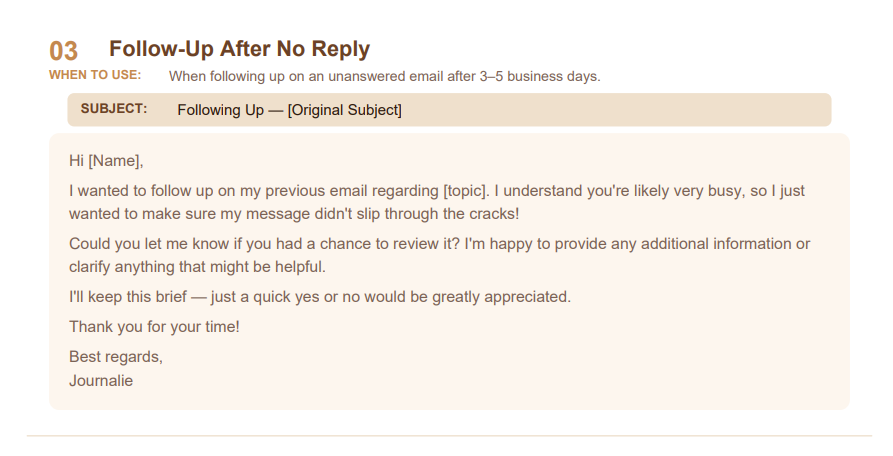
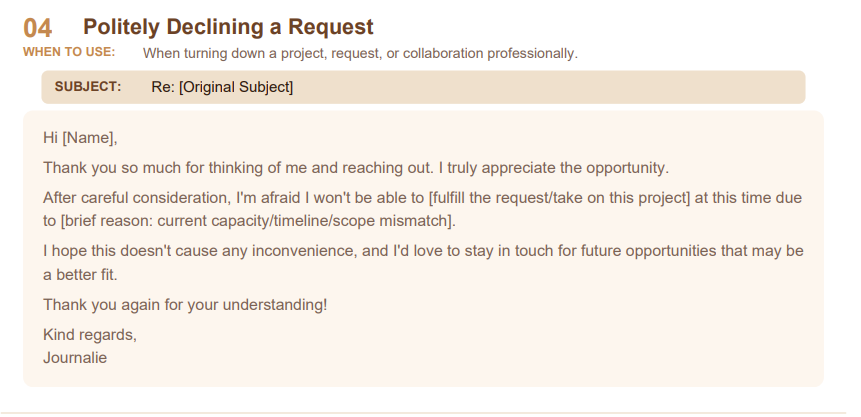
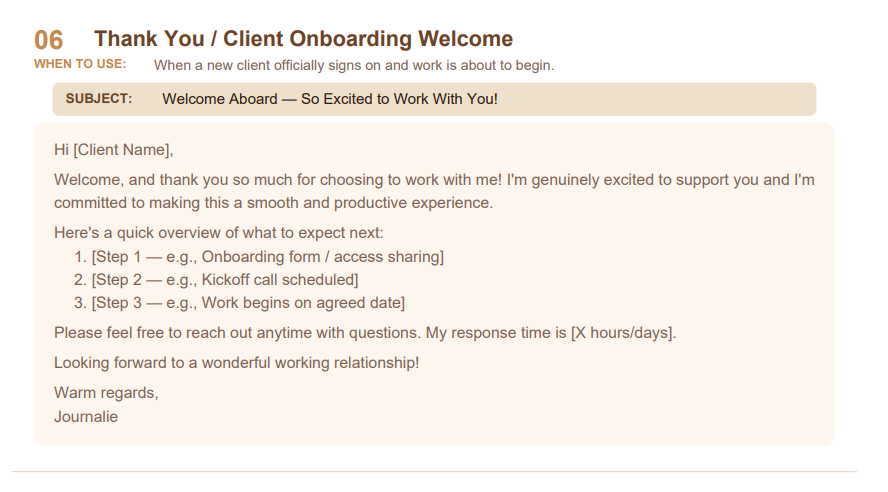
This demo showcases a complete set of 8 ready-to-use professional email templates designed to cover every common communication situation a busy entrepreneur or business owner faces. Rather than drafting a new email from scratch every single time, having a well-written template pack means you simply open the right template, fill in the specific details, and send — saving hours of writing time every week while keeping every response consistently professional and on-brand. Each template was written with a clear purpose, a ready-to-use subject line, a warm but professional tone, and placeholder fields that make personalization quick and effortless, covering everything from welcoming a new client and scheduling meetings to chasing unpaid invoices and declining requests gracefully. It demonstrates that I can think ahead about what a business needs to communicate regularly and prepare polished, ready-to-go responses that anyone on the team can use confidently at any time.
Organizing Inbox by Adding Labels:
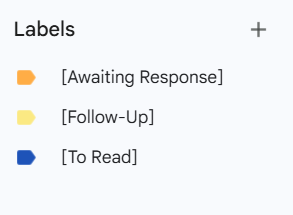
This demo highlights my ability to create a clear, color-coded label system inside Gmail — including labels like Awaiting Response, Follow-Up, and To Read — so that every email in the inbox has a status and nothing falls through the cracks. The process involves going to the Labels section in Gmail, creating each label with a descriptive name, assigning a color for quick visual identification, and applying them manually or automatically through filters. It demonstrates that I can build and maintain a professional inbox management system that keeps a client's email organized, prioritized, and always actionable.
Gmail Filters & Inbox Automation:
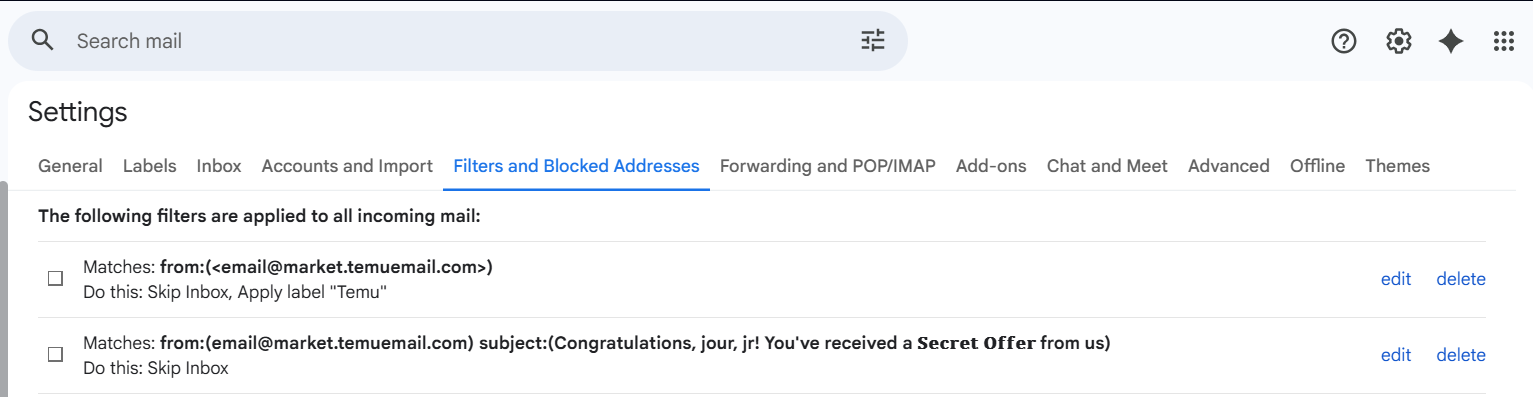
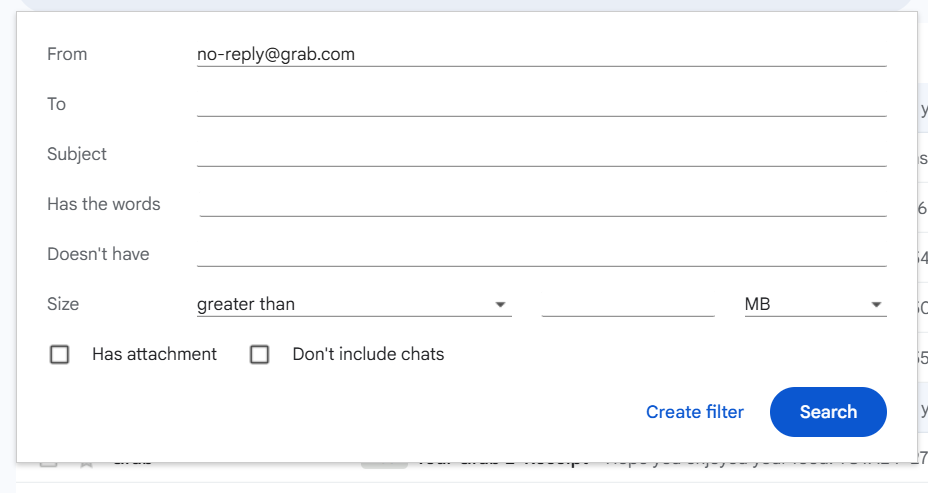
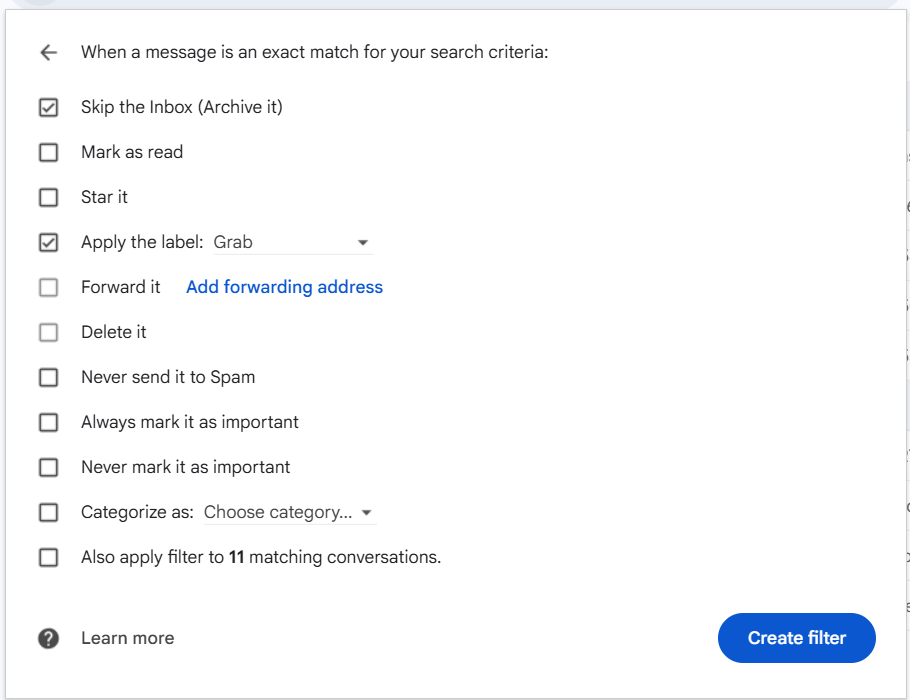
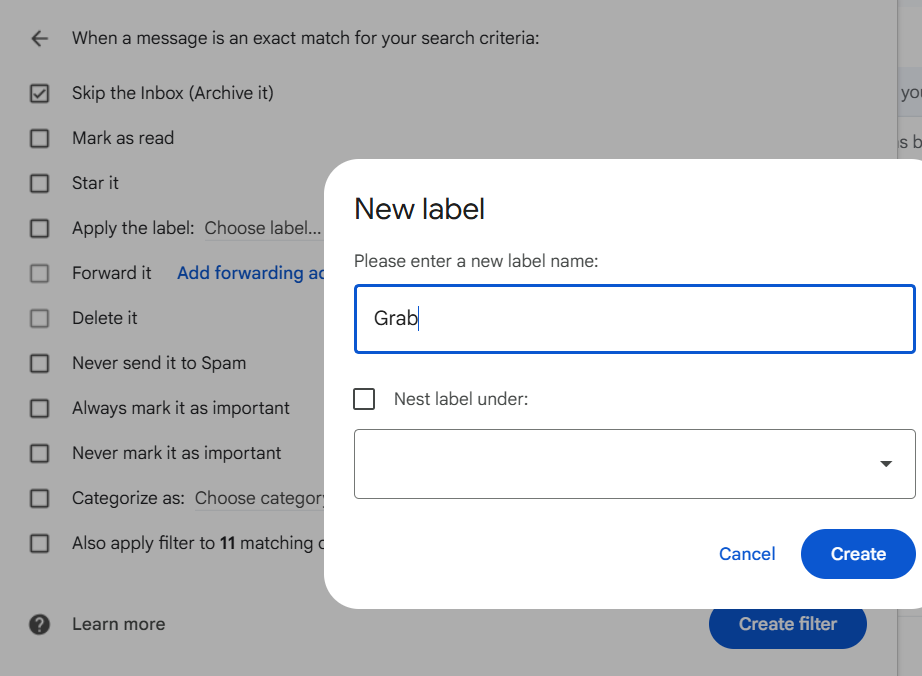
I set up and manage Gmail filters that keep an inbox automatically organised without any ongoing manual effort — creating rules based on sender, subject line, or keywords that instantly route emails to skip the inbox, apply a custom label, or get archived the moment they arrive. This includes building custom labels like "Grab" or "Temu" during the filter setup process so that emails from specific senders are automatically categorised and sorted from that point forward, with zero manual sorting required. I also regularly audit and maintain all active filters to make sure the rules in place are still accurate, removing outdated ones and updating criteria as a client's needs evolve — keeping the inbox clean, structured, and fully under control at all times.
"Let's work together — a well-managed inbox means faster responses, stronger client relationships, and a business that never misses an opportunity."