Data Entry

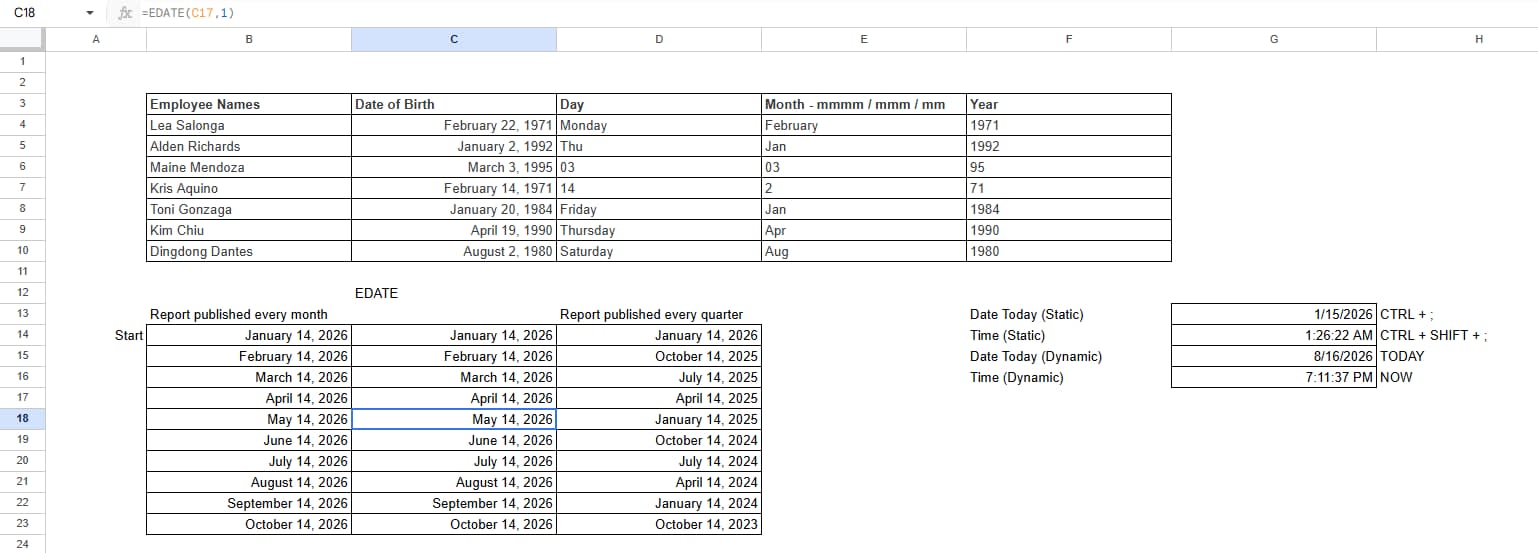
Applied the EDATE function to automatically calculate and generate future report dates based on a starting date. This helped create a monthly reporting schedule without manually entering each date.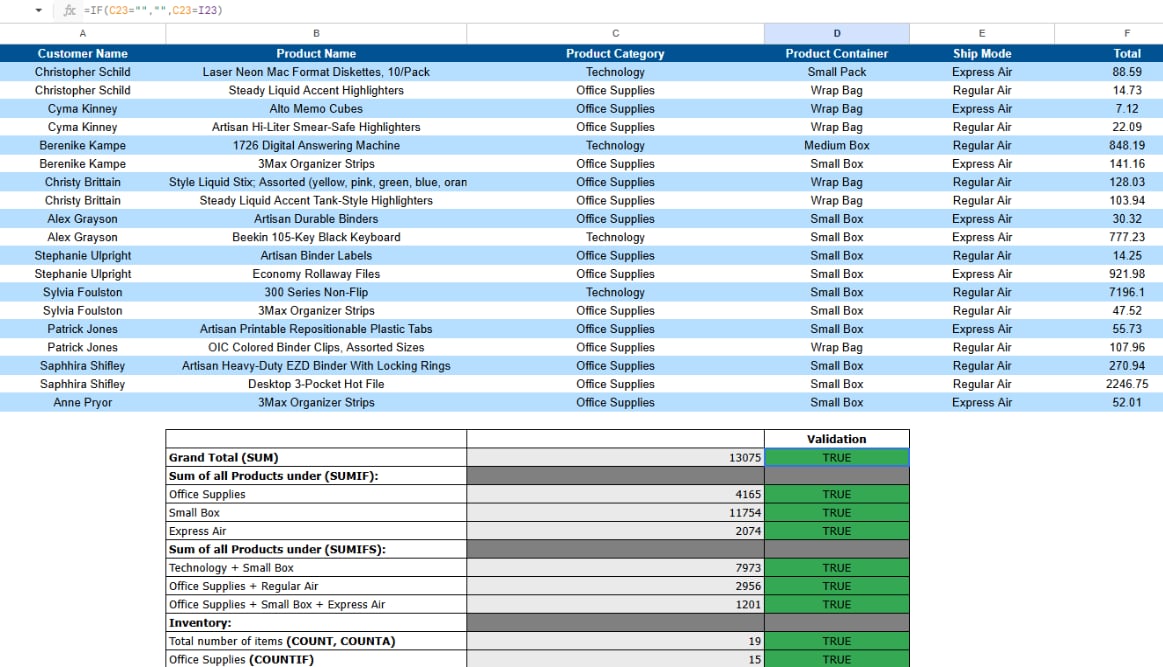
Utilized the IF function to check conditions within the dataset and display the appropriate results automatically. This made it easier to organize the data and quickly validate whether the calculations matched the required conditions.
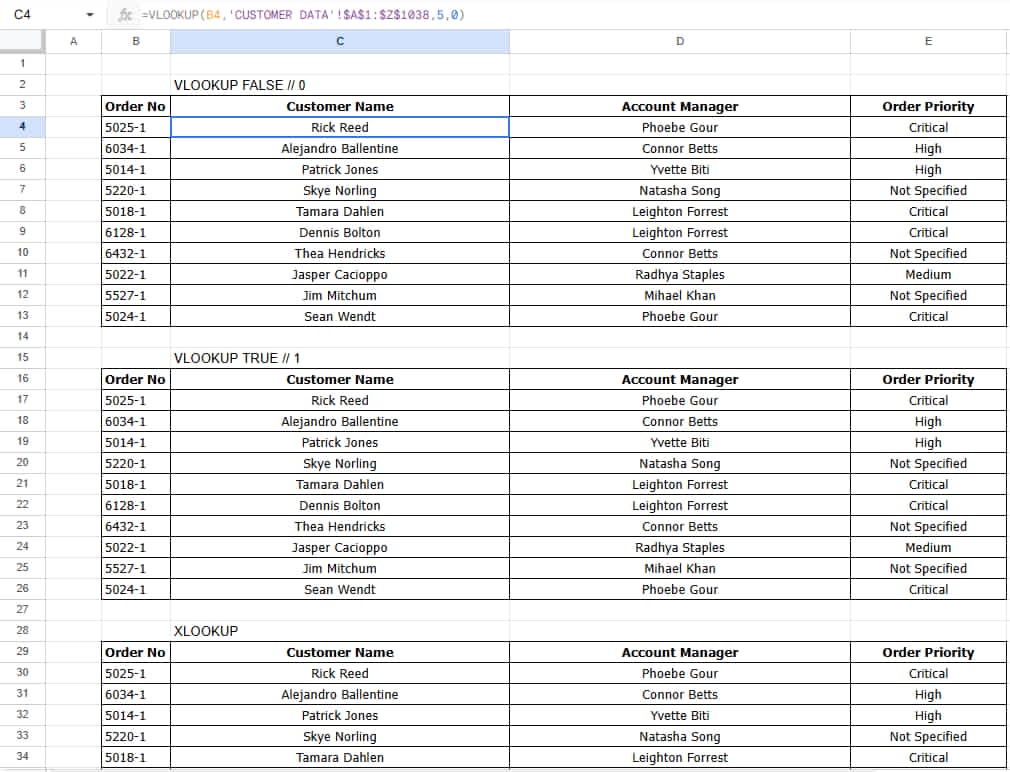
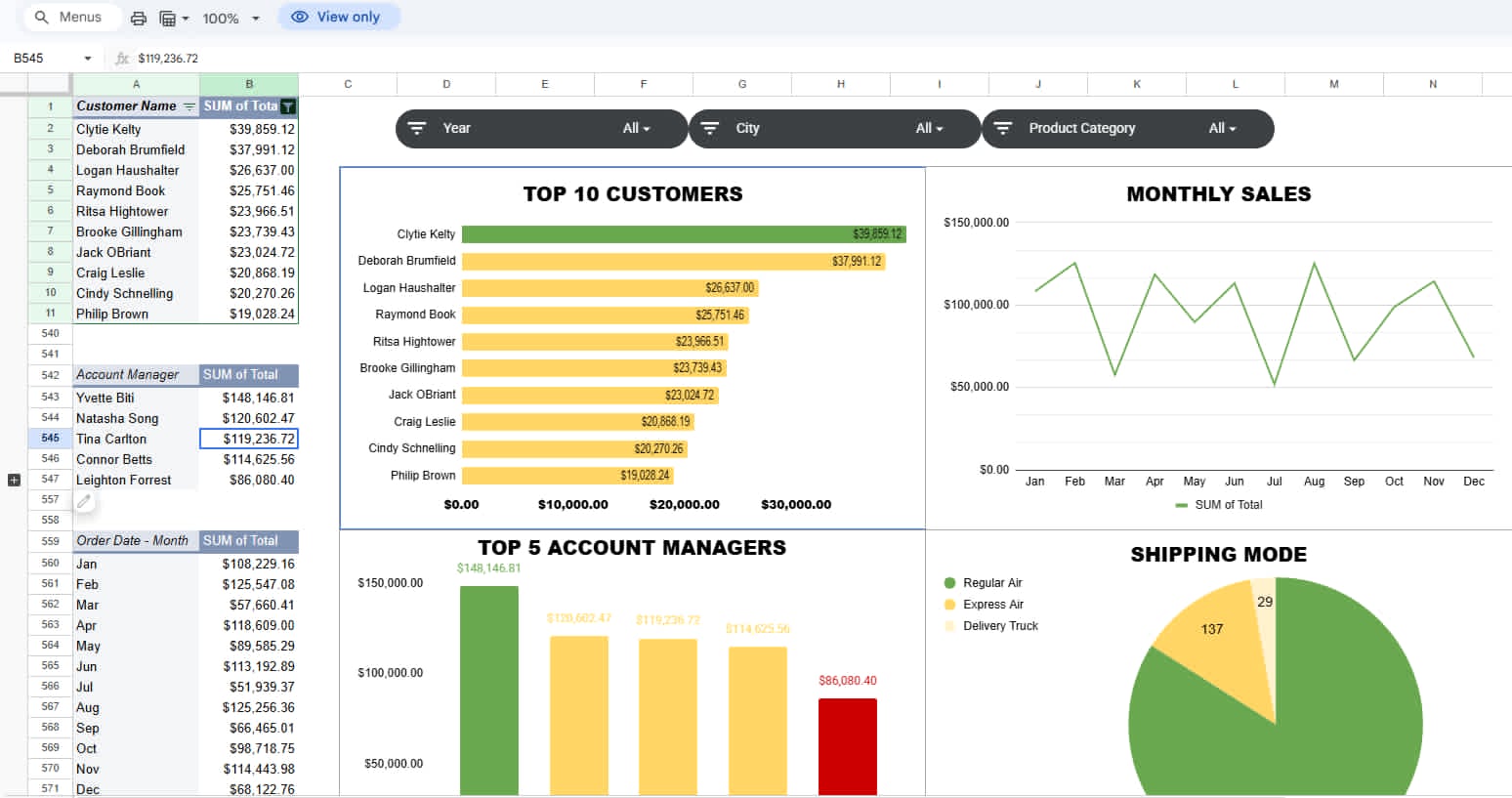
For this project, I combined EDATE, IF, VLOOKUP, XLOOKUP, Pivot Tables, Slicers, and Graphs to organize and analyze sales data. I created an interactive dashboard that makes it easier to track top customers, monthly sales, account manager performance, and shipping trends at a glance.
This sample work showcases my ability to organize, analyze, and manage data using Excel functions and tools such as EDATE, IF, VLOOKUP, XLOOKUP, Pivot Tables, Slicers, and Charts. It demonstrates my attention to detail and ability to turn raw data into accurate, organized, and easy-to-understand reports and dashboards.