Data Entry

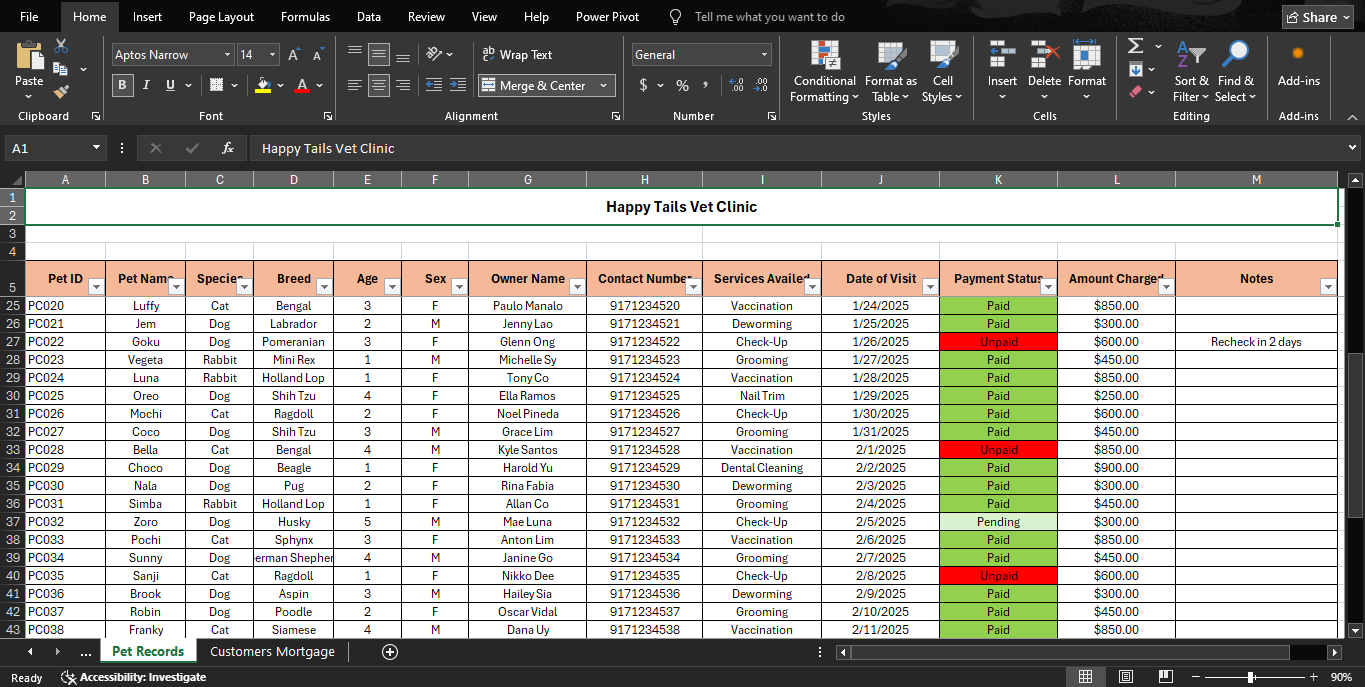
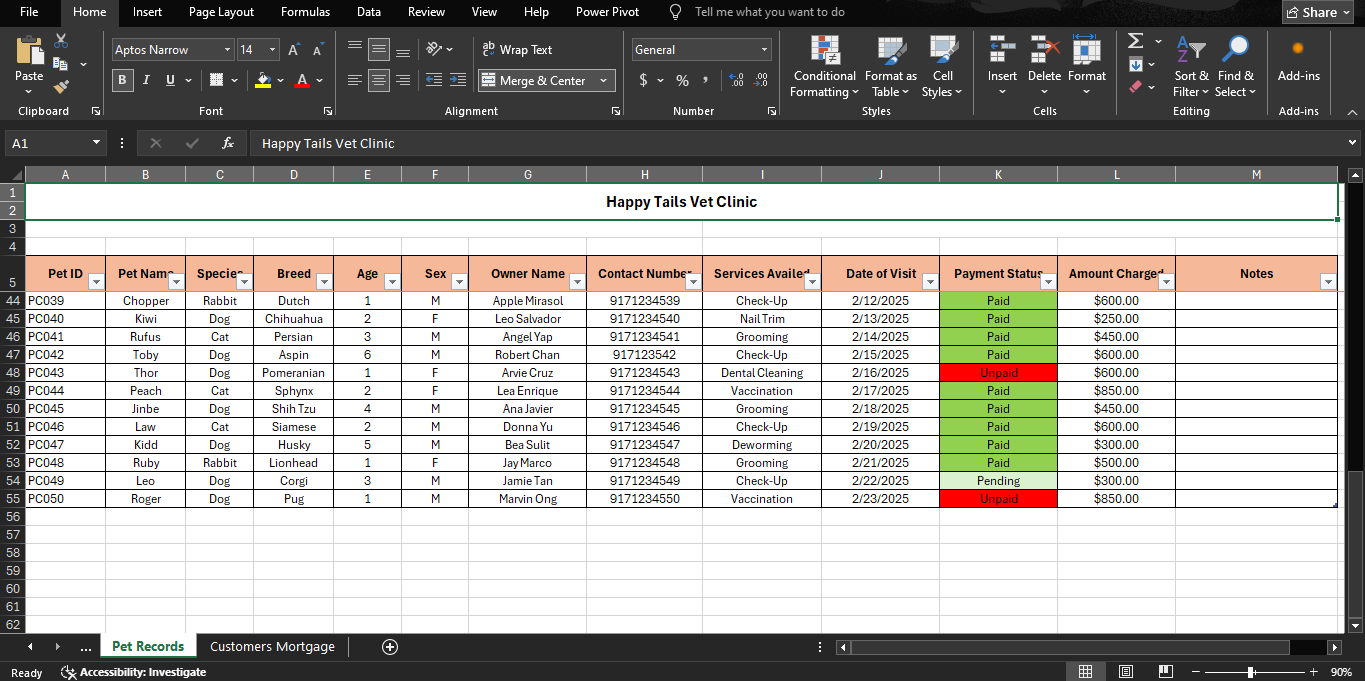
The image attached shows the Happy Tails Vet Clinic Pet Records Database, which was created using Microsoft Excel to demonstrate skills in data entry, record management, and spreadsheet organization. This dataset contains detailed information about veterinary clients and their pets, including pet ID numbers, pet names, species, breed, age, sex, owner information, contact numbers, services availed, dates of visit, payment status, amount charged, and additional notes. The spreadsheet was organized carefully to ensure that records are accurate, easy to read, and simple to manage.
Using Microsoft Excel made data encoding and organization more efficient through features such as tables, filters, formatting, and conditional formatting. The color-coded payment status section allows unpaid, pending, and paid transactions to be identified quickly, improving monitoring and tracking of records. Filters were also applied to make searching, sorting, and retrieving information faster and more convenient. This spreadsheet demonstrates my ability to handle organized datasets, maintain accurate records, and use spreadsheet tools effectively for administrative and data entry tasks.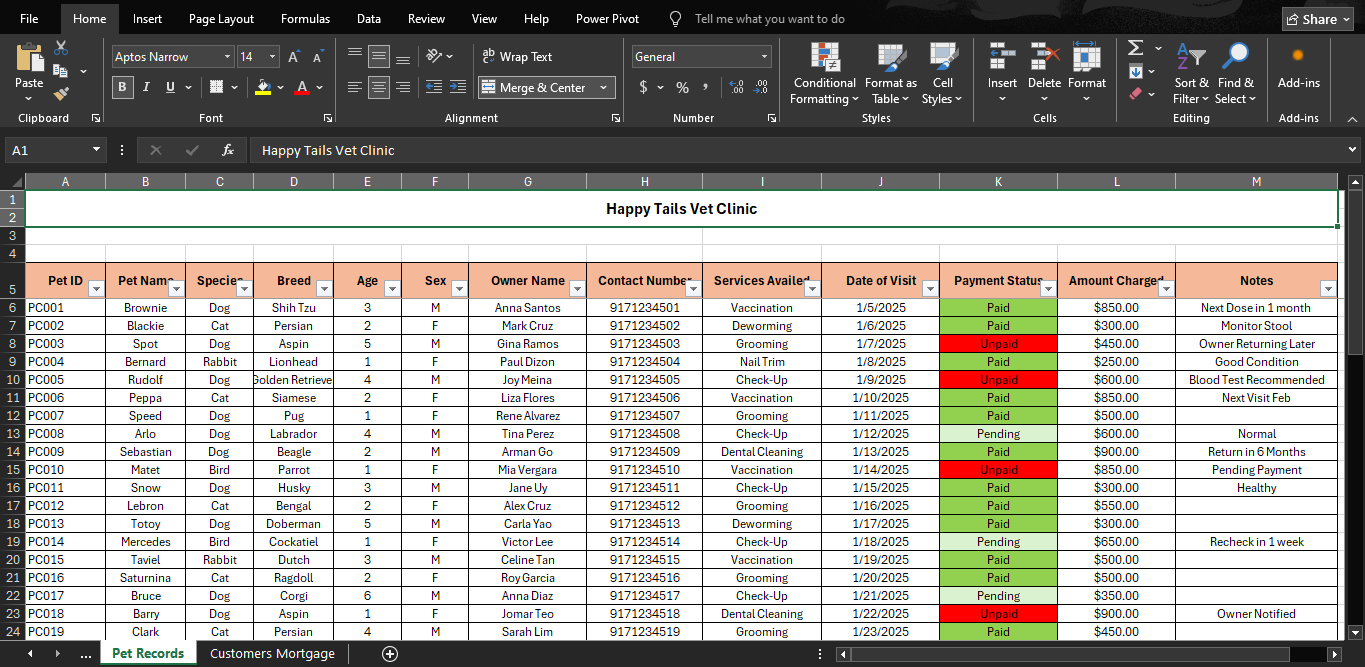
This folder contains my Data Entry Spreadsheet Assignment, which demonstrates my skills in organizing, encoding, and managing data using spreadsheet applications. The file includes a typing test result to showcase typing speed and accuracy, along with structured datasets created using Microsoft Excel and Google Sheets. These activities helped me practice accurate data entry, proper formatting, and information organization, which are important skills for administrative and data entry tasks. You can access the folder here:
https://drive.google.com/drive/u/0/GVAfolder
The spreadsheet collection includes datasets such as Pet Records and Customer Mortgage Records. The Pet Records dataset contains organized information about veterinary clients, including pet details, owner information, services availed, payment status, and visit records. Meanwhile, the Customer Mortgage dataset includes customer profiles, salary information, education level, job position, and mortgage balances. These datasets were arranged using tables, formulas, and formatting tools to improve readability, maintain accuracy, and make information easier to retrieve and manage.
Creating these spreadsheets also allowed me to practice using filters, data organization techniques, and consistent formatting for better presentation of information. These tools are especially helpful for handling records efficiently, tracking details accurately, and maintaining organized databases for school tasks and data entry work.