Medical Virtual Assistance

During my training, we were assigned several tasks designed to develop and demonstrate our skills in creating organized and functional healthcare-related documents and systems. Below are samples of the outputs I completed during the training.
Medical History Form
For this assignment, I created a Medical History Form in two versions:
- Microsoft Excel Version
- Google Sheets Version
Both versions were designed to efficiently collect, organize, and manage patient medical information while providing a clear and user-friendly format.
Excel Version
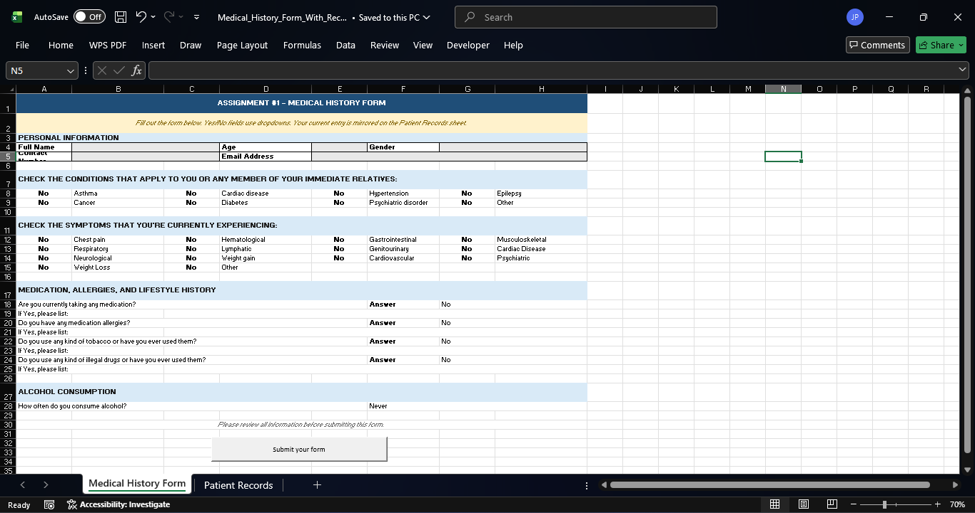
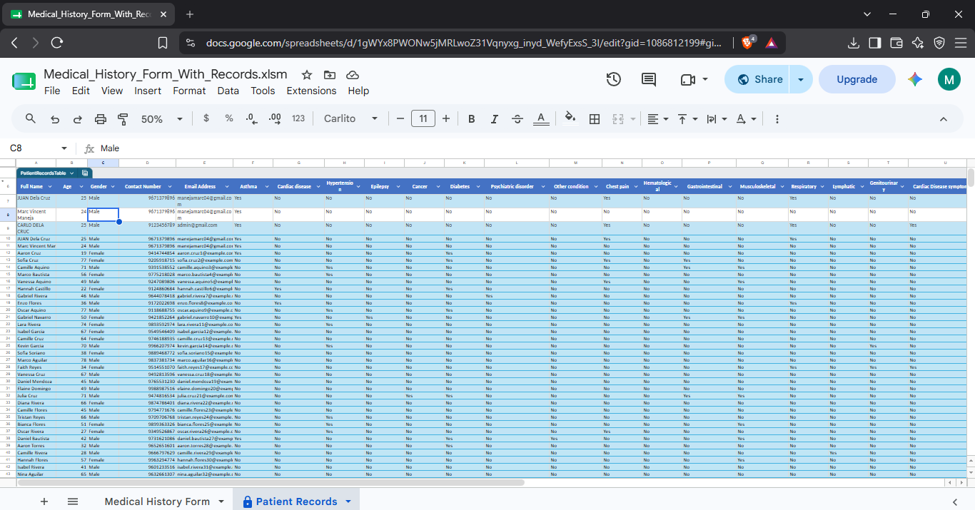
The Medical History Form – Excel Version is an interactive data-entry system designed to collect and organize patient medical information efficiently. It includes personal information, medical conditions, current symptoms, medication and allergy history, tobacco and drug use, and alcohol consumption.
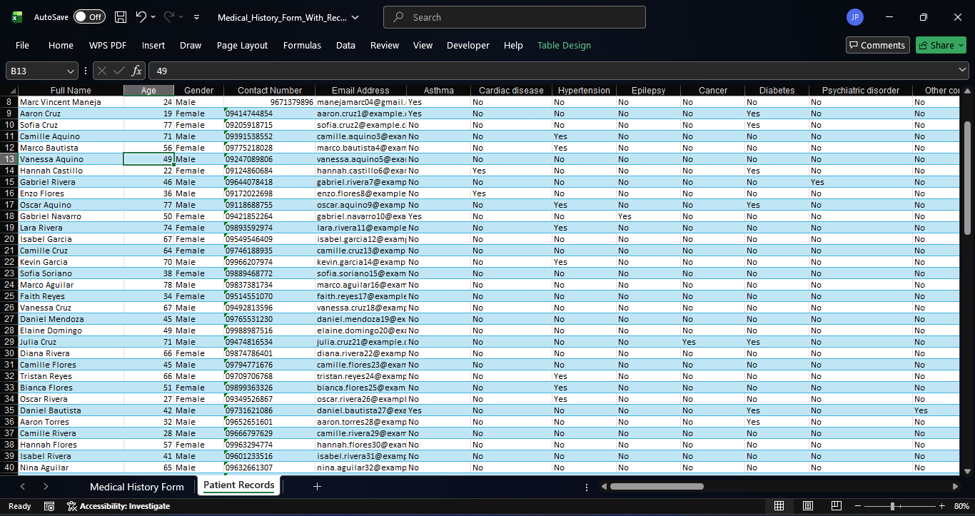
The form uses dropdown selections to make data entry simple and consistent. A Submit Form button powered by VBA automatically transfers the completed information to the Patient Records worksheet, where each submission is stored as a new record. After submission, the form automatically clears and resets, making it ready for the next patient.
Google Sheets Version
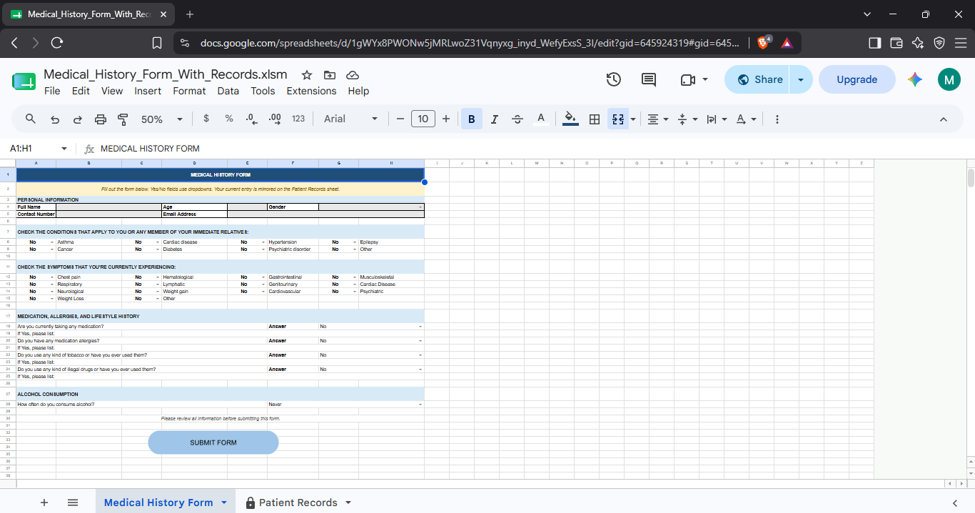
The Medical History Form – Google Sheets Version is a cloud-based interactive form for collecting and managing patient medical history information. It contains the same sections as the Excel version, including personal details, medical conditions, symptoms, medications, allergies, lifestyle information, and alcohol consumption.
Using Google Apps Script, the Submit Form button automatically saves each completed entry to the Patient Records sheet. After the information is successfully recorded, the form clears and resets for the next entry. Since it is built in Google Sheets, the system can be accessed online and supports real-time cloud-based data management.
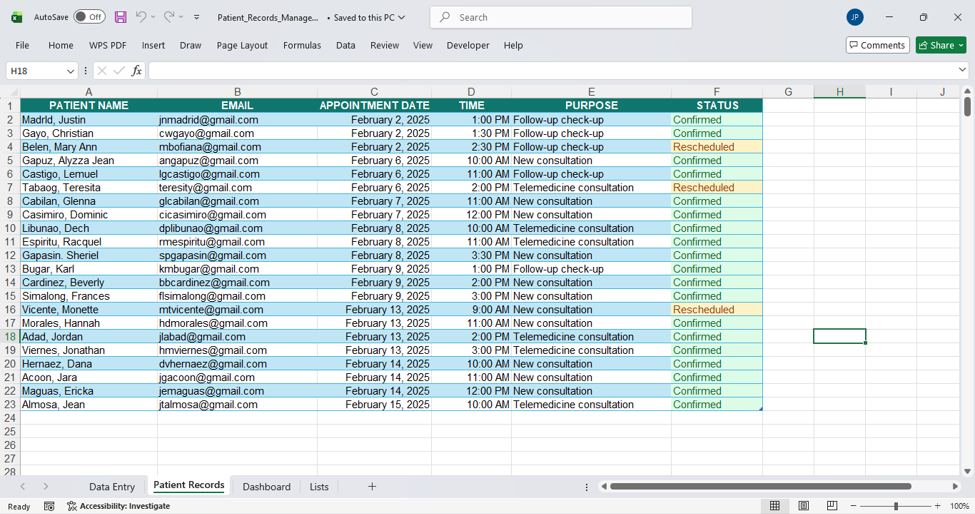
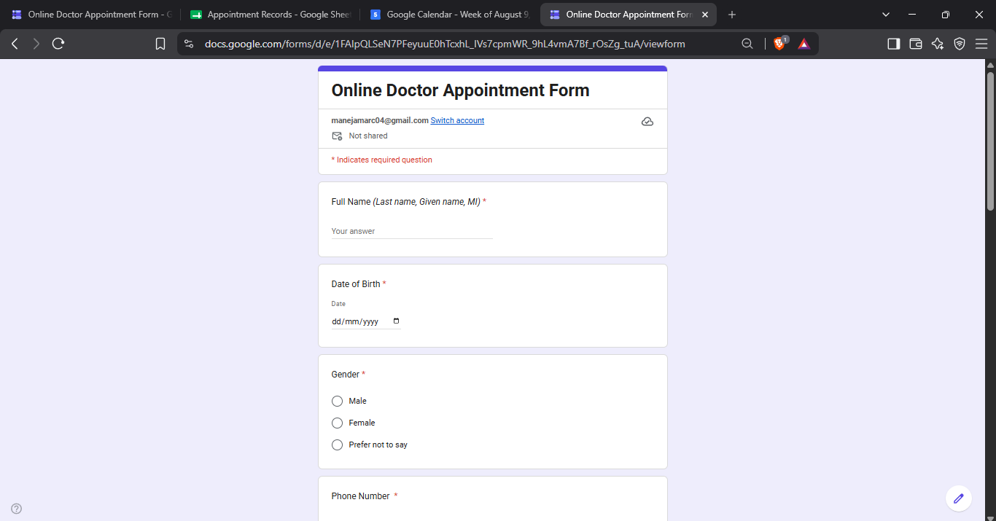
ONLINE DOCTOR APPOINTMENT
For Google Sheets
For this assignment, I developed an Online Doctor Appointment System using Google Forms, Google Sheets, Google Apps Script, Gmail, and Google Calendar. The system is designed to make appointment scheduling more organized, automated, and convenient for both patients and administrators.
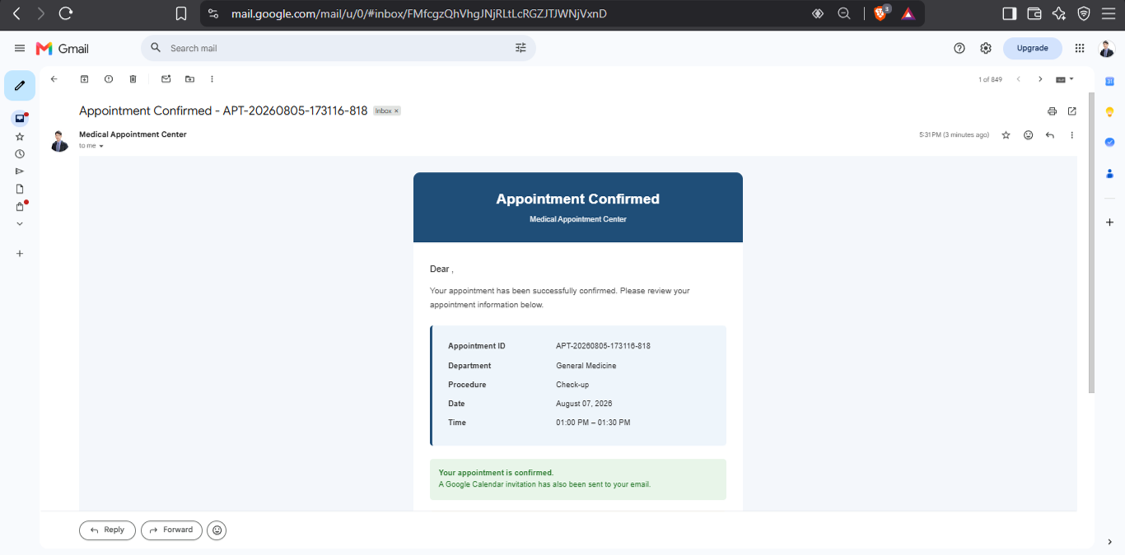
Sample Email confirmation
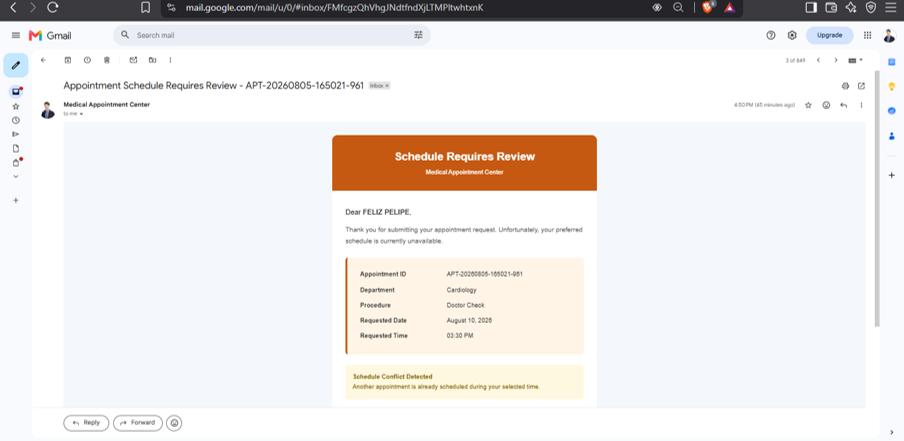
Sample Conflict Email
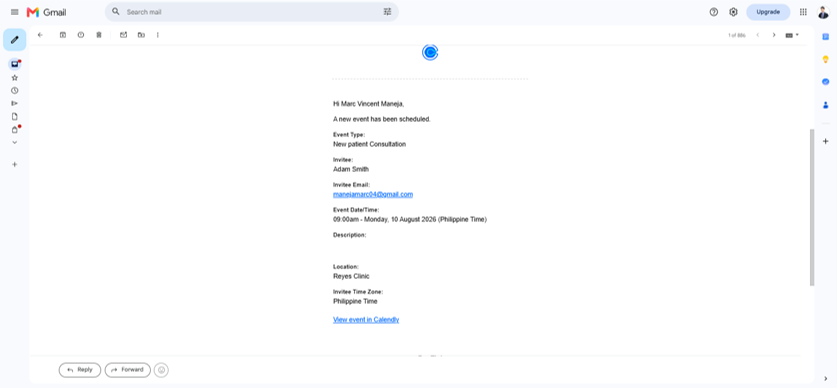
Calendly Appointment Scheduling
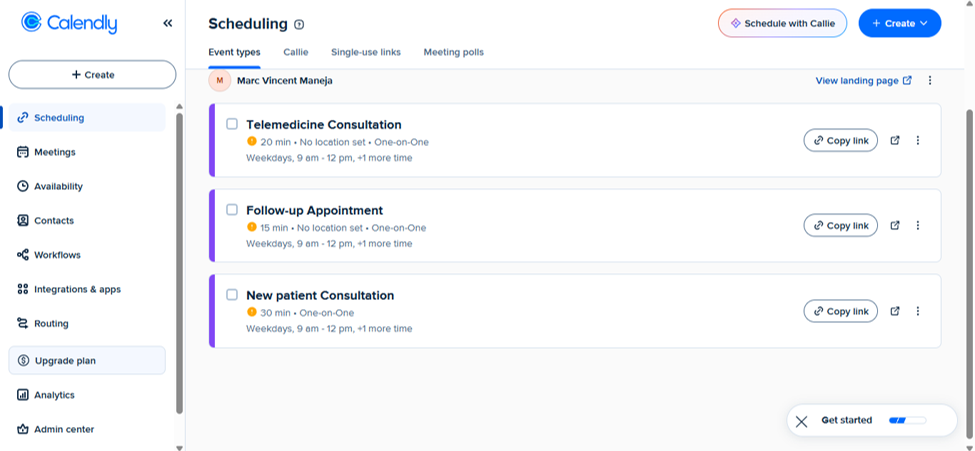
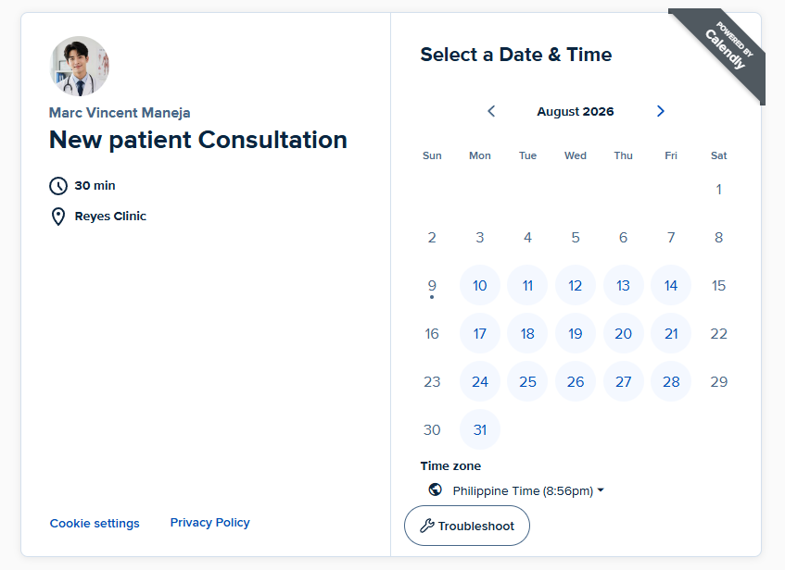
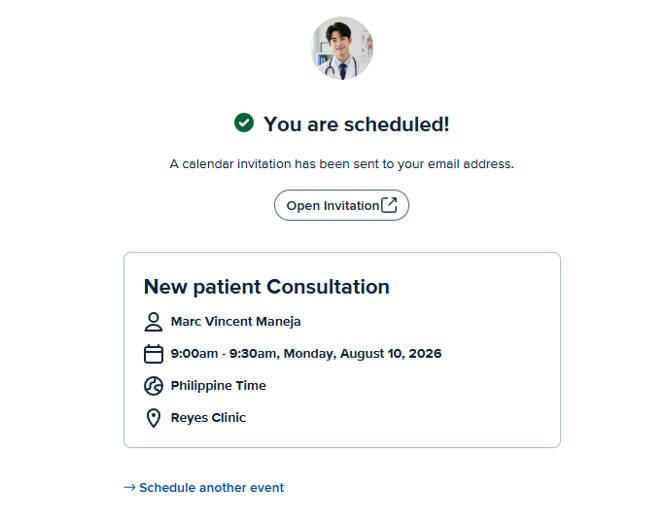
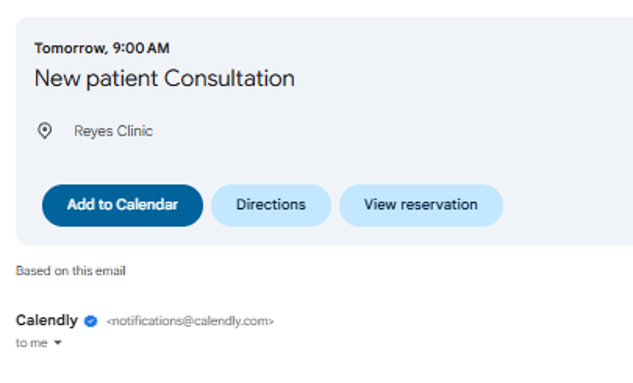
Created and configured a Calendly booking system for Dr. Reyes’ Practice, including New Patient, Follow-up, and Telemedicine consultations. Customized appointment details, booking forms, calendar invitations, and automated email reminders while exploring payment integration and appointment management features.
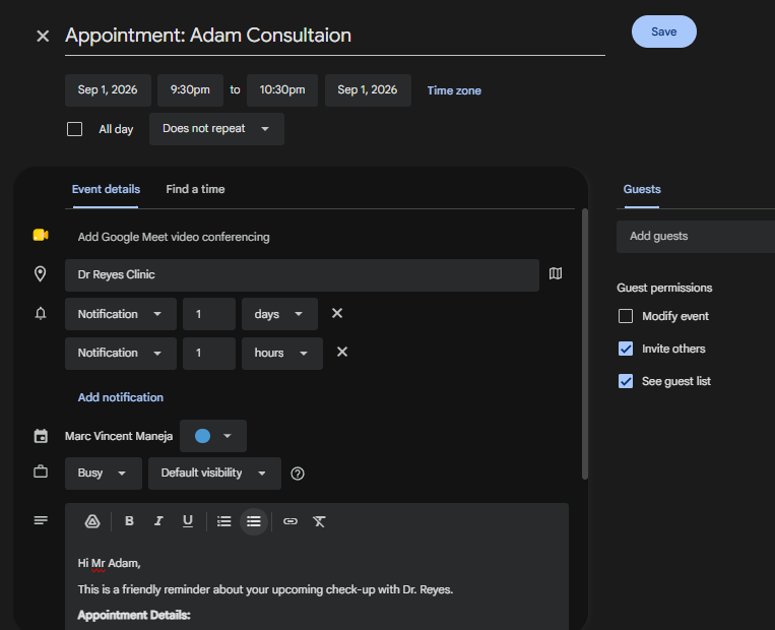
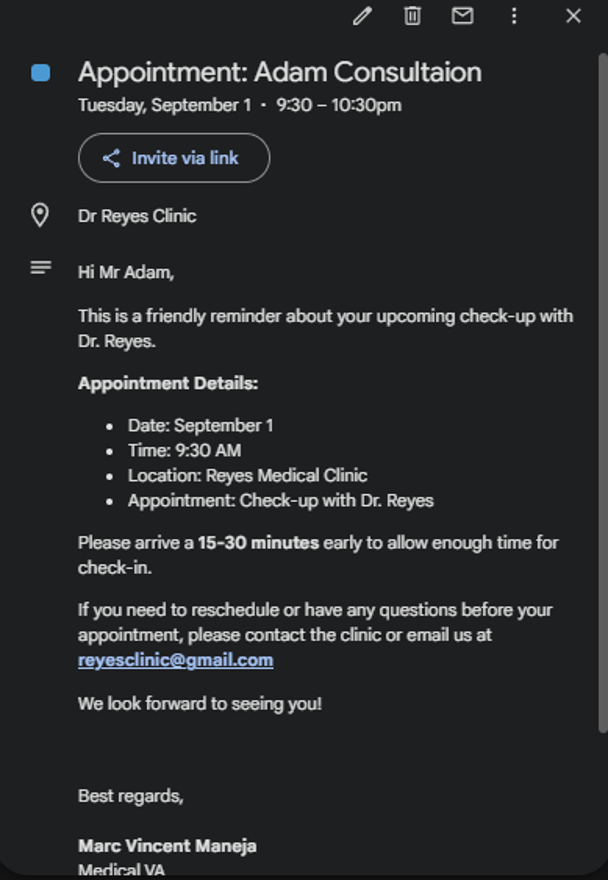
Google Calendar Scheduling
Set up and managed Dr. Reyes’ appointments using Google Calendar, including patient schedules, appointment details, reminders, and notifications. Organized consultations to help maintain an accurate and efficient appointment schedule.

Patient Records Management