Data Entry

Tools / Applications Used - The database was created as an Excel workbook
Google Sheets
The completed Excel workbook is Google Sheets compatible. It can be uploaded to Google Drive and opened with Google Sheets for online access, editing, sharing, and collaboration.
Spreadsheet Formulas
The database uses formulas to automate calculations and reduce manual data entry. For example:
Total Amount:
=Quantity × Price
Customer Type in the Purchase History is also automatically retrieved from the Customer Database using the Customer ID.
Data Validation
Data validation was added to improve accuracy and consistency, including:
Date validation Phone-number validation Quantity validation Customer Type dropdown Machine Category dropdown Currency dropdown Payment Method dropdown Order Status dropdown Country dropdownFormatting & Data Management Features
The spreadsheet also uses:
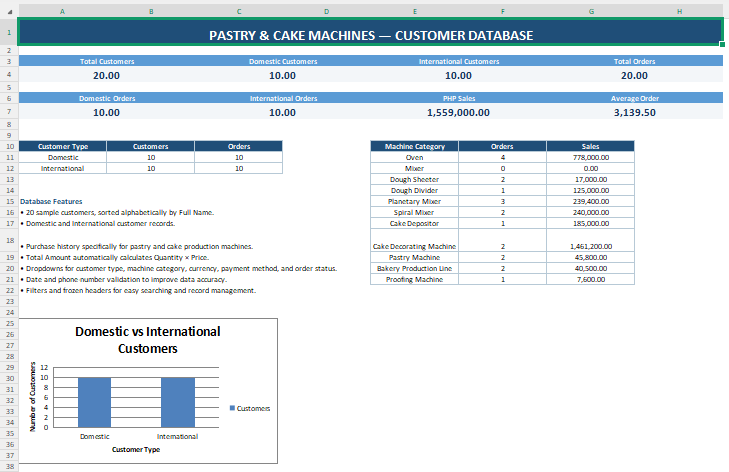
Bold headings Adjusted column widths Text wrapping Frozen header rows Filters Borders Conditional formatting Professional color formatting Alphabetical customer sortingCustomer Database Management – Pastry & Cake Machine Production: Created and maintained a professional 20-client Domestic and International customer database using Microsoft Excel/Google Sheets. The database includes customer profiles, purchase history, machine orders, automated calculations, dropdown menus, data validation, filters, and a dashboard to improve data accuracy, organization, and customer information management.
PASTRY AND CAKE MACHINES CUSTOMER DATABASE
Customer Database
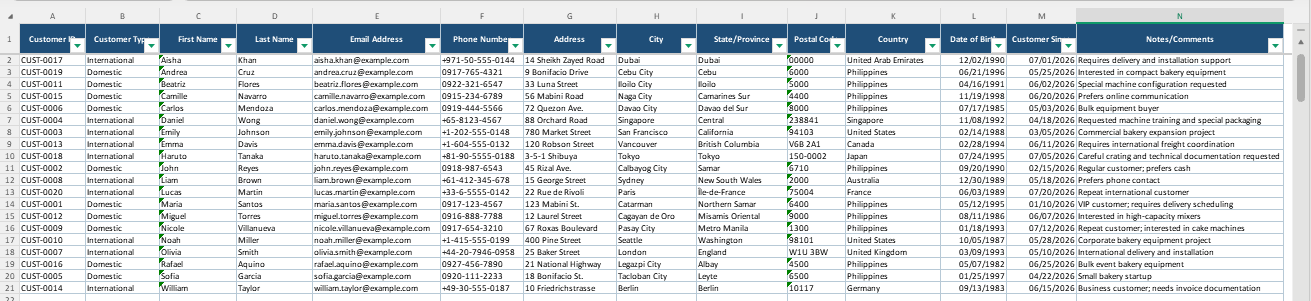
Purchase History
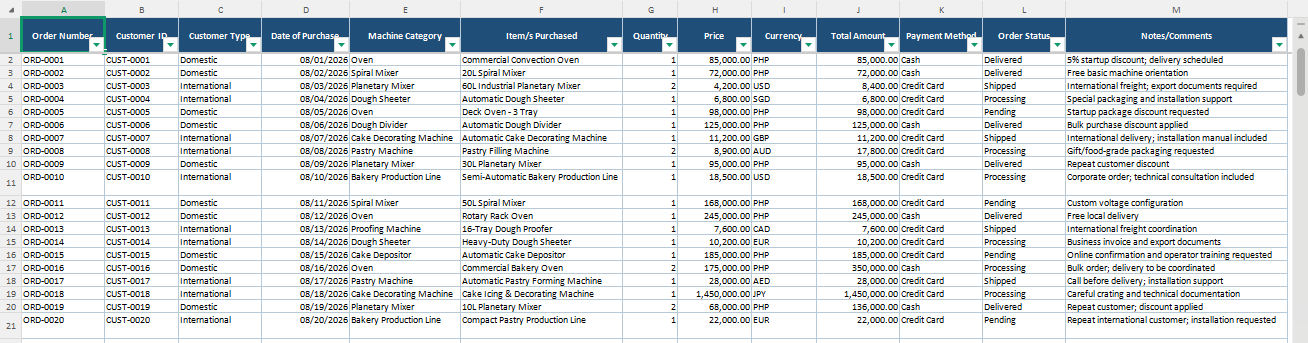
Dashboard