Real State Property

1. REAL ESTATE PROPERTY LISTING
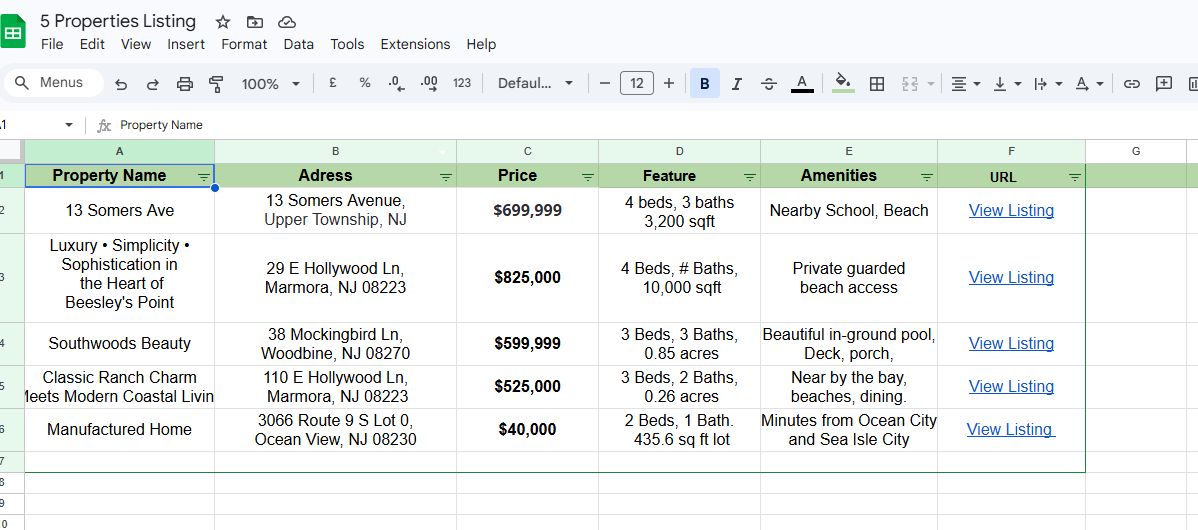
Why I Use Google Sheets for Property Listings
Centralized Database: All properties stored in one place.
Easy Sharing: Share via link with clients, team members, or embed in a website.
Real-Time Updates: Any changes (price, status, availability) update instantly.
Customizable: I can filter, sort, and format to highlight key details.
CRM MANAGEMENT
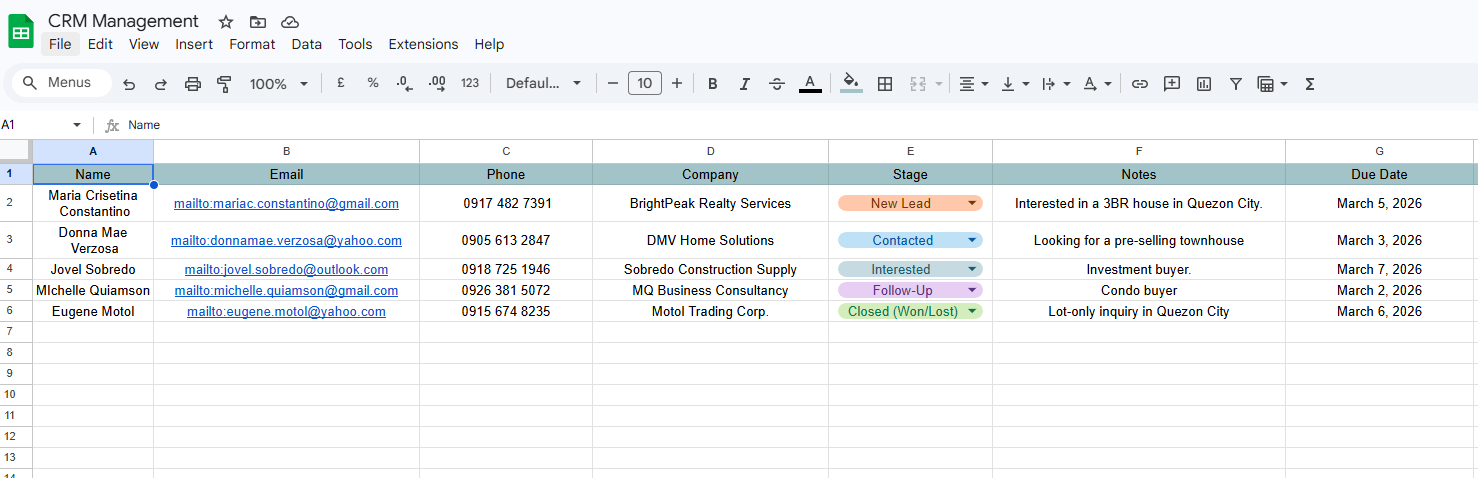
Google Sheets Works as a CRM
EXCLUSIVE REAL ESTATE PROPERTY FLYER

I Use Canva for Real Estate Flyers
1. Professional Templates
Canva offers ready-made real estate flyer templates designed by professionals.
You can choose layouts that highlight property photos, key details, and contact info without starting from scratch.
2. Easy Customization
Drag-and-drop editing makes it simple to replace text, images, and colors.
You can quickly adapt flyers for different properties while keeping a consistent brand style.
3. Branding Made Simple
Upload your logo, set your brand colors, and apply them across all flyers.
Ensures your marketing materials look cohesive and polished.
4. Visual Impact
Canva emphasizes high-quality visuals, which are crucial in real estate.
Large property images, clean fonts, and modern layouts help grab attention.
5. Share & Print Options
Export flyers as PDFs for printing or JPEG/PNG for digital sharing.
Perfect for posting on social media, sending via email, or handing out at open houses.
6. Collaboration
You can share your flyer design with teammates or clients for feedback.
Real-time editing makes it easy to update listings instantly.
SEO
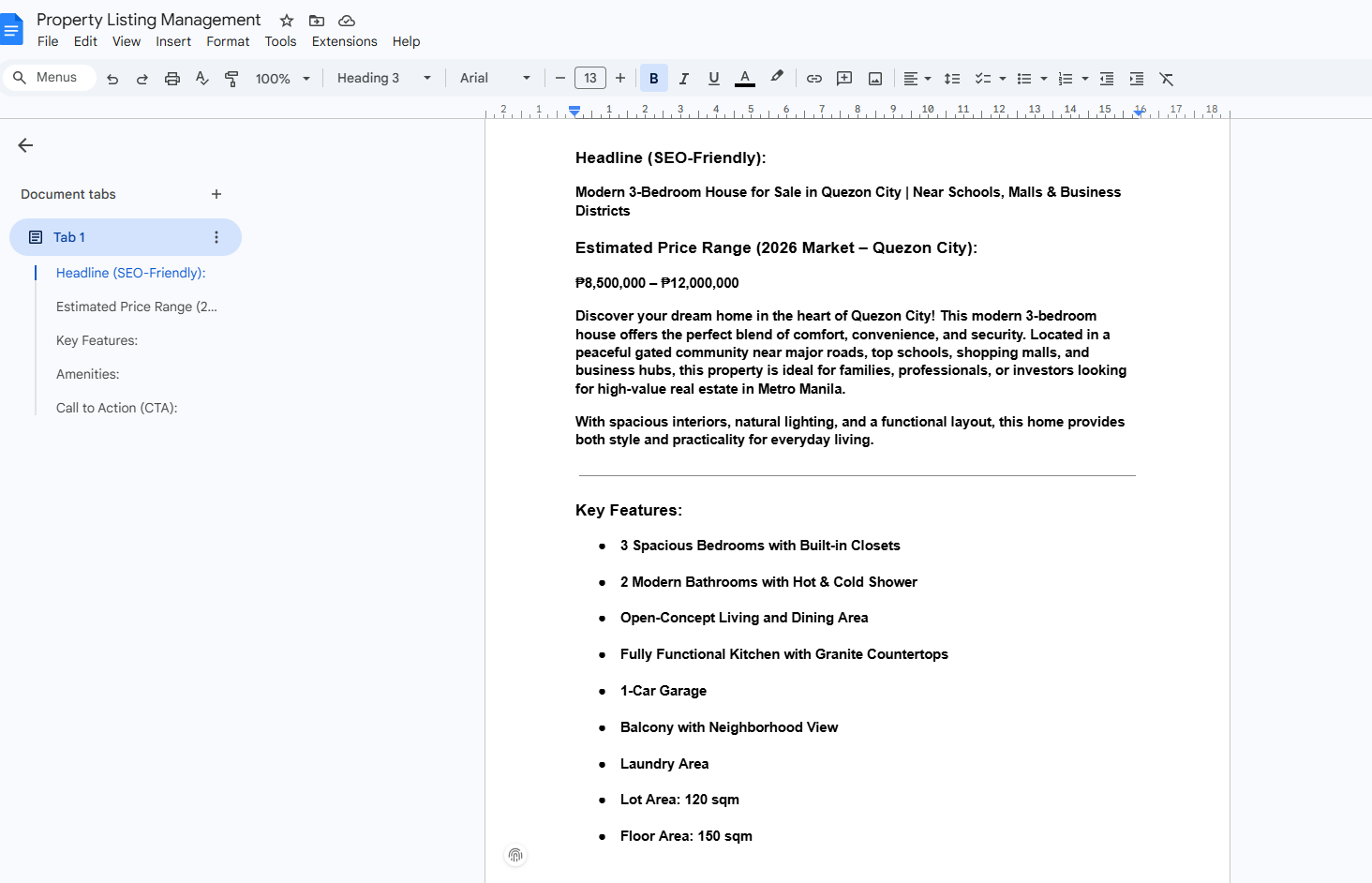
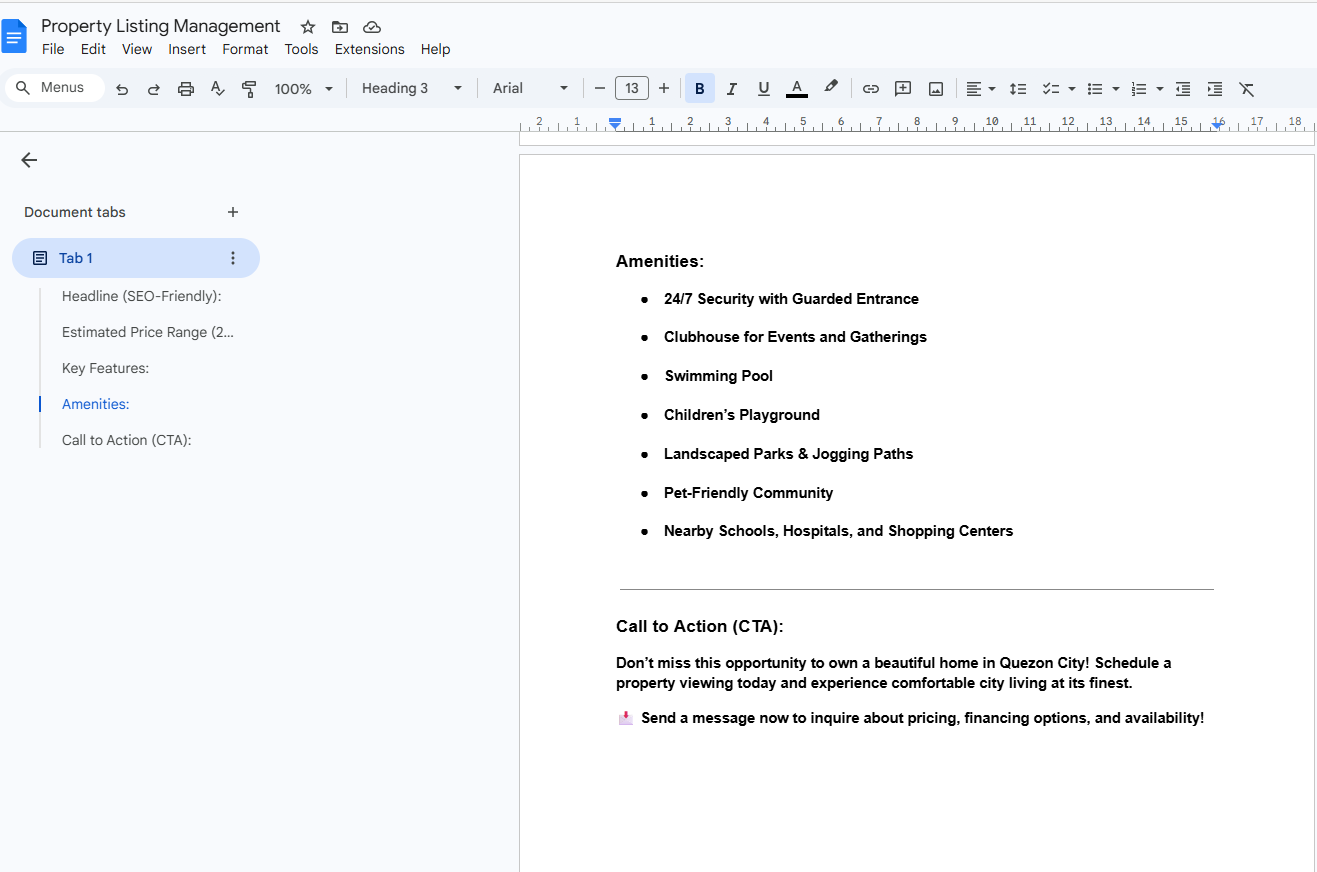
Why Google Docs is useful for SEO writing
Collaboration: You can easily share documents with teammates, editors, or clients, allowing real-time feedback and edits.
Cloud storage: Everything is automatically saved online, so you don’t risk losing your work and can access it from anywhere.
Version history: You can track changes and revert to earlier drafts, which is helpful when refining SEO content.
Formatting flexibility: Headings (H1, H2, H3), bullet points, and links can be structured in a way that mirrors how content will appear on a website.
Integration: Google Docs connects well with other tools (Google Drive, Sheets, etc.), making it easy to manage keyword lists, outlines, and content calendars.
Export options: You can quickly convert your draft into different formats (Word, PDF, plain text) for uploading to CMS platforms like WordPress.
SEO-specific benefits
You can insert comments for keyword placement or meta description ideas.
It’s easy to test readability and structure before publishing.
Many SEO teams use Docs because it’s simple to collaborate with writers, editors, and SEO strategists without needing complex software.
So, I probably used Google Docs because it’s one of the most convenient, accessible, and collaborative tools for drafting and refining SEO content before publishing it on a website.