CLIENT ONBOARDING PROJECT
A Sample Asana Workflow for New Clients
A sample work I created to show how I'd support a new client as their Virtual Assistant. It demonstrates how I plan client onboarding, organize work into sections and tasks, set due dates, assignees, and priorities, and keep clients informed through task comments. Not a real client project.
Tools Used: Asana, Google Workspace, Google Meet, Slack, Canva
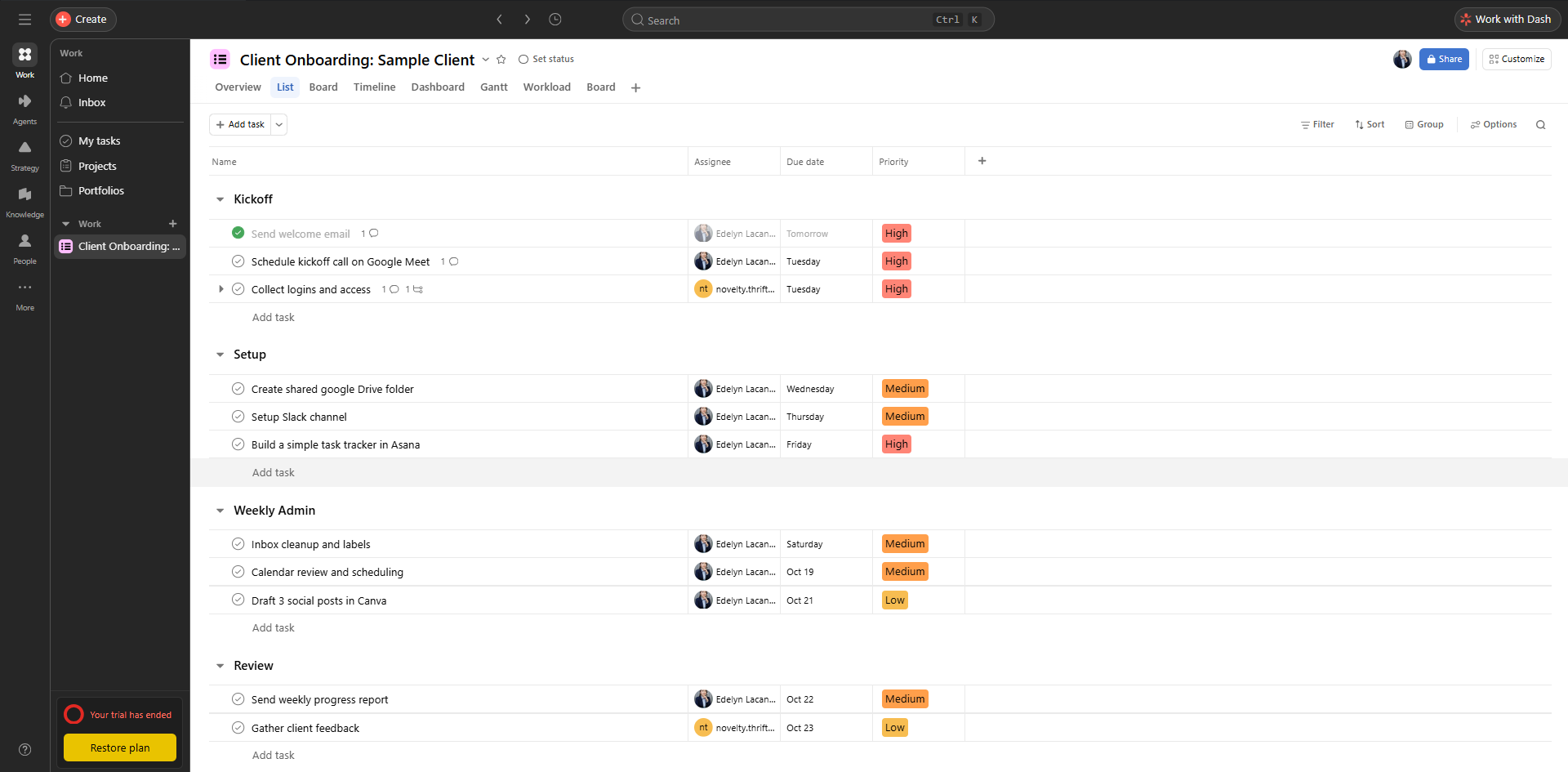
Full Project, List View
A clear onboarding plan with 4 sections and 11 tasks split into Kickoff, Setup, Weekly Admin, and Review. Every task has an owner, a due date, and a priority label so nothing gets missed.
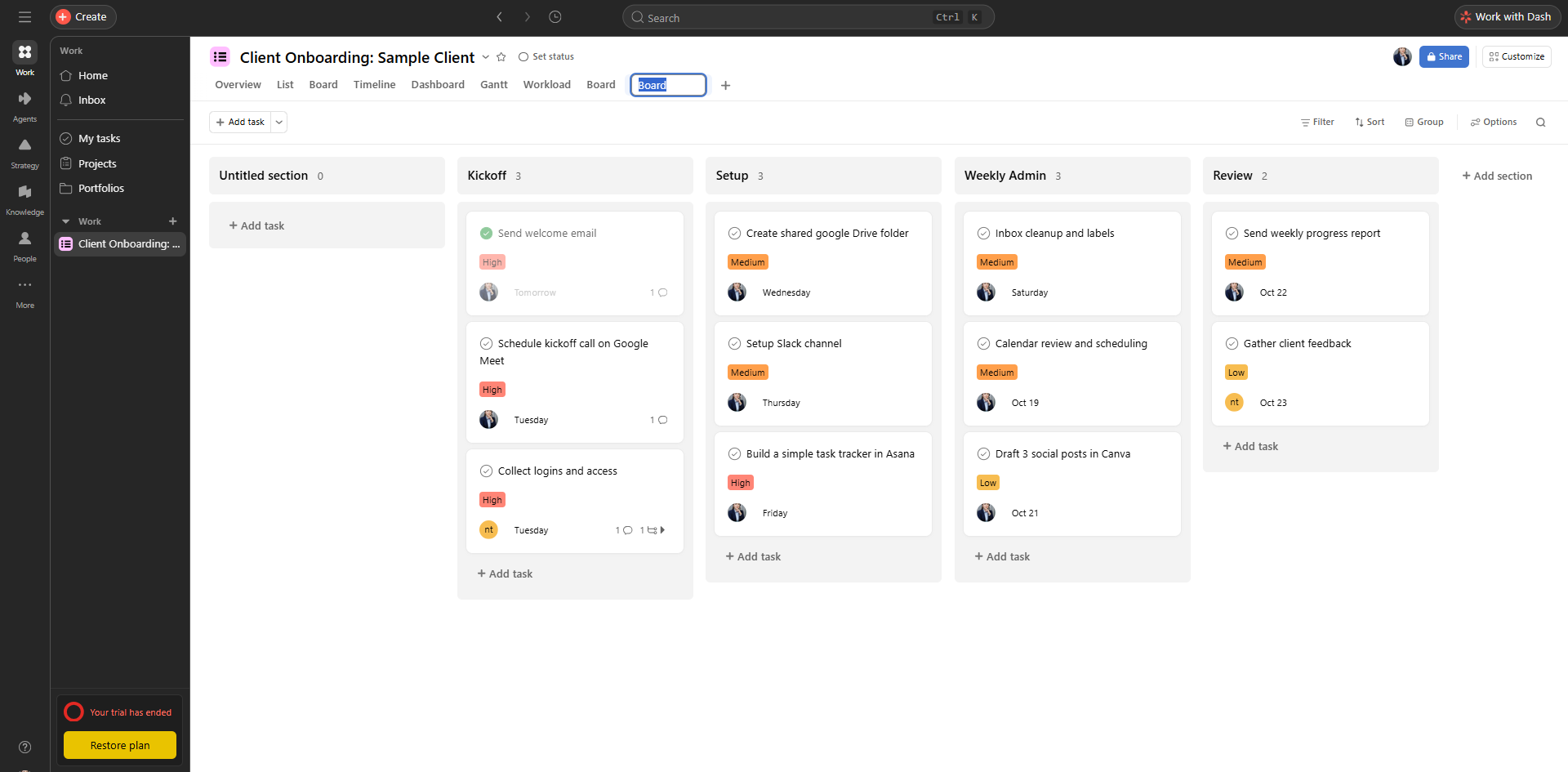
Asana Board View
The same project as a Kanban board. Clients can see progress at a glance and know what's coming next.
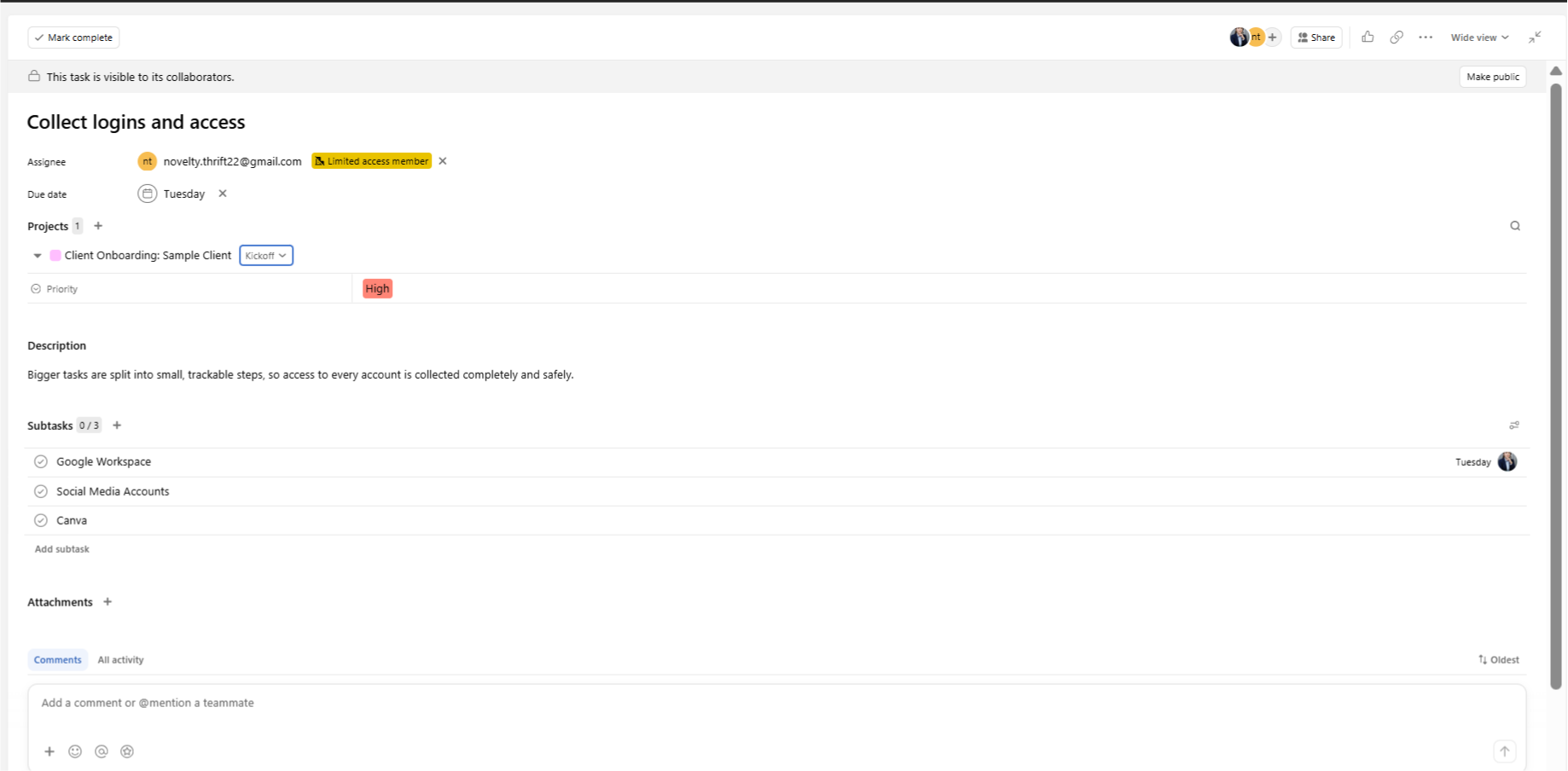
Task Breakdown with Subtasks
Bigger tasks are split into small, trackable steps, so access to every account is collected completely and safely.
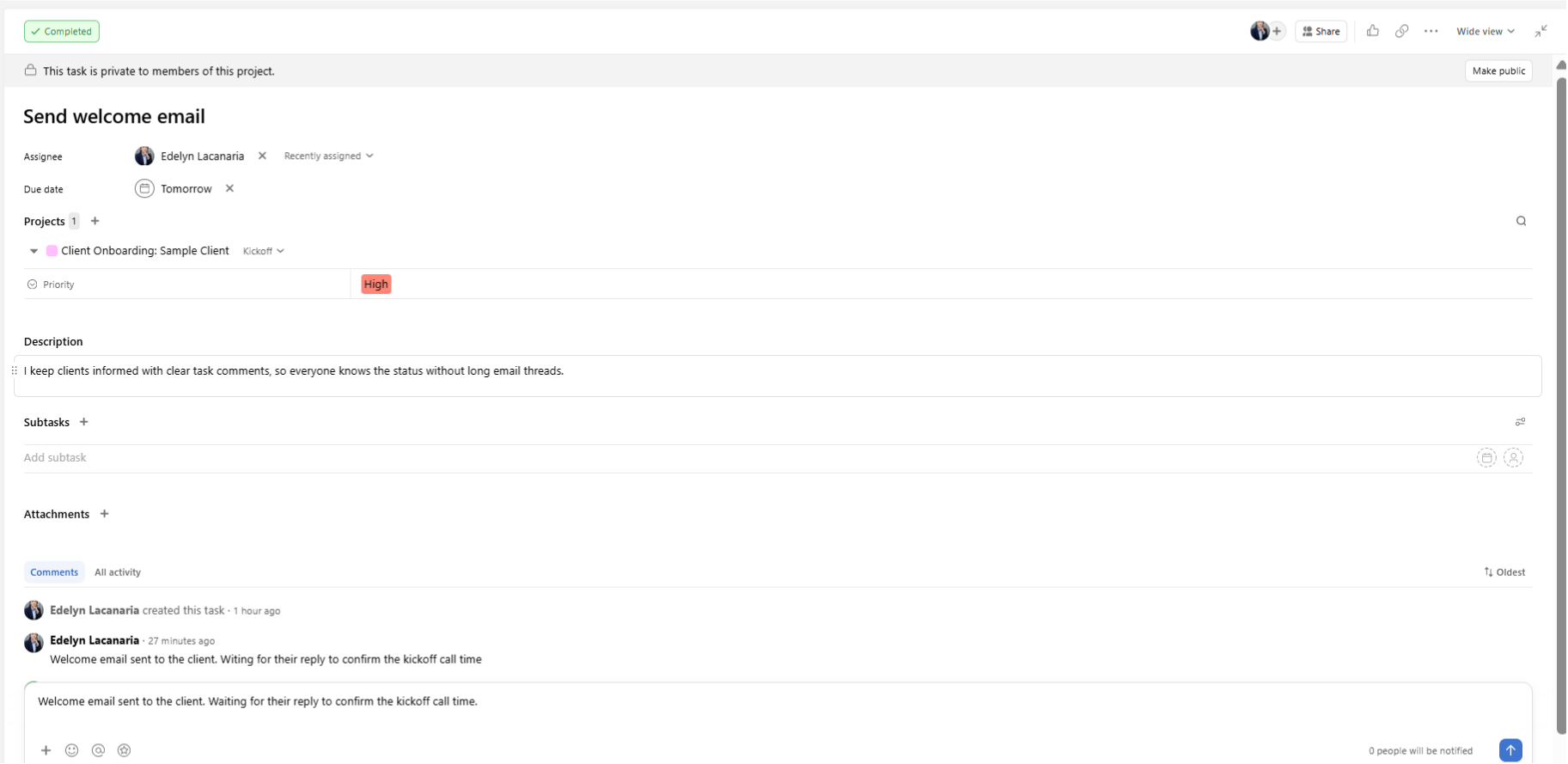
Client Communication and Updates
I keep clients informed with clear task comments, so everyone knows the status without long email threads.
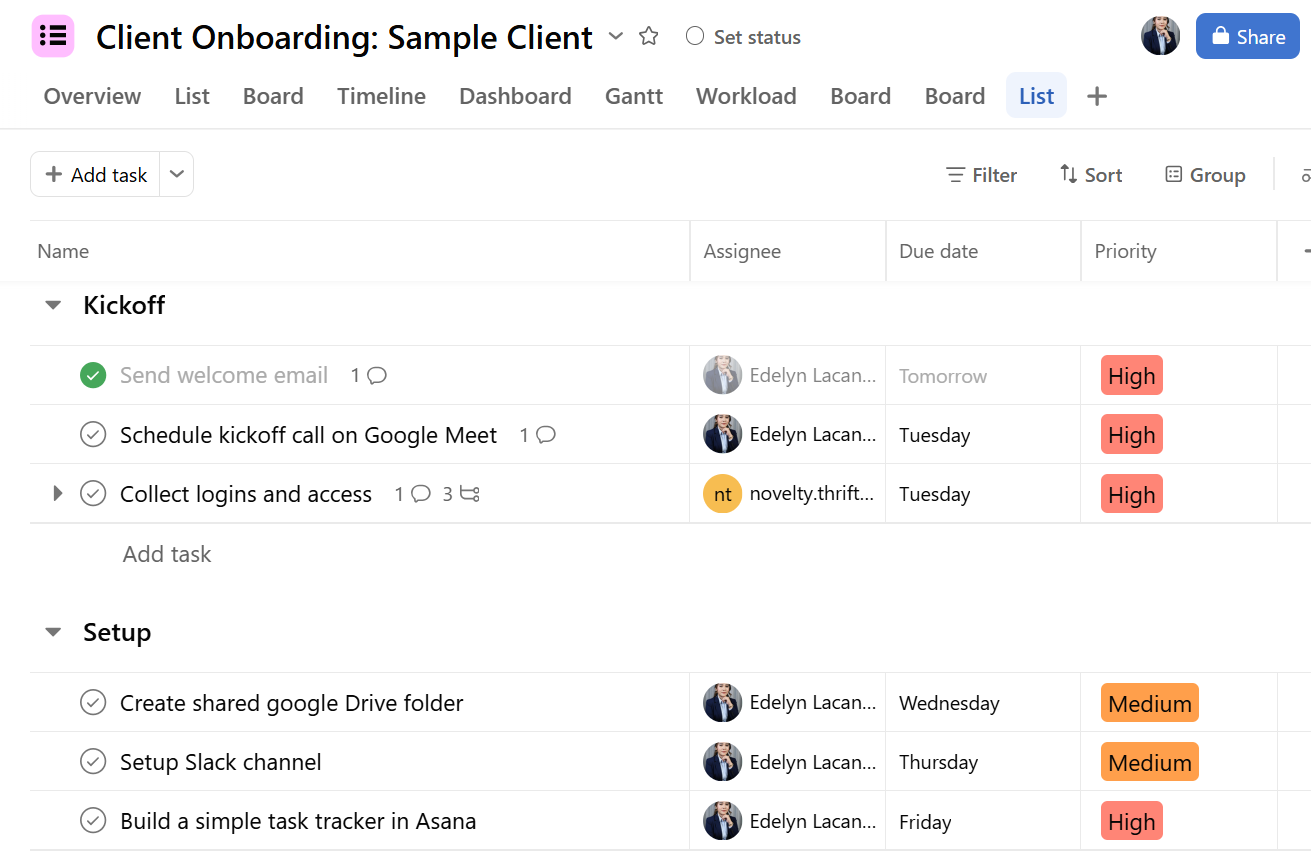
Priority Labelling
Priority labels in every task name make urgent work stand out, so deadlines stay on track.