EXECUTIVE VIRTUAL ASSISTANCE

Executive Inbox & Calendar Management (Portfolio Simulation):
As part of a General Virtual Assistant Webinar Training, I completed a hands-on simulation supporting a high-profile executive, Mr. Mielton Ross (fictional CEO). I scheduled business meetings, built a well-organized one-week calendar, and prepared a weekly email summary using Google Calendar, Calendly, and Gmail.
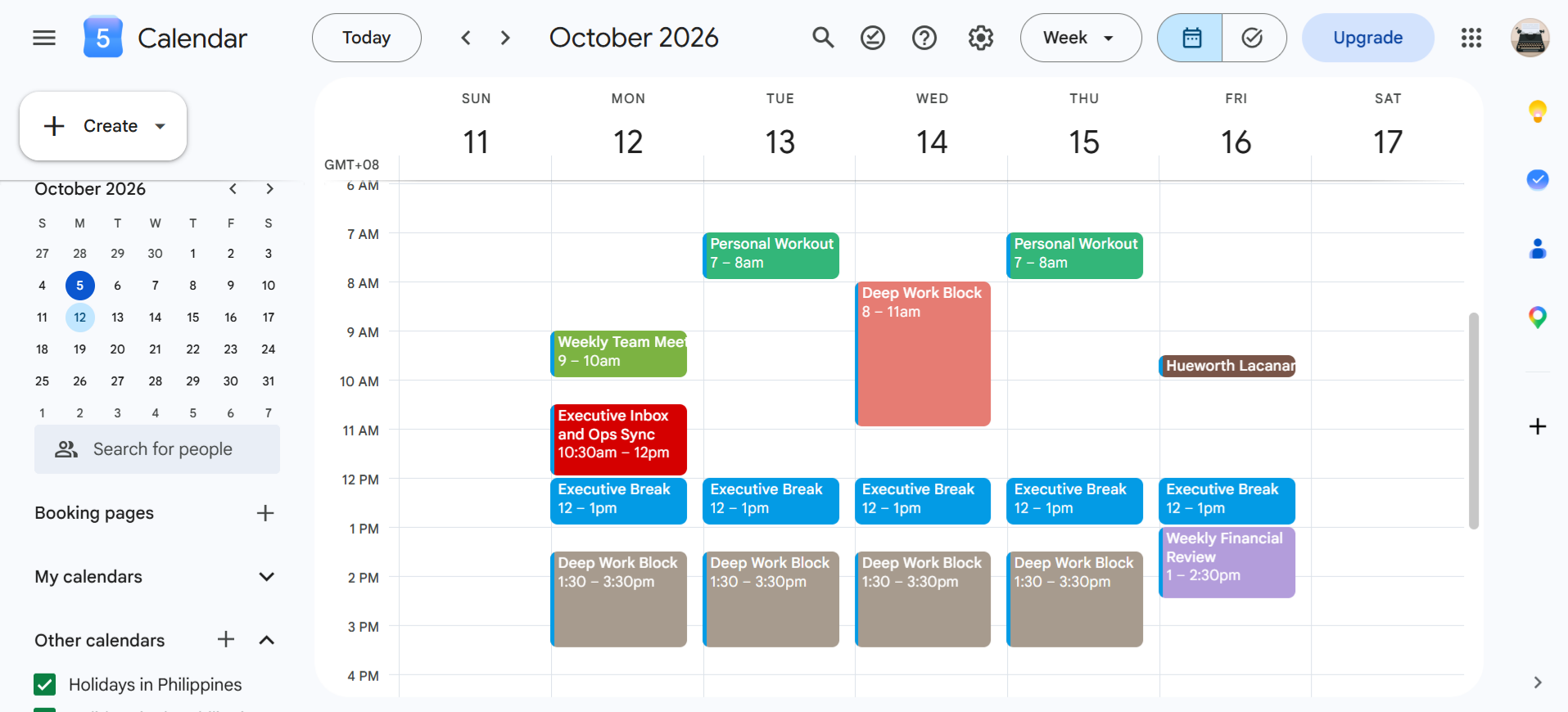
Executive Weekly Schedule
I used Google Calendar as the central scheduling tool to organize Mr. Ross's one-week schedule. I prevented conflicts by reviewing the full week at a glance, color-coded events by priority, and sent invitations and reminders for every meeting so that everyone stayed informed and prepared.
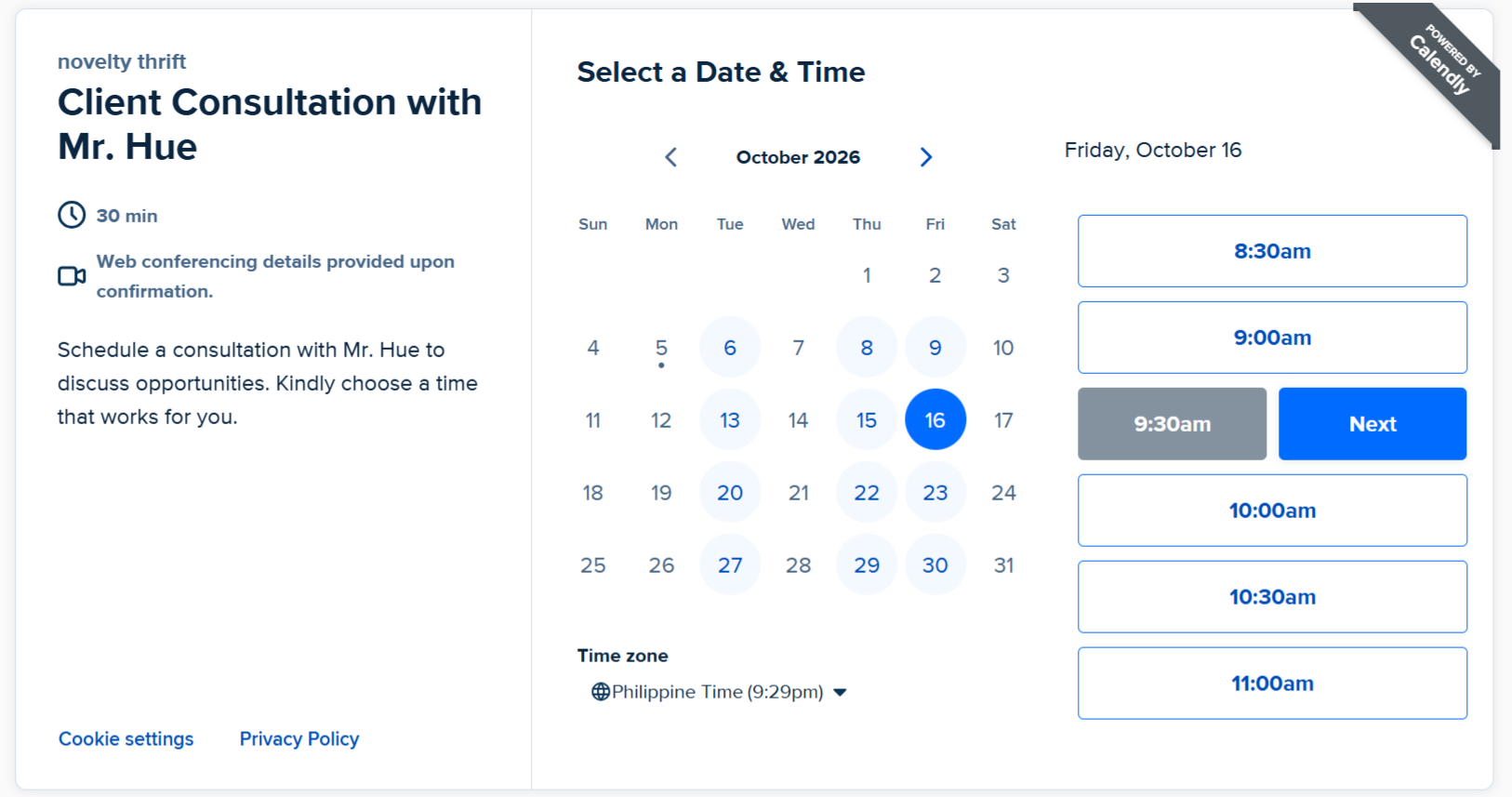
Client Consultation Scheduling with Calendly
A Calendly booking page synced with Google Calendar, showing Mr. Ross's available dates and times for client business consultations. It removes email back-and-forth and prevents double-booking.
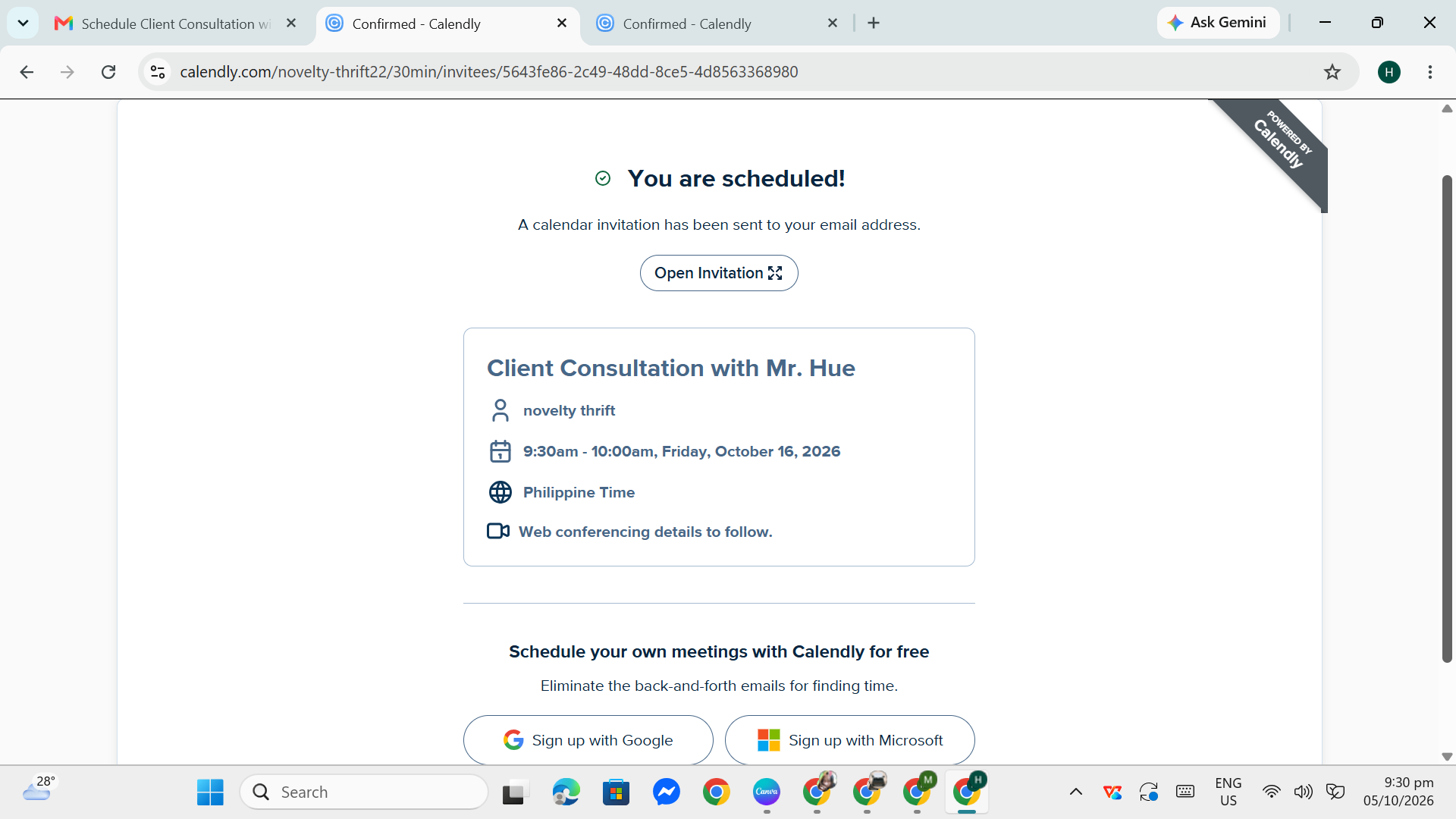
Confirmed Booking and Calendar Invitation
A Calendly confirmation sent to Mr. Hue (fictional client) after he chose his preferred date and time. The booking is instantly added to Mr. Ross's calendar, with no back-and-forth needed.
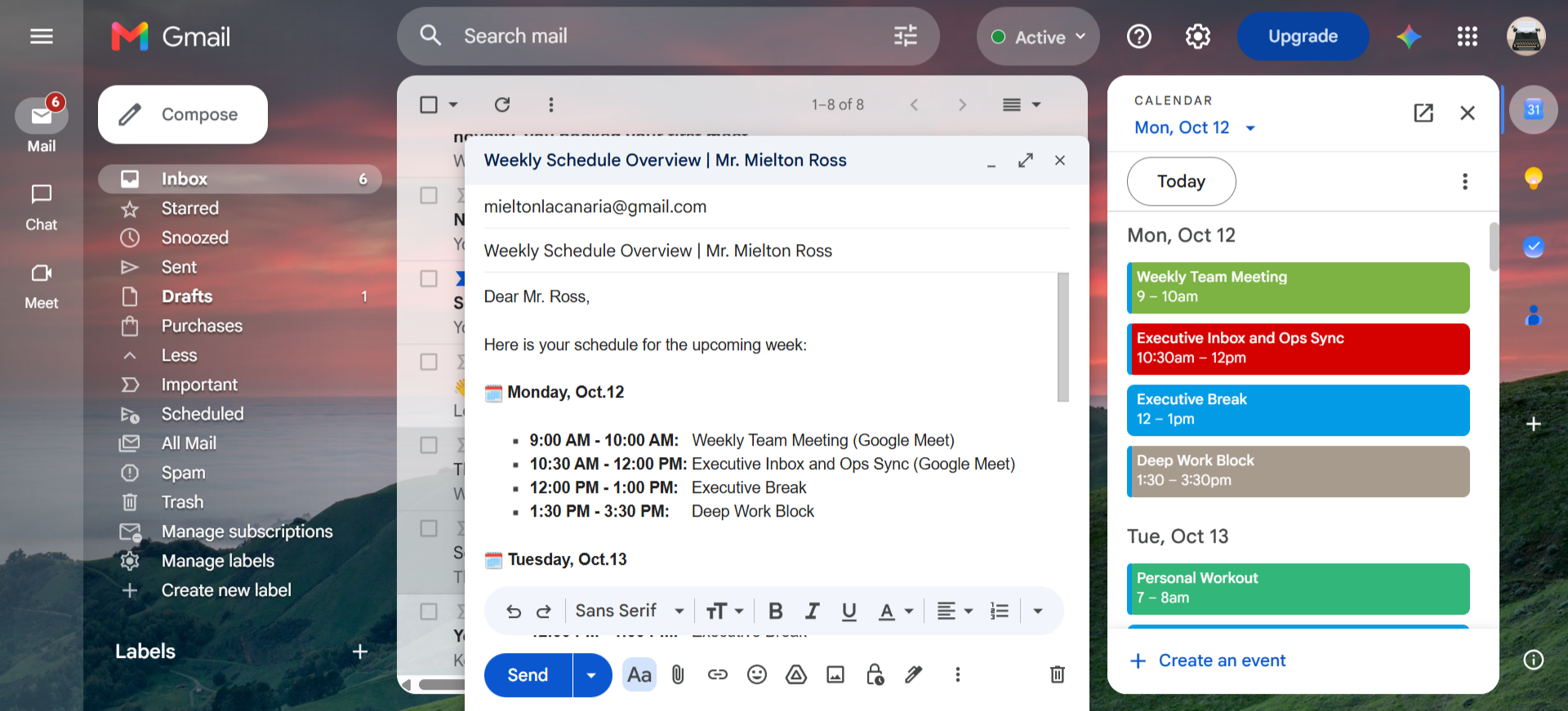
Weekly Schedule Summary Email
To keep the CEO prepared for the week ahead, I created a summary email template that gives him a clear overview of his weekly schedule. It lists his meetings, consultations, and key priorities by day, so he can see at a glance what's coming up without opening his calendar. This template can be reused every week, which saves time and keeps his updates consistent.