Executive VA — Project & Task Management Using Asana
Experienced Executive Virtual Assistant with 1+ year of hands-on experience using Asana for project and task management, workflow organization, and client operations coordination. Proficient in setting up workspaces, managing projects, tracking tasks, and automating workflows to ensure efficient and organized client operations for AU and UK-based executives.
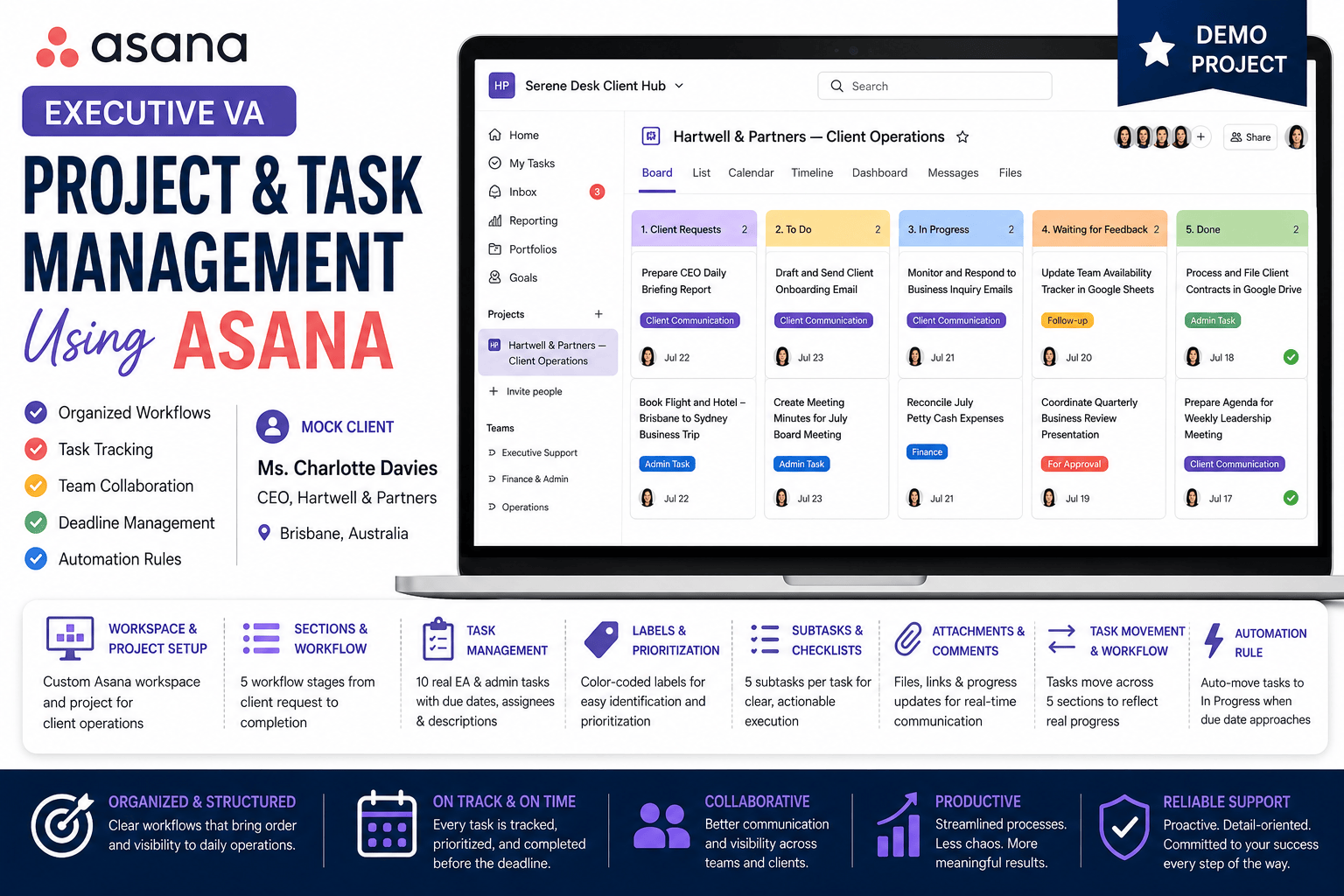
This project demonstrates my project management proficiency using Asana for a mock AU-based client, Ms. Charlotte Davies, CEO of Hartwell & Partners , Brisbane, Australia. The work includes full workspace and project setup, task creation and management, workflow automation, and team collaboration simulation across a complete client operations board.
WORKSPACE & PROJECT SETUP
Created and configured a demo workspace in Asana. Set up a dedicated project board for Pinnacle Growth Advisory Client Operations with 5 workflow sections representing the complete task lifecycle from client request to completion.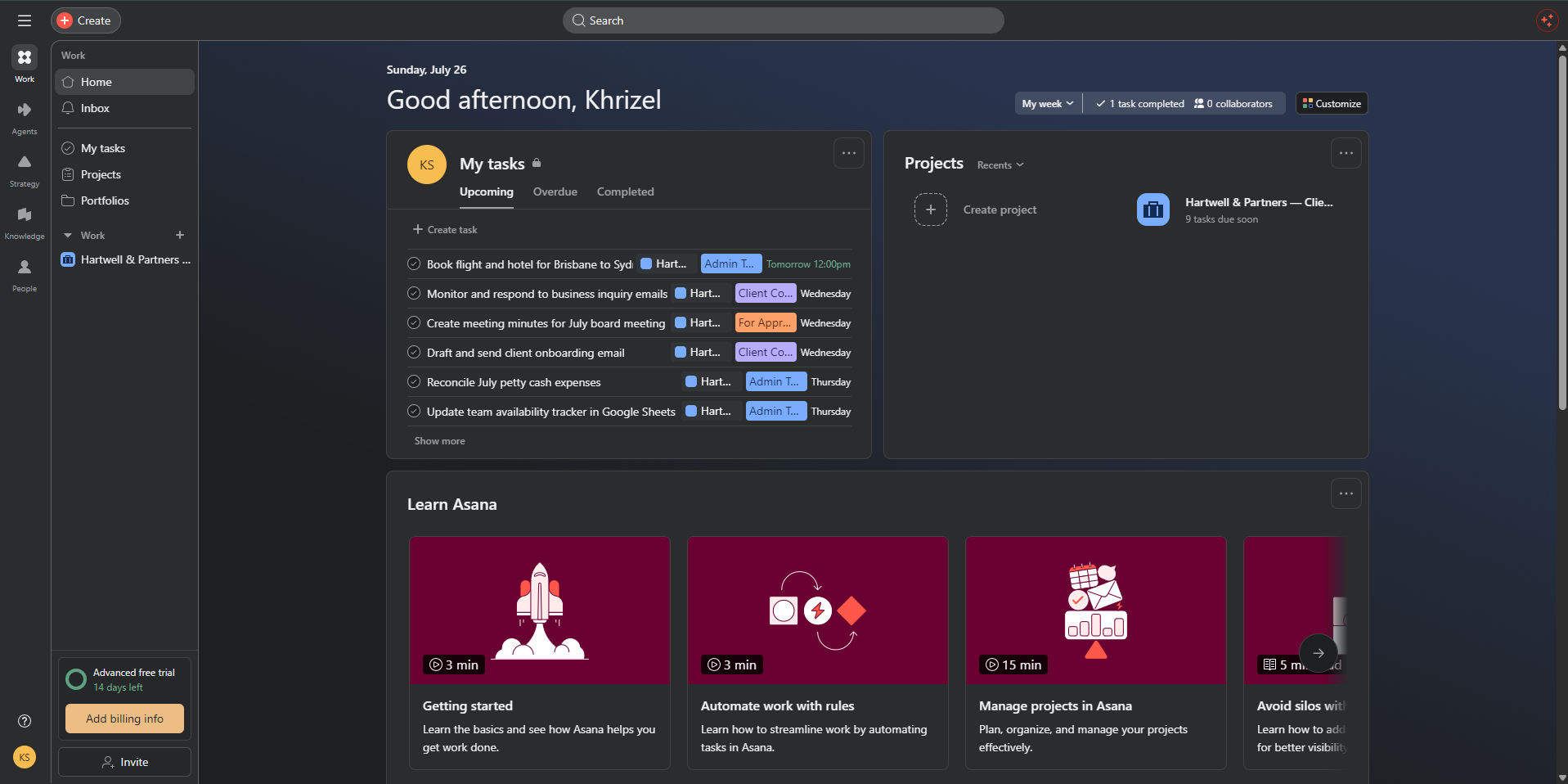
SECTIONS & WORKFLOW STRUCTURE
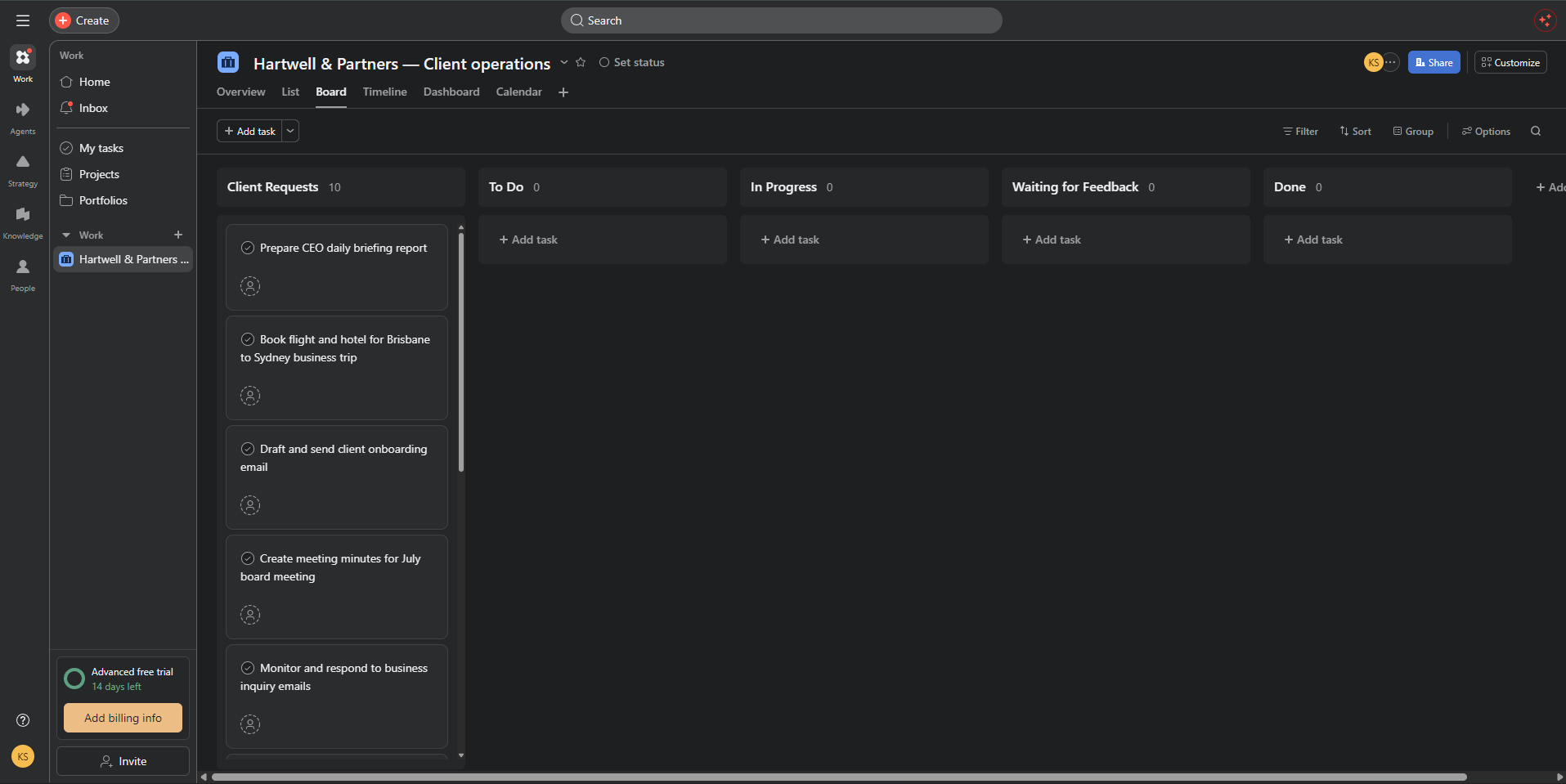
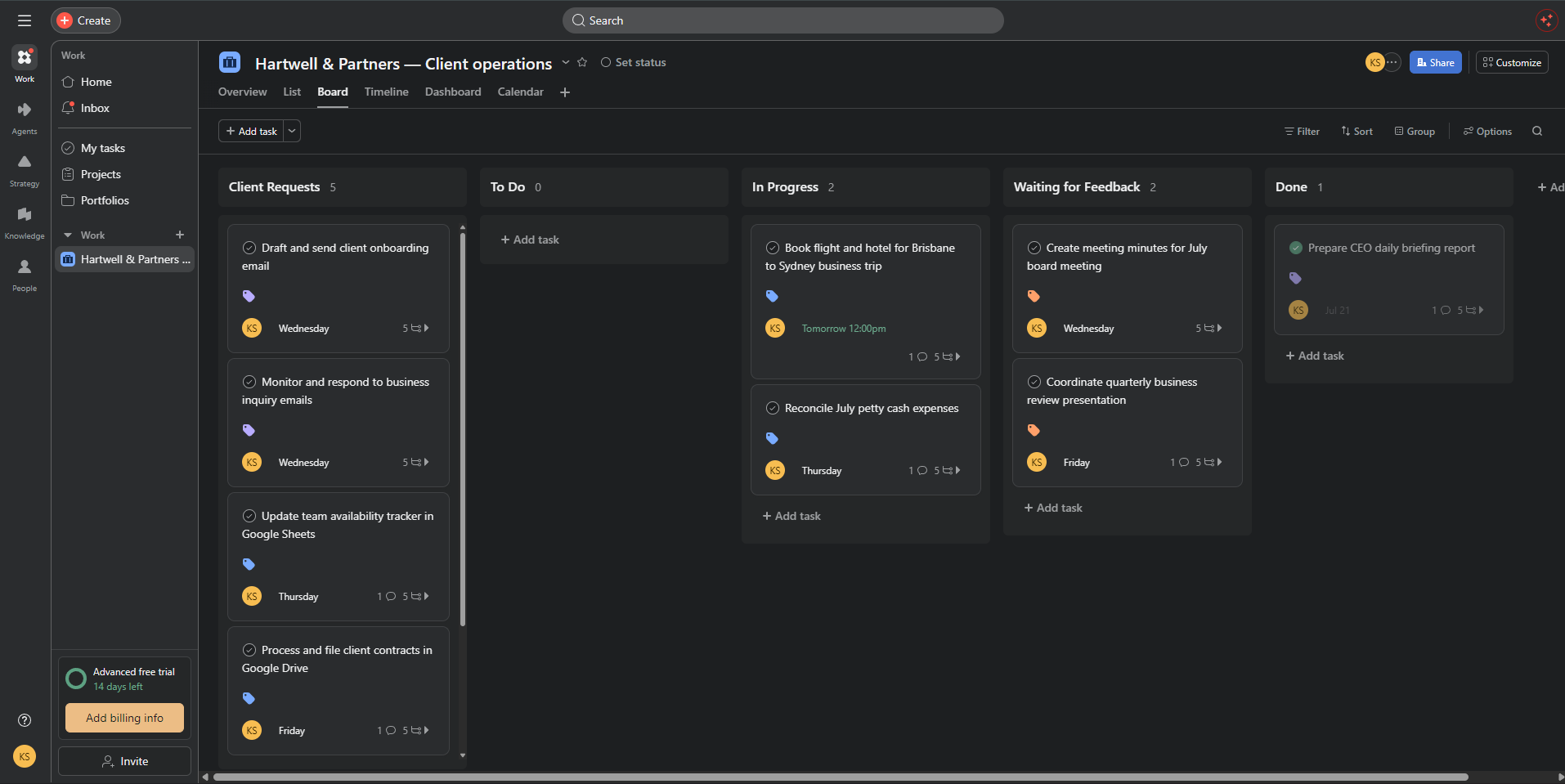
Created 5 sections to represent the full task workflow:
1. Client Requests — incoming tasks from the client
2. To Do — approved tasks not yet started
3. In Progress — tasks currently being worked on
4. Waiting for Feedback — submitted tasks awaiting client response
5. Done — completed and approved tasks
TASK MANAGEMENT
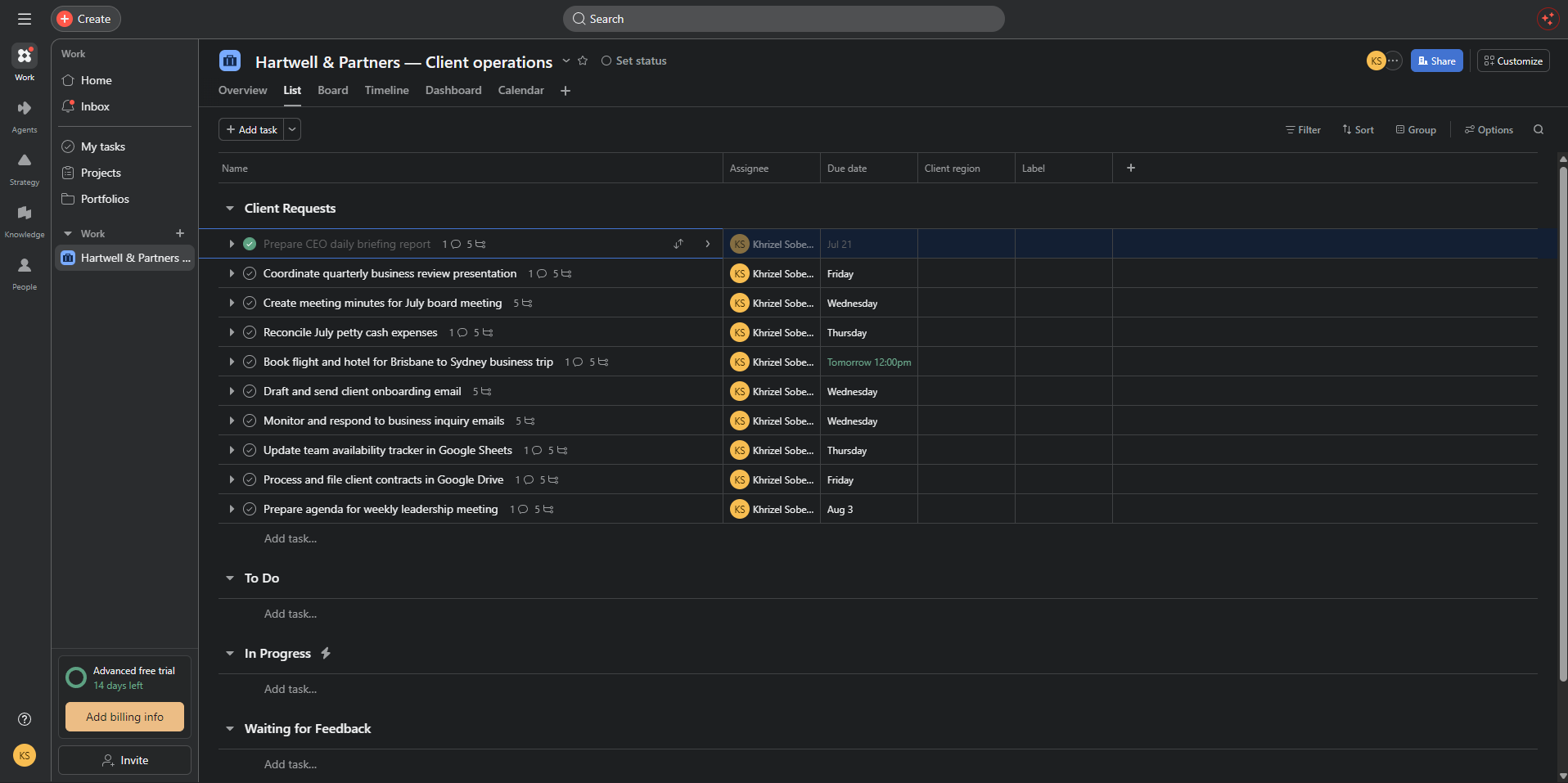
Created and managed 10 realistic EA and admin tasks for Ms. Charlotte Davies including:
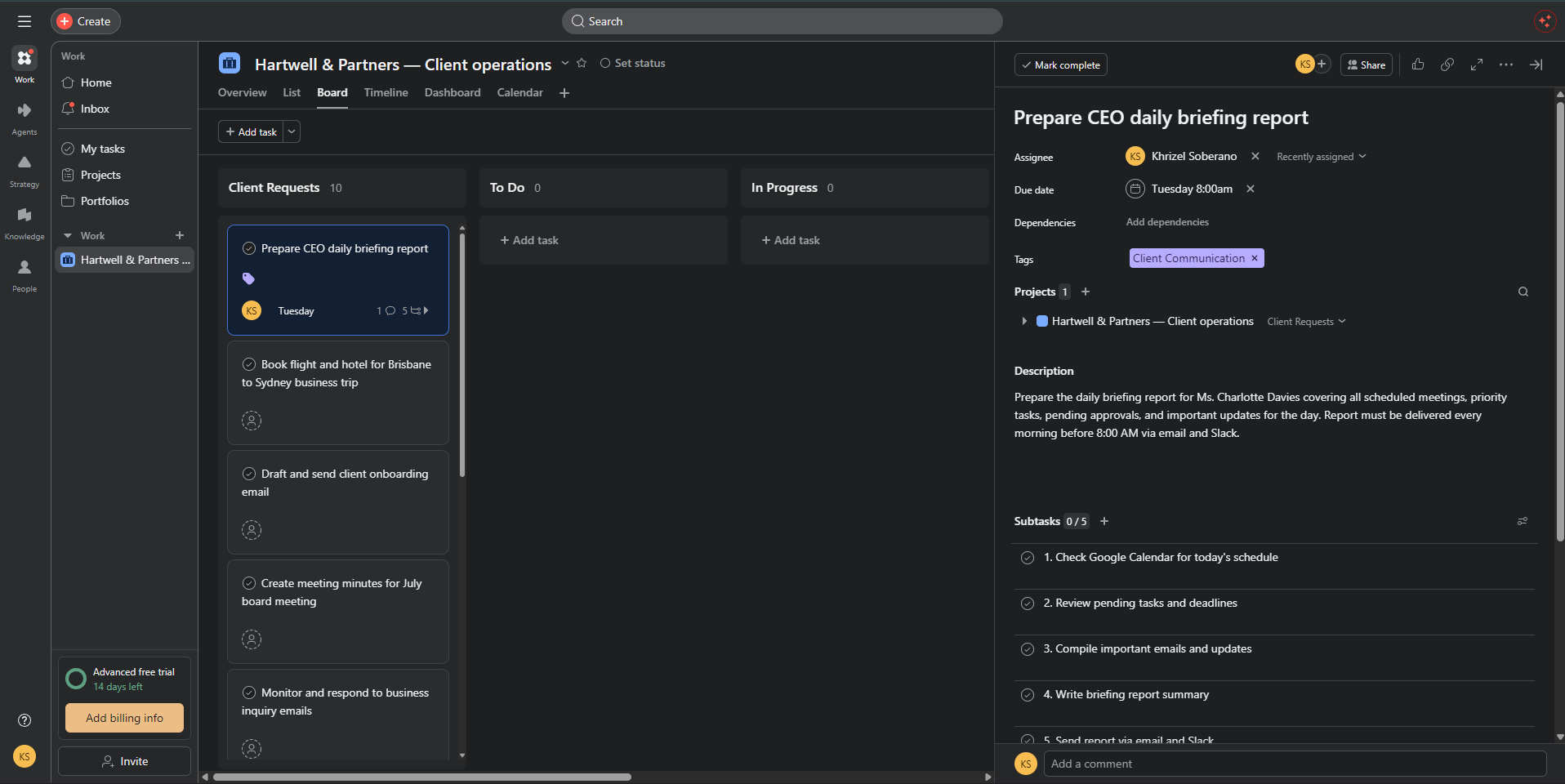
1. Prepare CEO Daily Briefing Report
2. Book Flight and Hotel — Brisbane to Sydney Business Trip
3. Draft and Send Client Onboarding Email
4. Create Meeting Minutes for July Board Meeting
5. Monitor and Respond to Business Inquiry Emails
6. Reconcile July Petty Cash Expenses
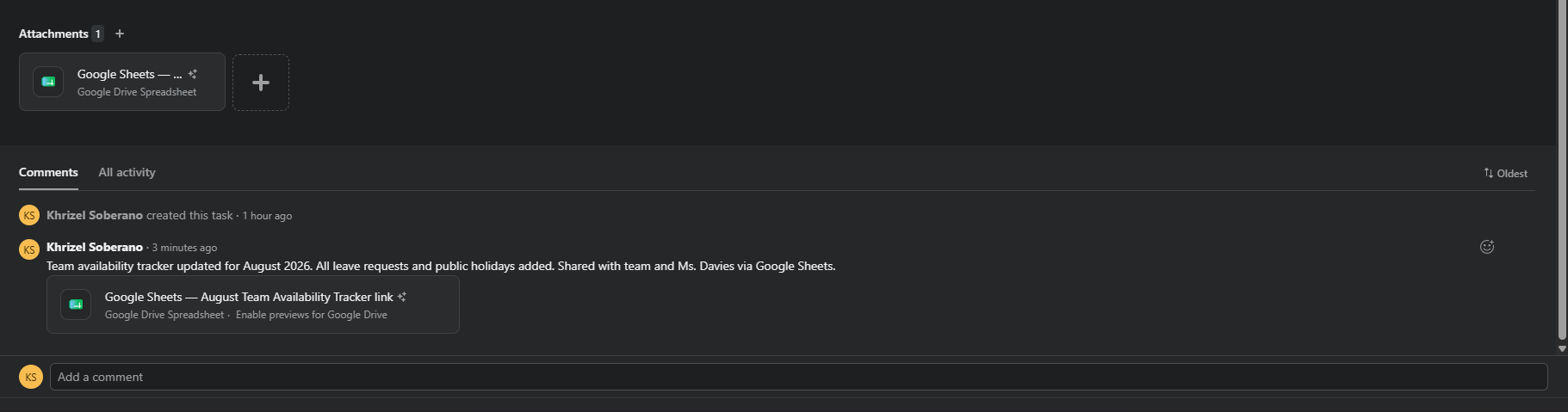
7. Update Team Availability Tracker in Google Sheets
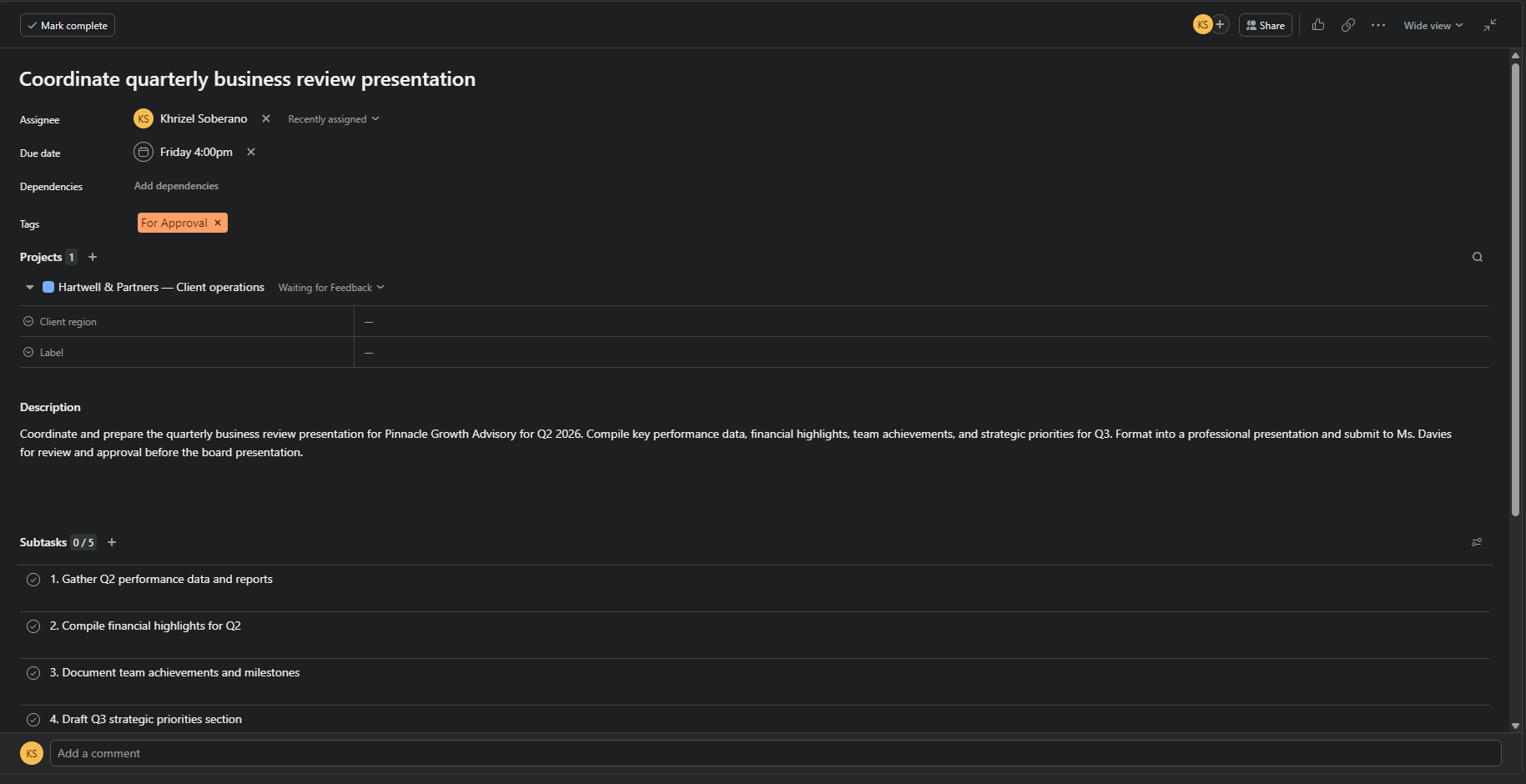
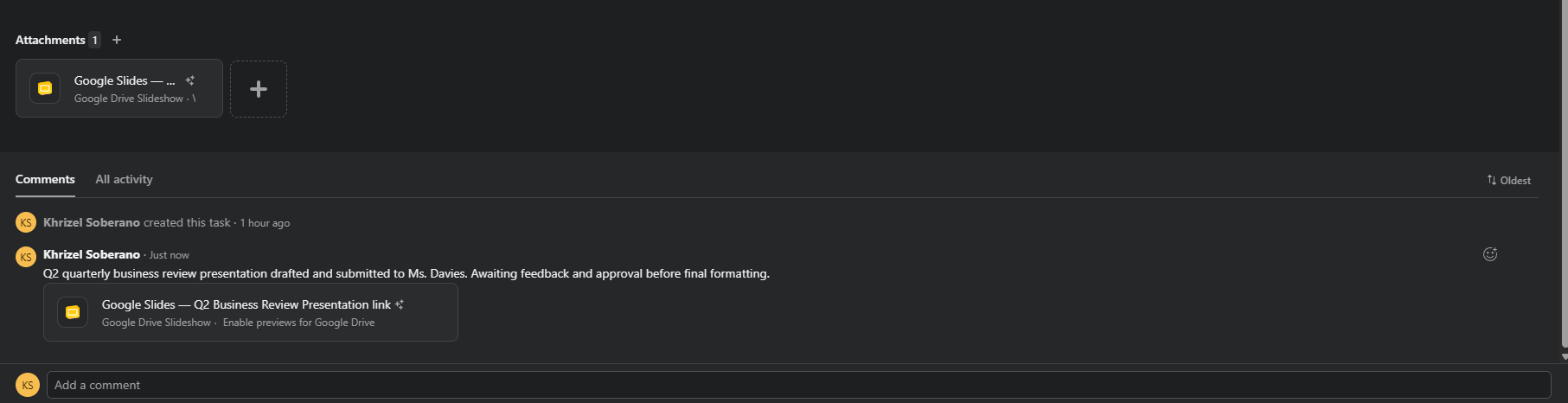
8. Coordinate Quarterly Business Review Presentation
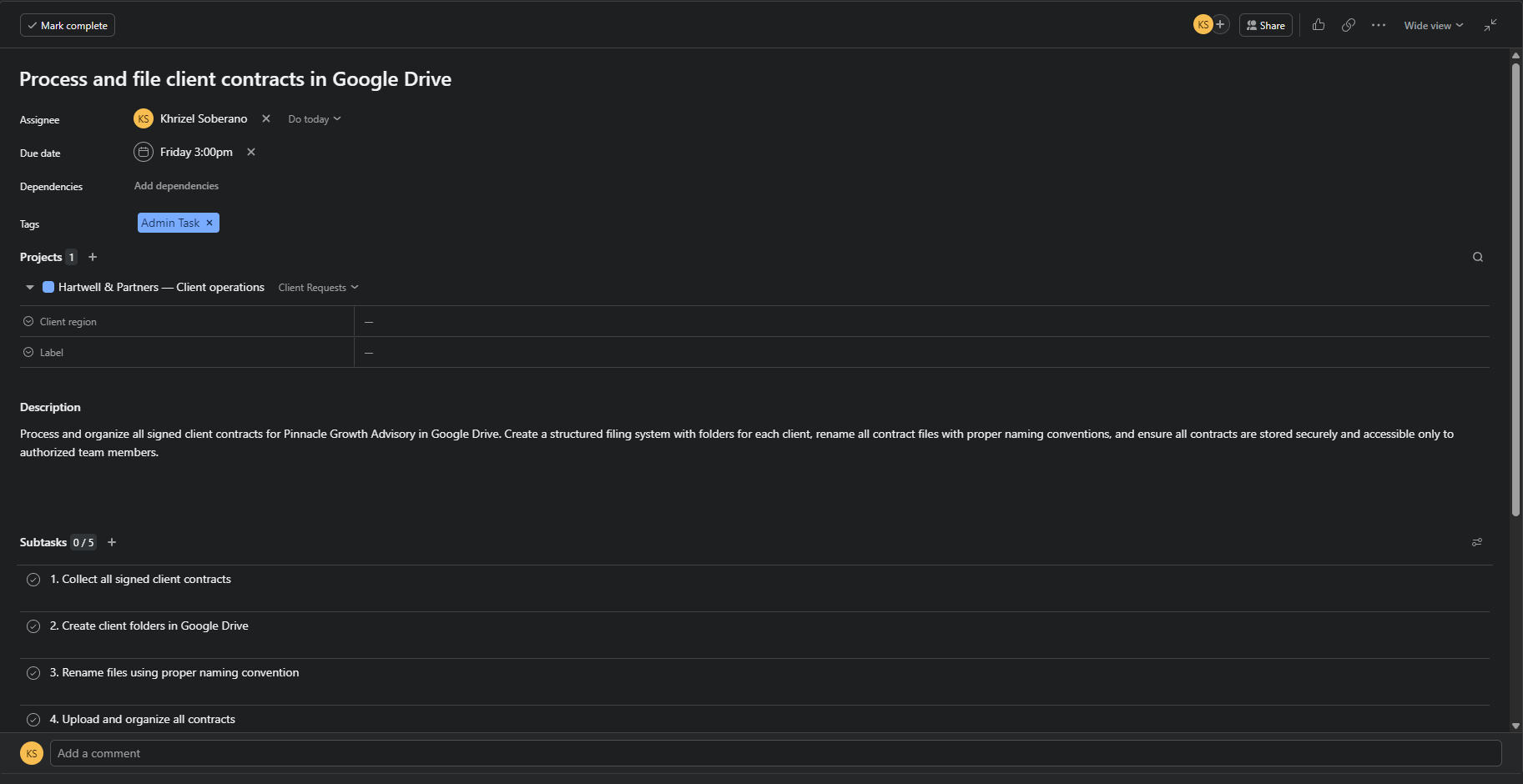
9. Process and File Client Contracts in Google Drive
10. Prepare Agenda for Weekly Leadership Meeting
Each task includes a full description, due date, assignee, color-coded label, subtasks, comments, and attachments where applicable.
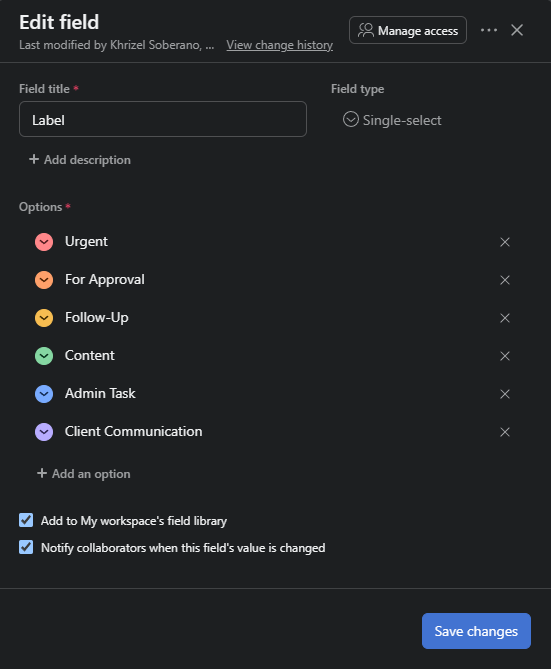
LABELS & PRIORITIZATION
Applied color-coded labels to all tasks for easy identification and prioritization:
🔴 Urgent — time-sensitive tasks requiring immediate action
🟠 For Approval — tasks submitted and awaiting client review
🟡 Follow-up — tasks requiring follow-up communication
🟢 Content — content creation and scheduling tasks
🔵 Admin Task — administrative and operational tasks
🟣 Client Communication — emails, reports, and client-facing tasks
SUBTASKS & CHECKLISTS
Added 5 subtasks to each task breaking down the work into clear, actionable steps. This ensures every task has a structured process that can be followed consistently and independently.
ATTACHMENTS & COMMENTS
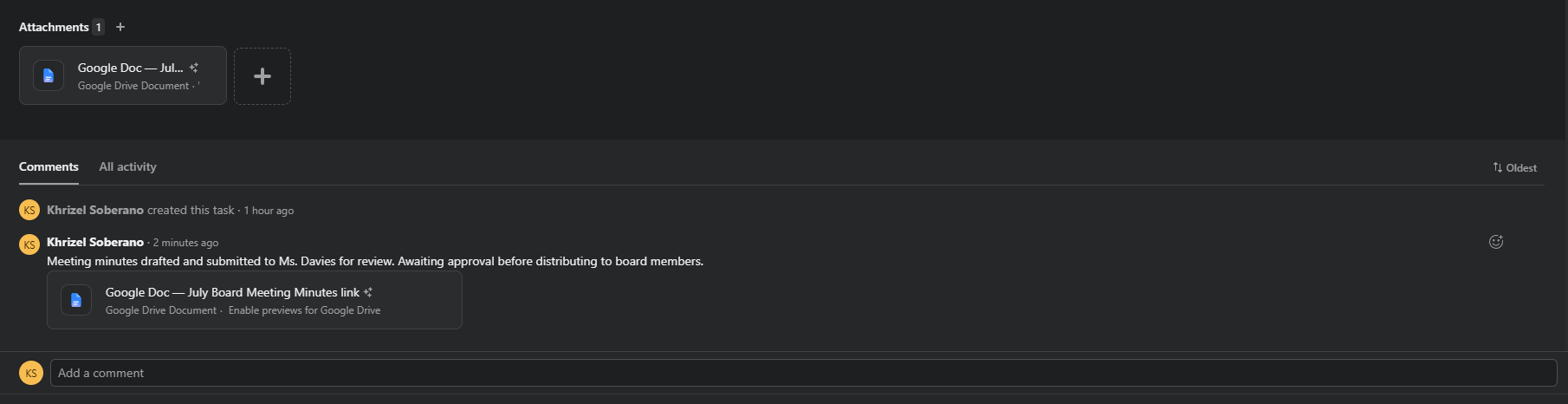
Attached relevant Google Drive links, Google Docs, Google Sheets, and Google Slides to tasks requiring documentation. Added progress update comments to all active tasks simulating real-time client communication and status reporting.
TASK MOVEMENT & WORKFLOW
Moved tasks across sections to simulate the complete workflow lifecycle — from Client Requests through To Do, In Progress, Waiting for Feedback, and Done. This demonstrates the ability to visually track and manage task progress in real time.
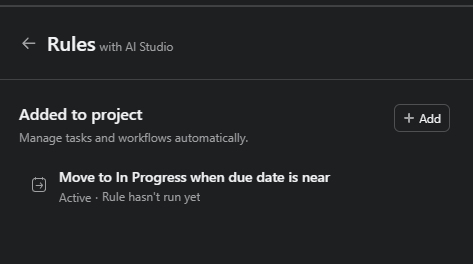
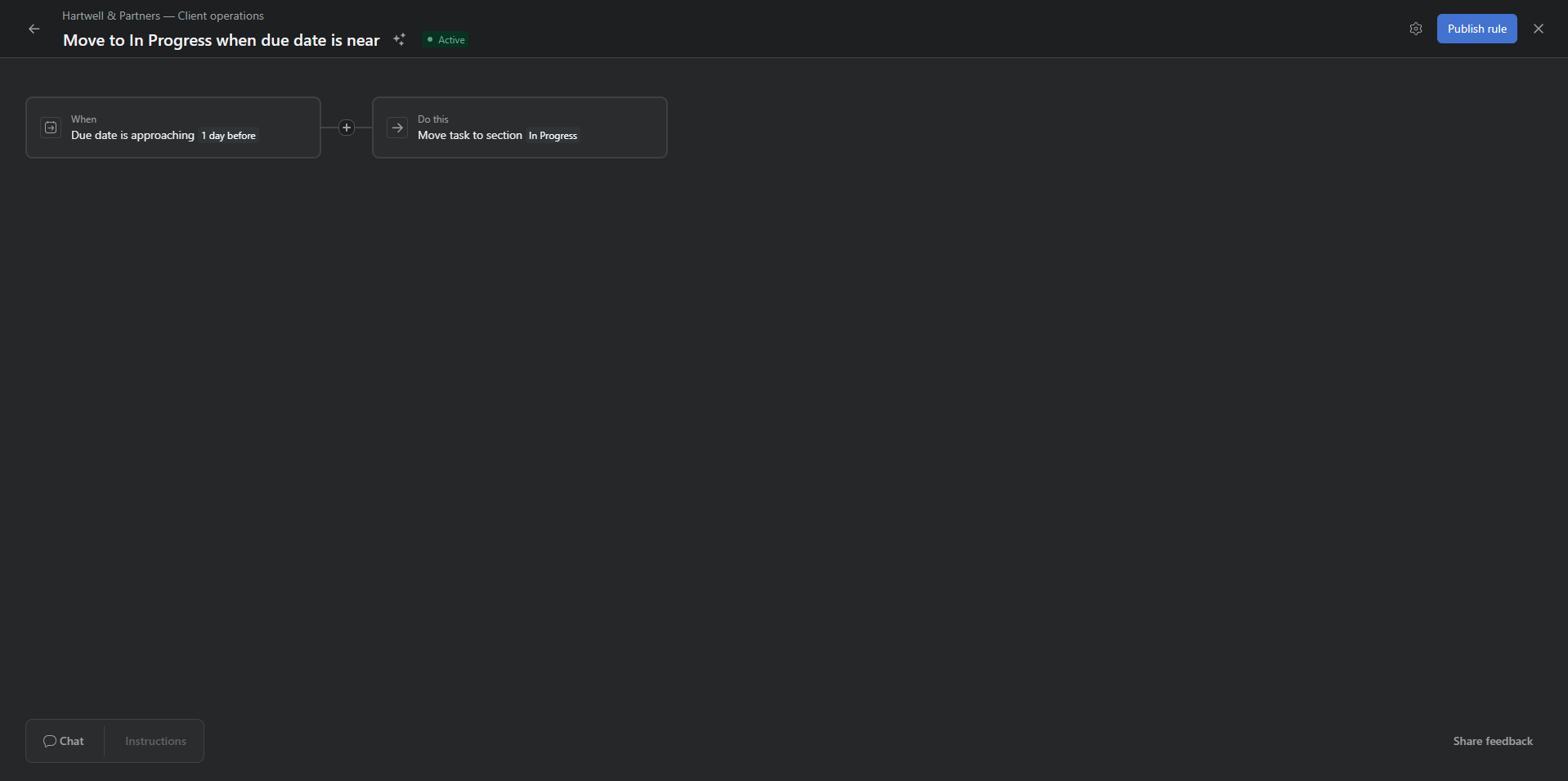
AUTOMATION RULE
Created an automation rule to streamline task management:
Rule: When a task's due date is approaching → automatically move task to In Progress section
This ensures no task is overlooked and high-priority items are always surfaced before their deadline — supporting proactive task management for the executive.