Calendar Management
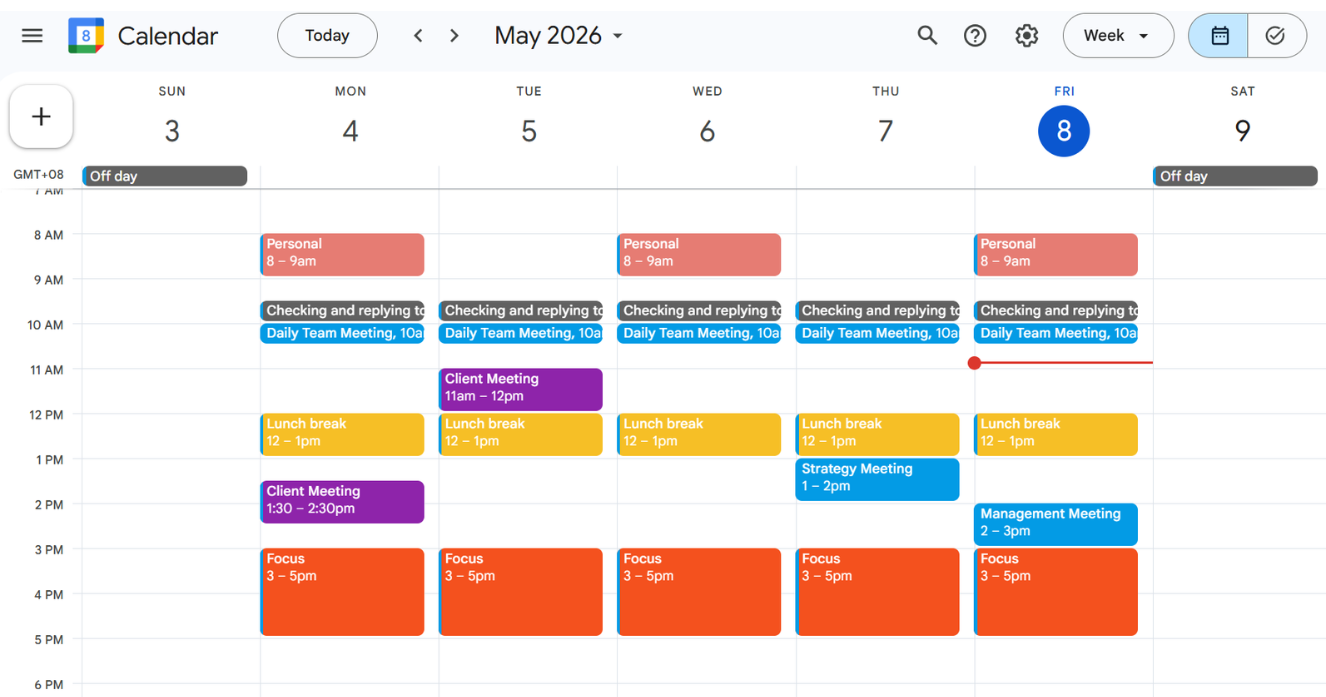
I manage and organize client schedules using Google Calendar. To keep everything organized, I create a separate calendar dedicated specifically to the client’s appointments, meetings, consultations, and tasks. This helps avoid confusion between personal and work schedules.
I carefully input all important events with the correct dates, times, meeting details, and notes. I also set automated reminders, including email reminders one day before and notification alerts 10 minutes before each event, to help ensure no meetings or deadlines are missed.
To make the calendar easier to navigate, I use color coding for different event types, such as:
- Purple for client meetings
- Blue for internal meetings
- Other colors for task and follow-ups
I also schedule recurring admin time each day so the client can review emails, pending tasks, and priorities consistently.
For consultations or client bookings, I use Calendly to send scheduling links and manage availability. I am also open to learning and using other calendar or scheduling tools depending on the client’s preference.
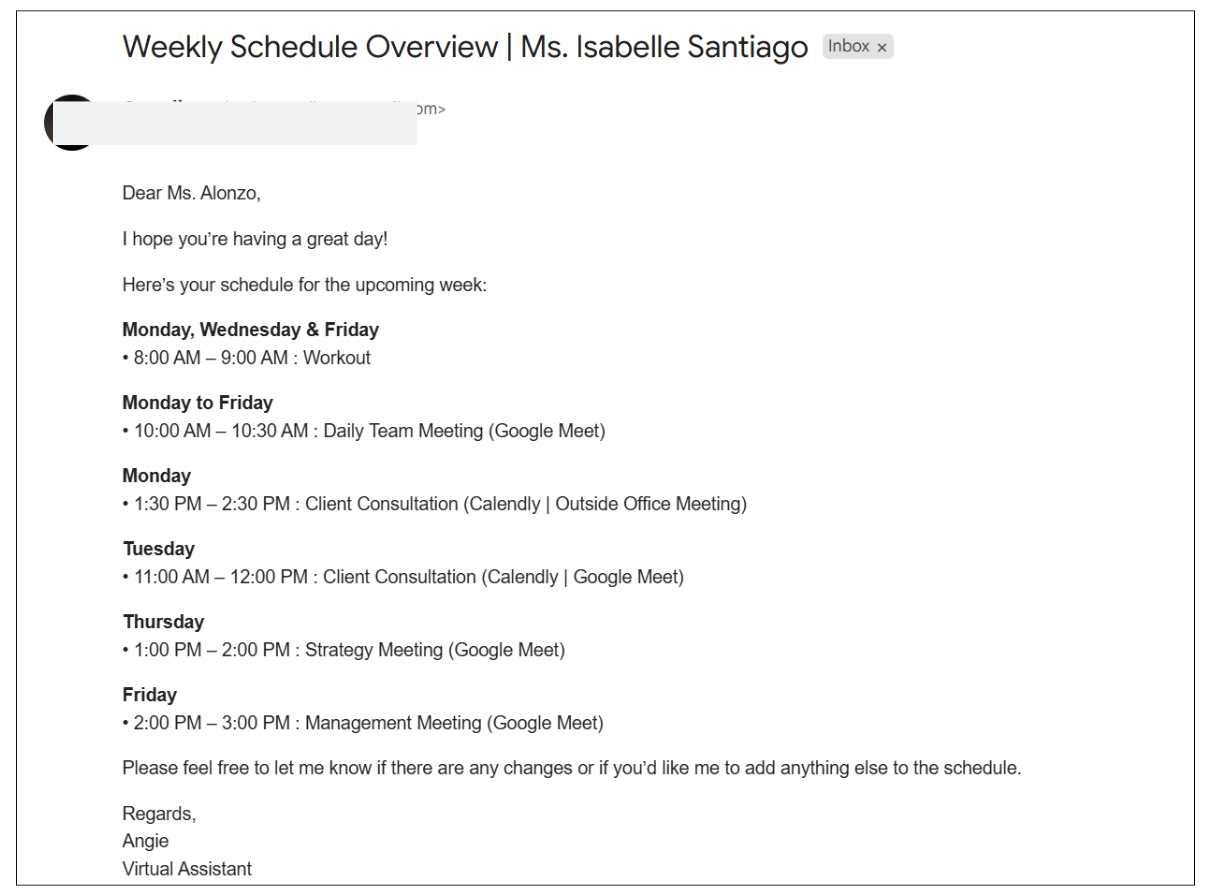
To help clients stay updated, I send a weekly schedule summary every Friday afternoon for the upcoming week. This gives the client enough time to review their schedule and request any necessary changes or adjustments.