Calendar Management

I provide reliable calendar management to keep schedules clear, organized, and efficient. I mainly use Google Calendar but can easily adapt to any tool based on my client’s preference.
For this system, I created a dedicated calendar to keep everything separate and easy to manage. I carefully schedule all key events—meetings, consultations, deep work, networking, and deadlines—making sure every detail is accurate.
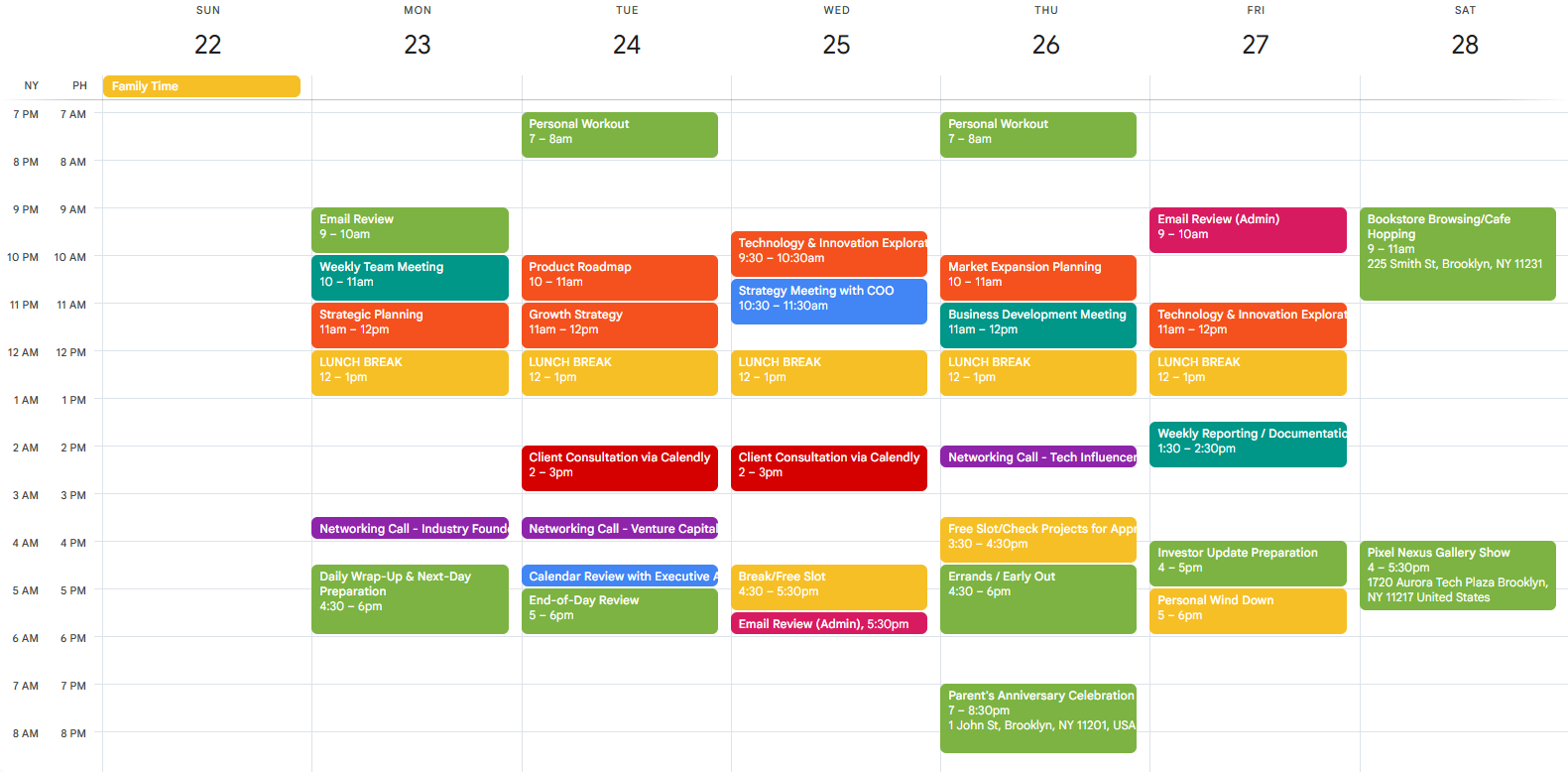
To help my client stay on track, I set up customized reminders, including email notifications a day before and alerts before each event. I also use a clear color-coding system (e.g., blue for team meetings, orange for deep work, violet for networking) so the calendar is easy to read at a glance.
My goal is to create a smooth scheduling system that helps my client stay focused, prepared, and in control of their time. I also schedule daily admin time for checking emails and tasks, helping them stay organized and ensuring no important meetings or deadlines are missed.
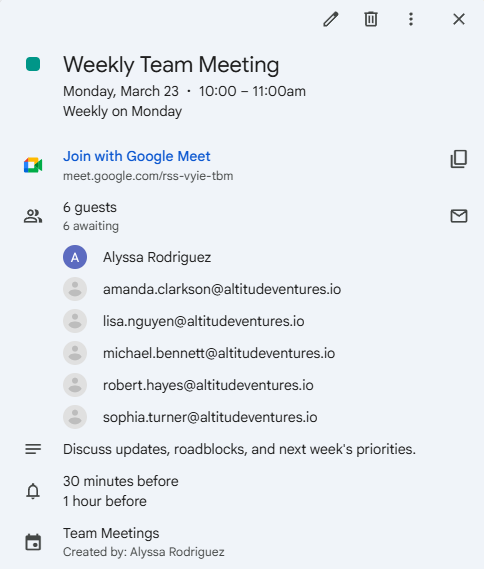
As shown in the image above, I scheduled a recurring team meeting every Monday based on my client’s request and sent email reminders to all team members to ensure everyone stays informed and on track. This helps my client maintain a smooth workflow and better time management.
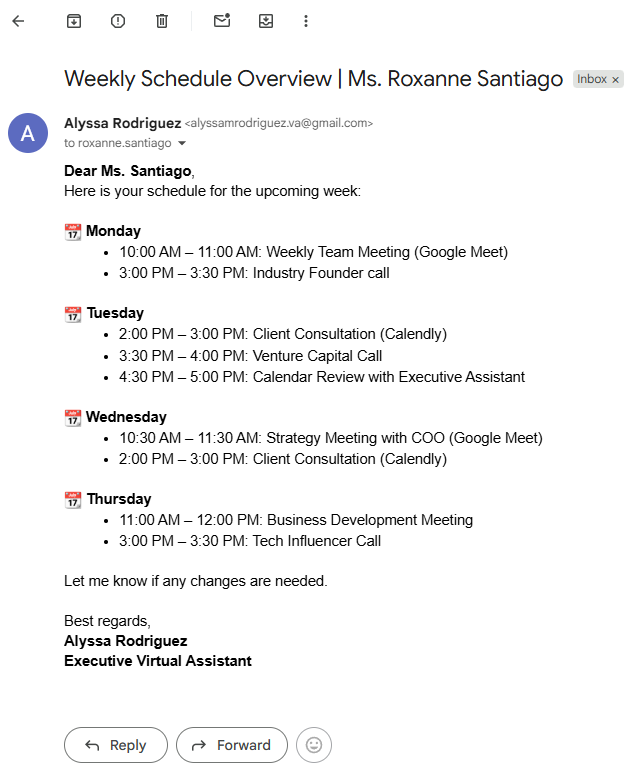
Here is an email sent to my client as an example, informing my client about their weekly schedule overview and ask the client to let me know if any changes are needed.
For client consultations, I use Calendly to streamline appointment scheduling for business discussions. Clients can easily select a time based on my client’s availability, creating a smooth, efficient booking process that works well for both parties
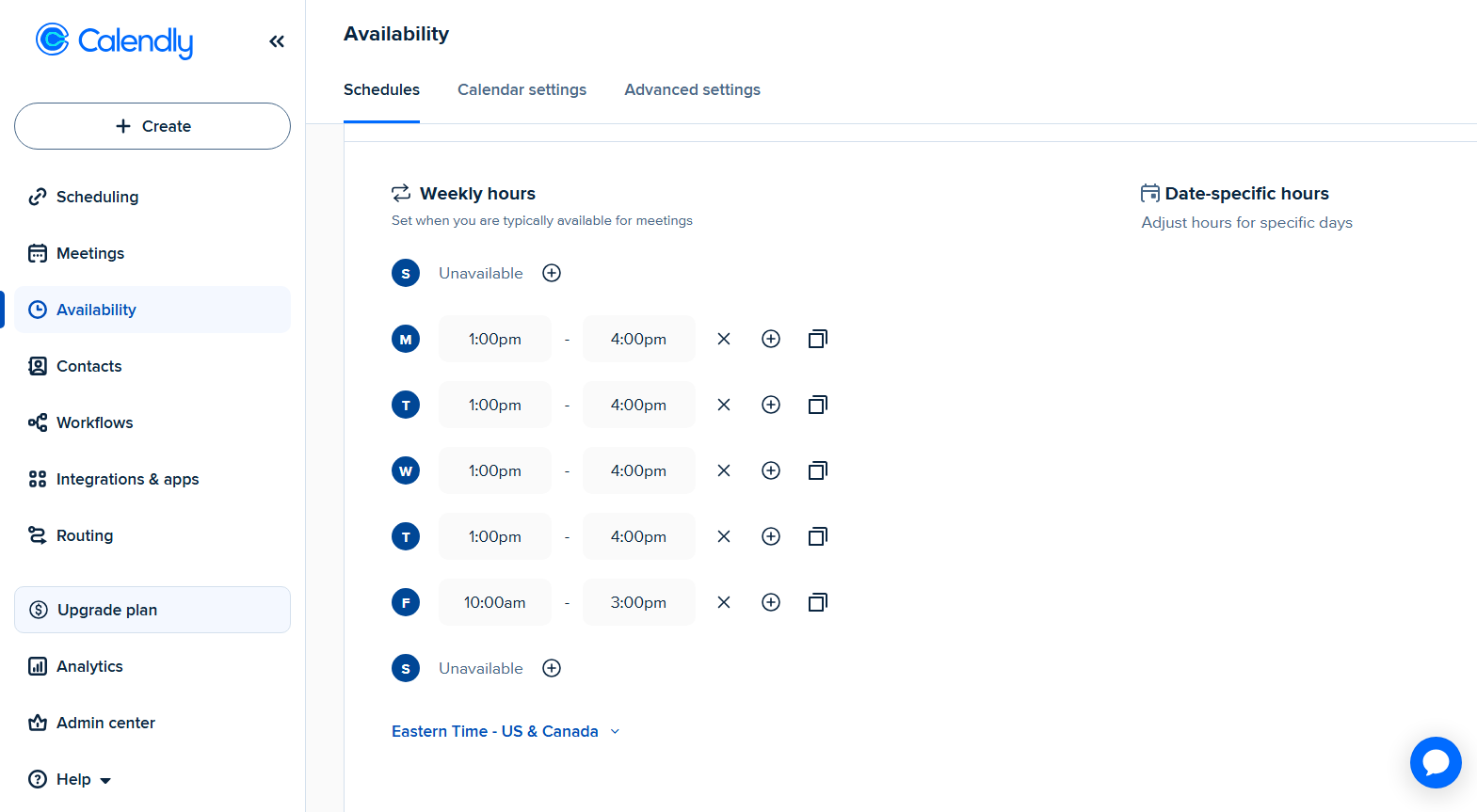
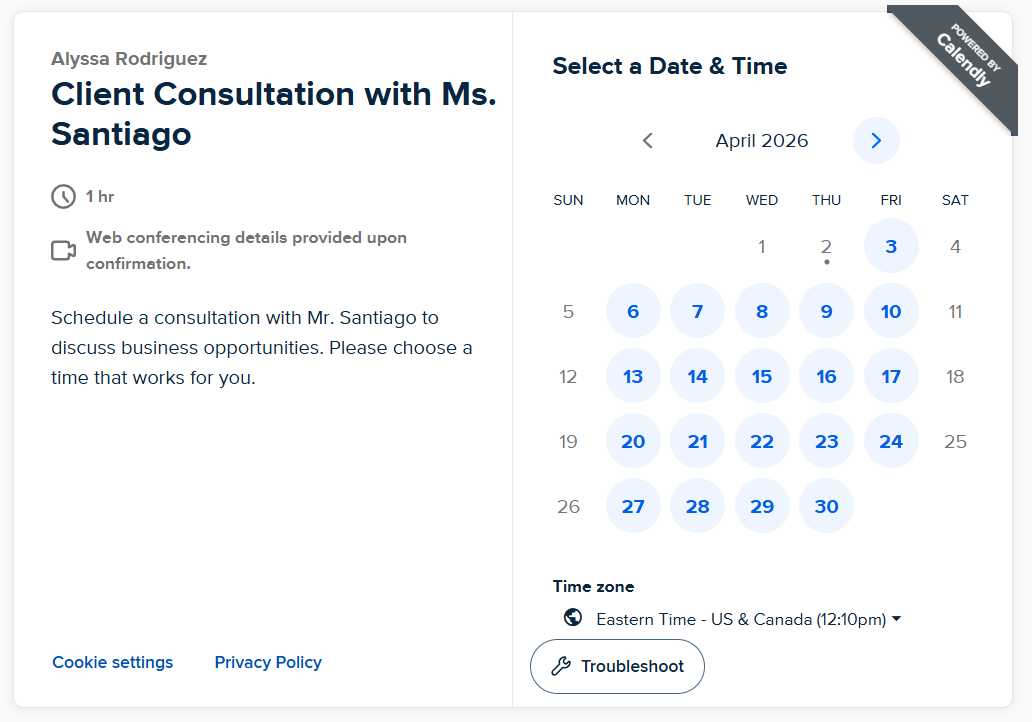
As shown in the images above, the schedule is aligned with my client’s weekday availability, ending at 4:00 PM from Monday to Thursday and 3:00 PM on Friday.