Email Management
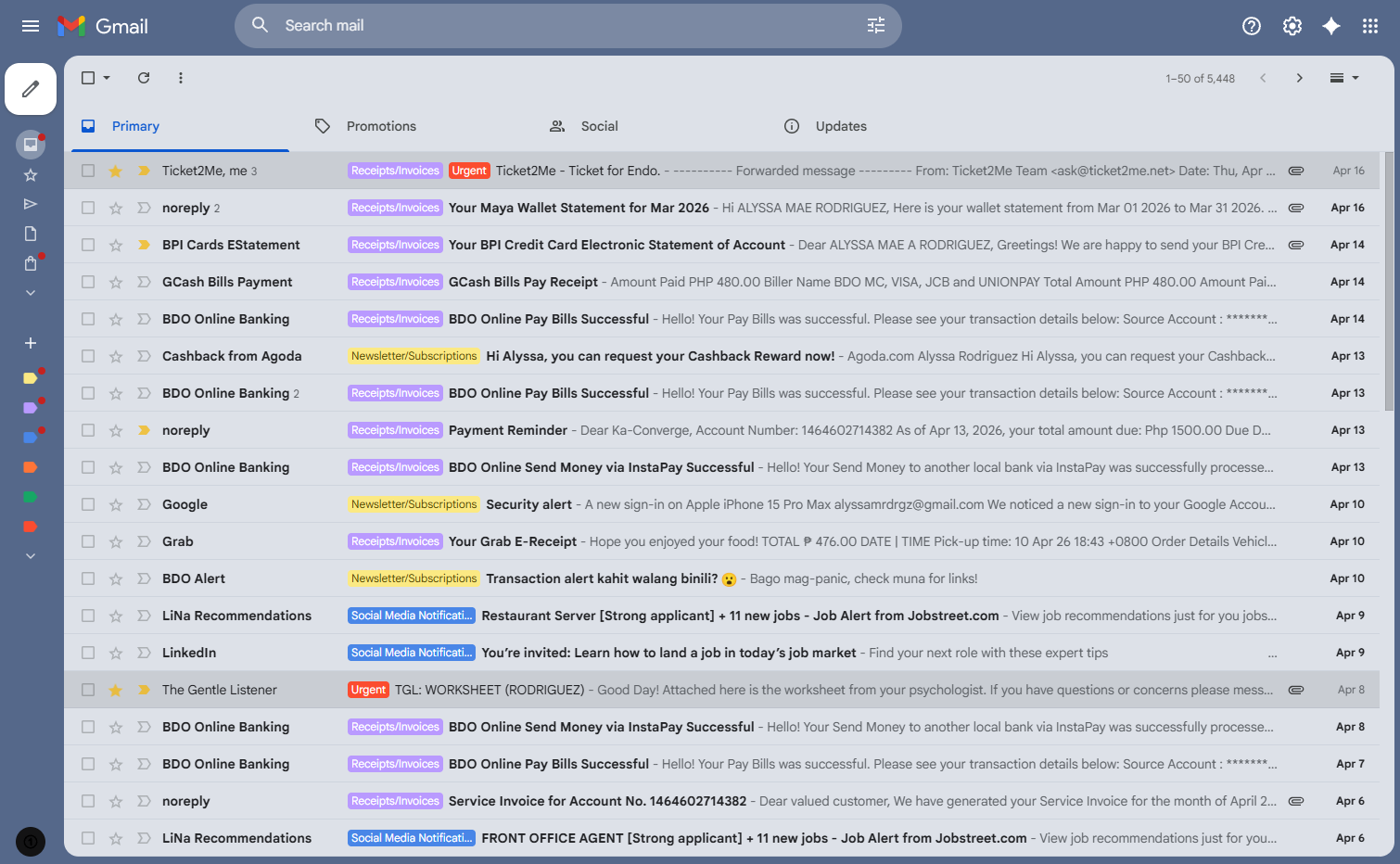
Here is an overview screenshot picture of my personal email account as an example and for practice.
To enhance workflow efficiency, I categorized the inbox using specific labels—such as Urgent, To Reply, To Read, Social Media Notifications, Receipts/Invoices, and Newsletter/Subscriptions. Using colors for each category allows me to identify urgent tasks and newsletters at a glance, significantly improving my daily workflow.
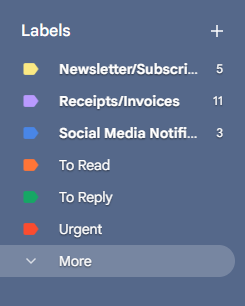
As a Virtual Assistant, an inbox isn't just a list—it's a workflow. Being organized is the key to effective inbox management. I use a combination of strategic labels and Gmail's priority algorithms to sort emails, reduce clutter, and guarantee that urgent messages are addressed immediately. This proactive approach prevents missed opportunities and keeps my client's schedule moving efficiently.
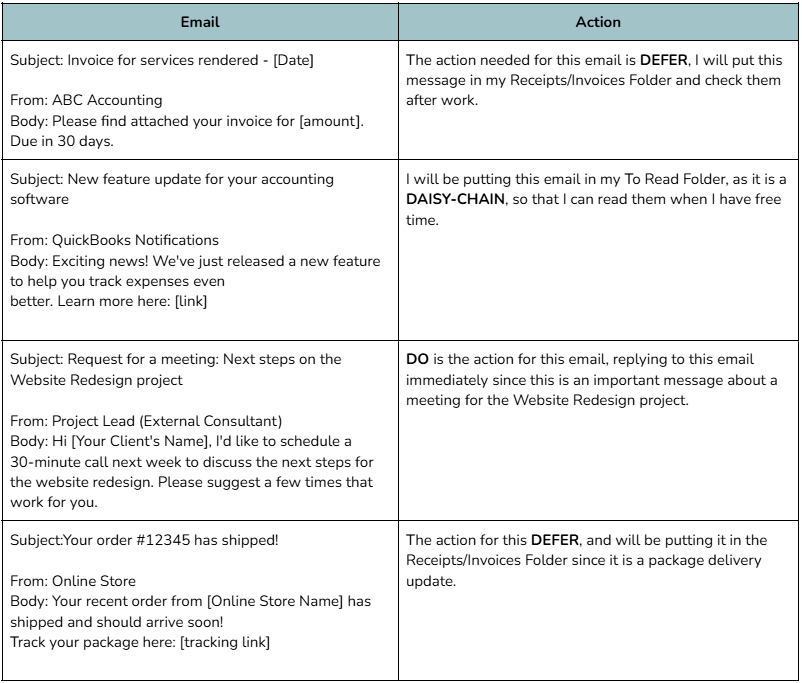
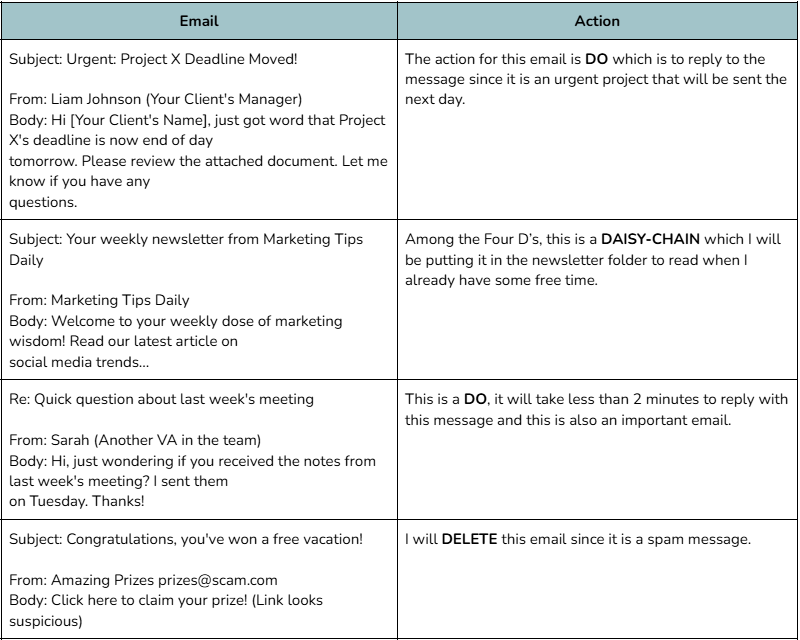
I practice inbox optimization by applying the Four D’s method—Delete, Do, Defer, and Daisy-Chain (Document).
This strategy enhances productivity through disciplined organization and streamlined email handling. My goal is to minimize clutter while ensuring that urgent matters are prioritized and routine tasks are managed effectively. Included below is a breakdown of my actions and decisions for specific emails, along with samples of professional drafts tailored for team collaboration and formal inquiries.
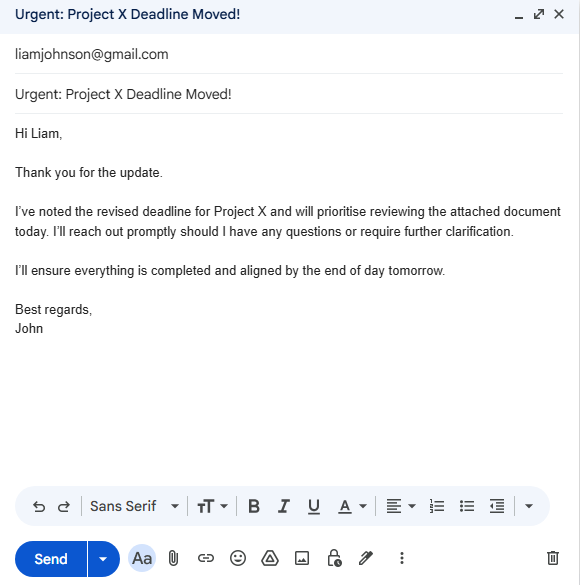
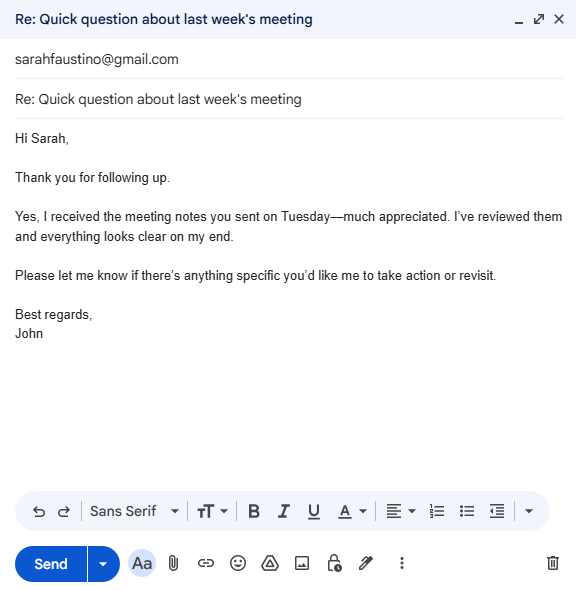
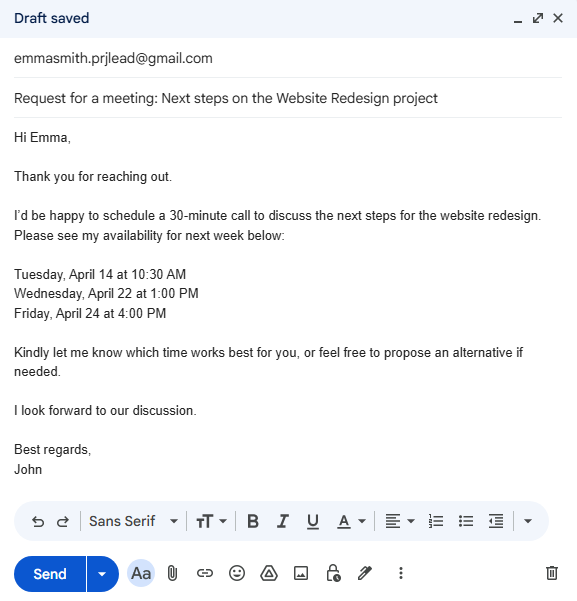
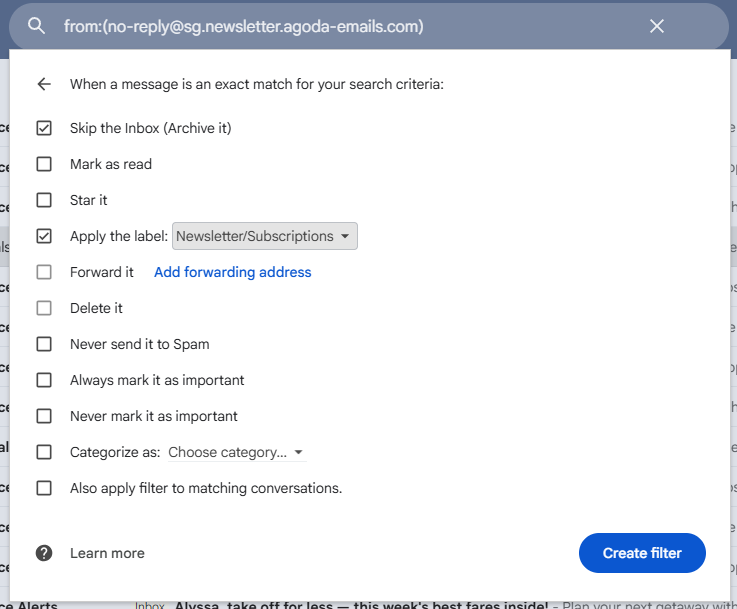
My drafted responses illustrate my commitment to clear and professional client representation. By using email filters to categorize messages automatically this enhance my workflow.
For instance, I’ve set Agoda emails to skip the inbox and move to Newsletter/Subscription folder. This strategy ensures a purposeful inbox where urgent matters are highlighted and routine subscriptions are neatly organized for later review.
I concluded the project by drafting an inbox summary (for example) to keep the client updated on my progress. The report identifies the number of emails processed and the urgent matters I've managed, clearly flagging any items that need their final input. This system ensures the client stays updated at a glance, saving them the time and effort of manual sorting.
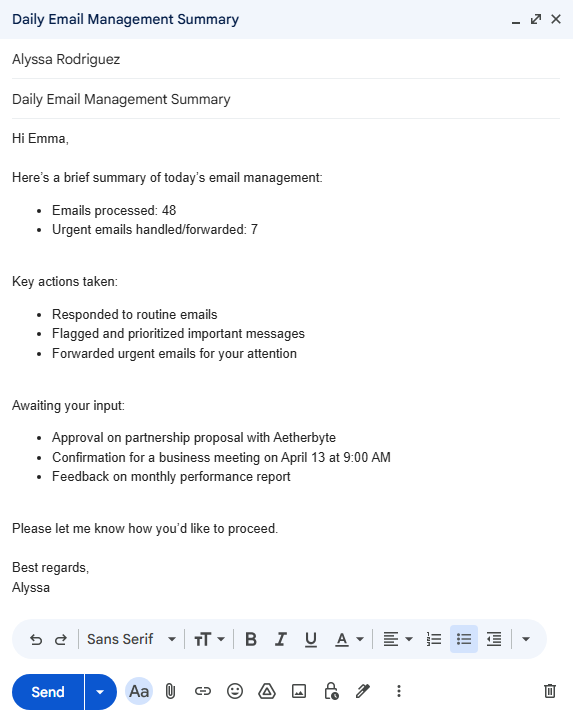
Establishing clear communication is essential for building lasting client trust. I focus on delivering thoughtful, streamlined updates that highlight key accomplishments and necessary actions. This keeps the workflow transparent and ensures the client feels supported rather than burdened.
Through this project, I successfully applied the core inbox management techniques that are vital to a Virtual Assistant's daily workflow. I am now fully prepared to implement these systems to help clients stay organized and productive.